32 Schaeer Technologies
9.2 Heating in
temperature mode
■ Position the workpiece and sensor (according to
chapters 7 & 8.)
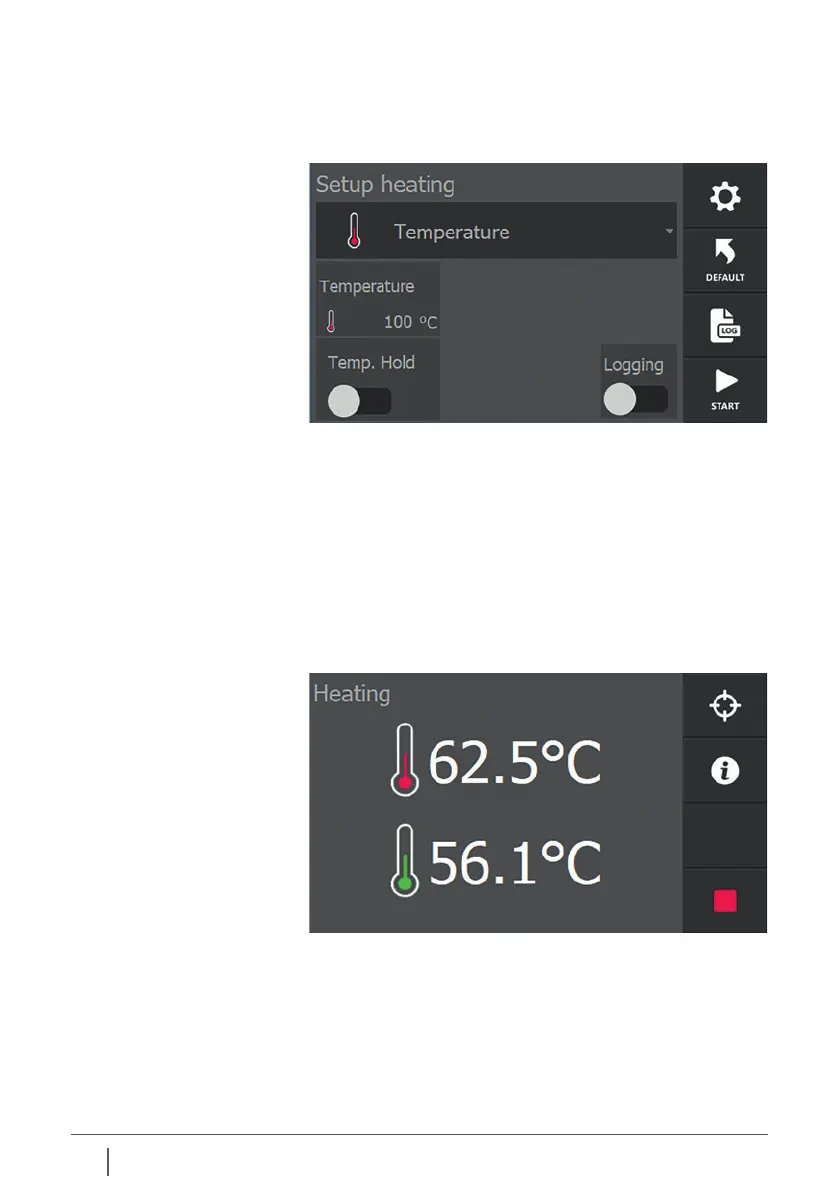
■ Switch on the heater and select the temperature mode
if necessary.
■ If necessary, change the temperature set by pressing the
current temperature.
■ If desired, switch on the “hold temp.” (thermostat mode)
and log functionality by moving the sliders to the right.
These will now turn green.
■ Press “START”. The heating starts, you will hear a slight
humming sound.
■ The display shows the current temperature of
the workpiece.
■ If a second sensor is attached to the workpiece, this
temperature also appears on the display.


 To Next Page