46 Schaeer Technologies
10.5 Heating logs
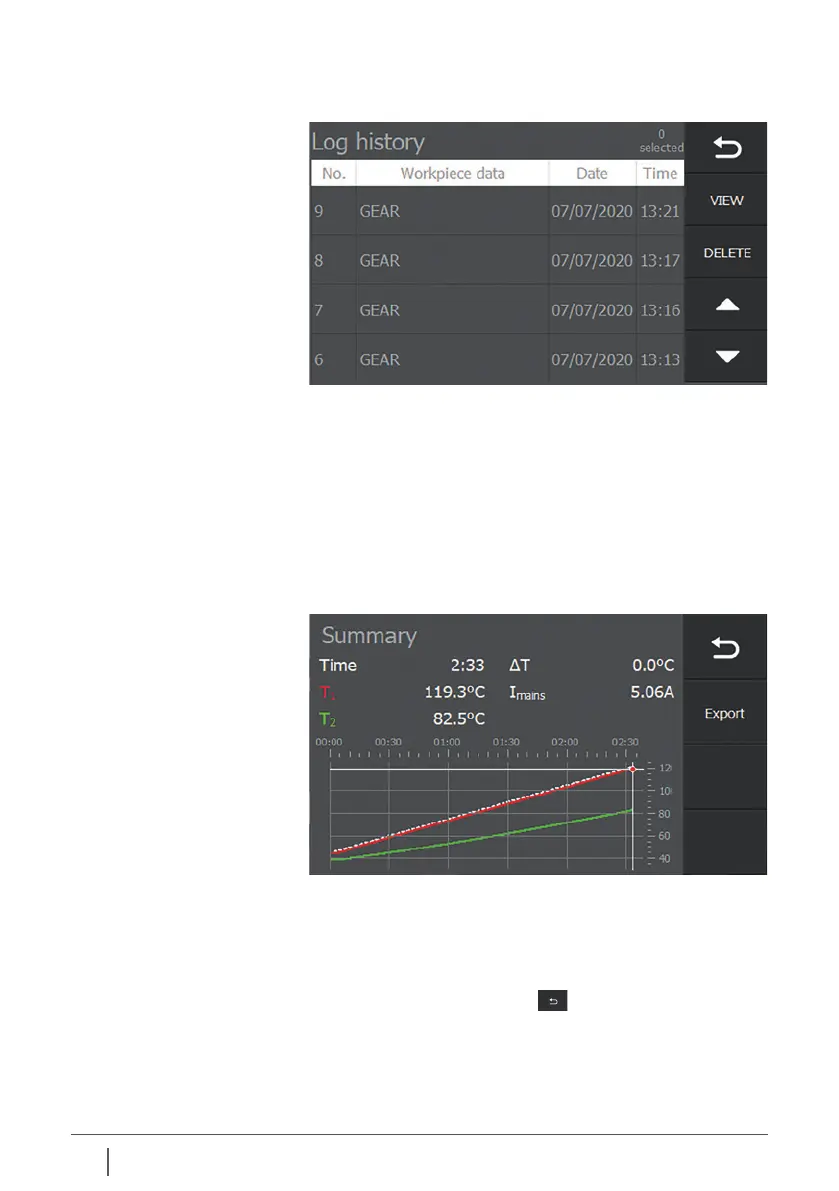
To scroll through the lines, use the arrow keys.
To select a log, press the corresponding line.
After selecting the desired line/file, select:
View – to display the selected log file on the screen
Delete – to delete the selected log file from the memory
View
Pressing “View” after selecting a file displays the heating
information of the process.
Pressing the “Heating logs button” displays a list of saved
heating logs.
If a USB data carrier is connected, the heating data can also
be exported from here. To do so, press “Export”. If the file has
been exported successfully, a message appears indicating
that the export was successful. Press “OK” to clear the
message from the screen.
Press “Back / Previous screen” to return to the
previous screen.


 To Next Page