Schaeer Technologies
21
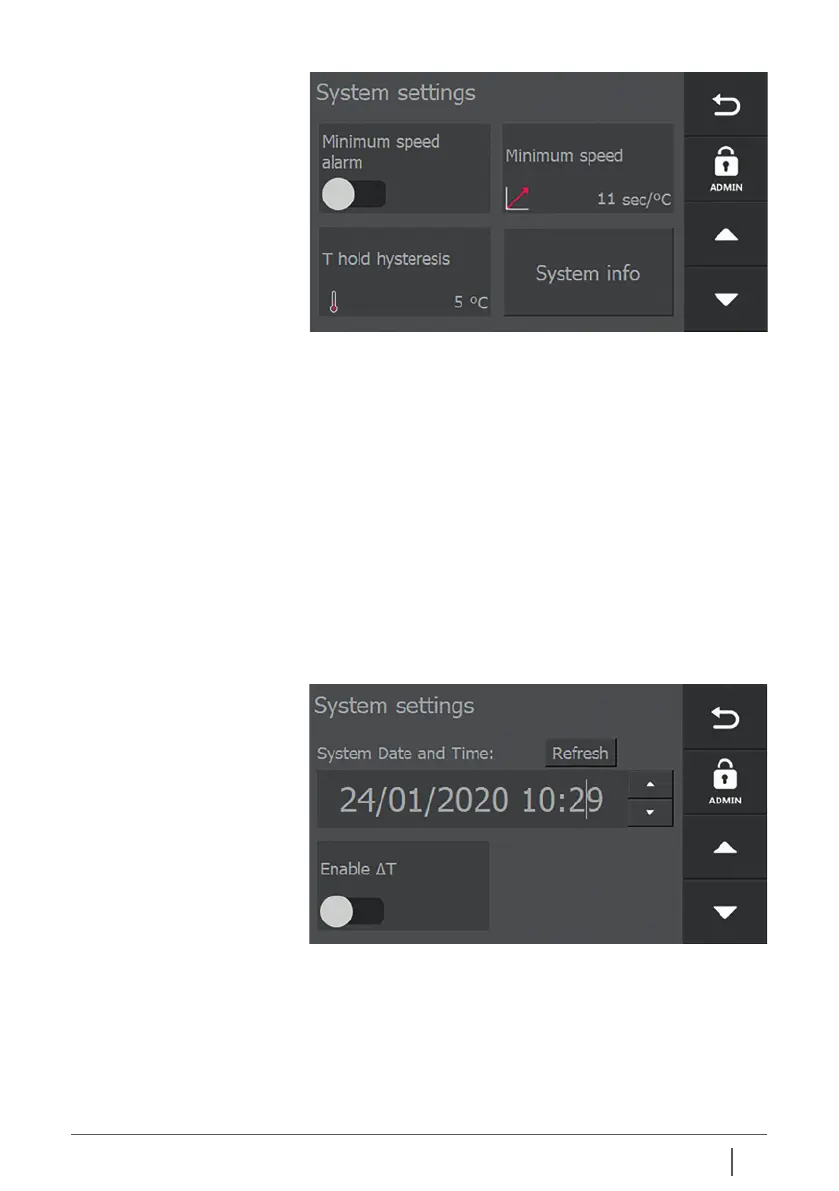
In this screen, the system date and time can be set.
Depending on whether you want to use the ΔT functionality,
switch on “ΔT enabled”.
Only when you switch on “ΔT enabled”, another screen is
available in which you can enter the desired settings for
this functionality.
6.5 Explanation of system
settings – screen 4
Min. speed alarm:
Alarm if insucient temperature increase is measured
according to the Min. speed limit setting.
Min. speed:
Minimum temperature gradient.
T hold hysteresis:
Temperature at which the workpiece may be lowered before
the heating process restarts automatically
System info:
Information about firmware versions
T hold hysteresis is the setting that belongs to T hold in the set
up (heating) screen.
6.6 Explanation of system
settings – screens 5 and 6


 To Next Page