18 Schaeer Technologies
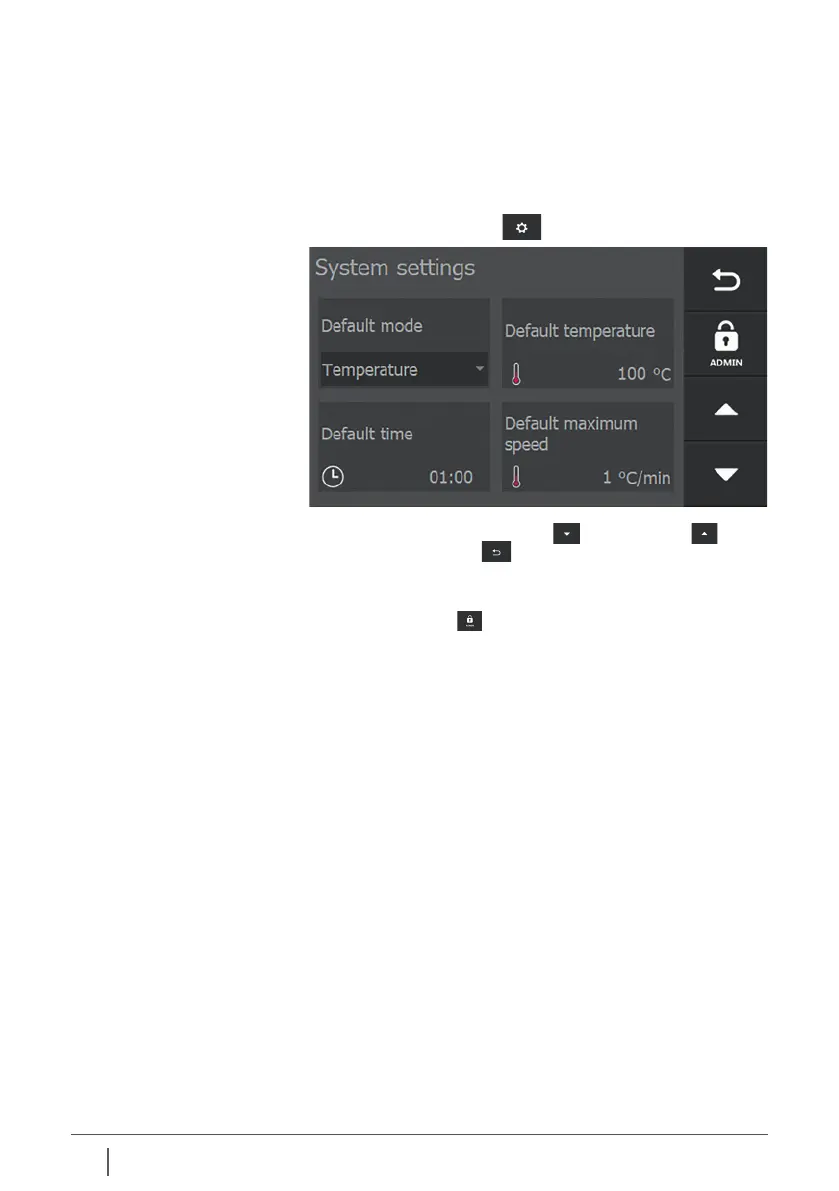
With the buttons “page forward” , “page back” and
“back / previous page” the user can navigate through the
various settings pages.
Tapping allows its settings to be changed.
An “ADMIN” button is displayed on this screen.
Settings are made by the manufacturer in the Admin settings.
These settings are essential for the type of heater and are
not at the user level and are therefore not accessible. These
settings are protected by a password.
The heater oers the possibility to set and adjust parameters
according to personal wishes and preferences. The parameters
can be set according to the demands made on a heating
process. Pressing settings displays the following screen:
6. System settings
6.1 General
About Admin settings


 To Next Page