Schaeer Technologies
29
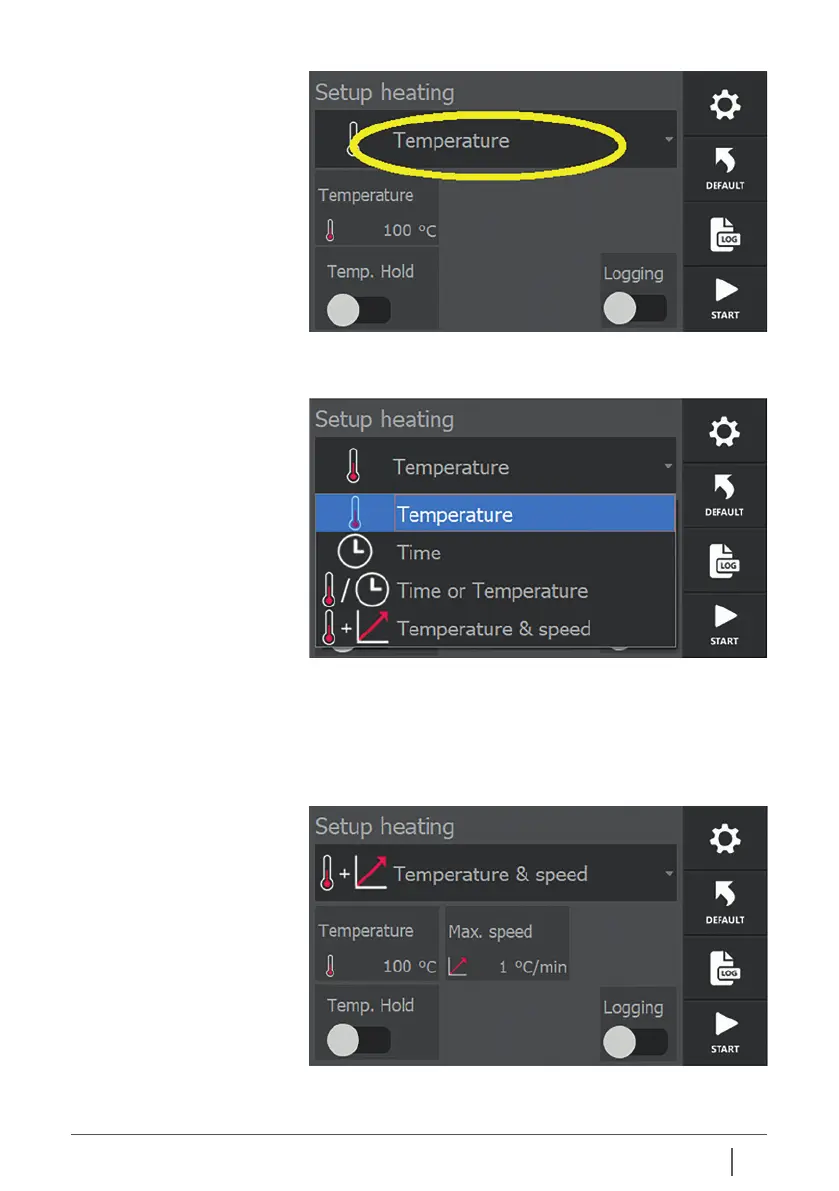
Example screen after selecting “Temp & Speed”.
9.1 Selecting heating modes
The various heating modes can be selected by tapping the
current mode on the settings screen.
A selection menu appears below the current mode, in which
one of the four heating modes can be selected by tapping.
The selection made is then displayed under “Mode” and the
selection menu disappears from the screen again. More, less
or other variable parameters may be displayed, depending on
the choice made.


 To Next Page