34 Schaeer Technologies
■ Position the workpiece and any sensors (according to
chapters 7 & 8.) Only use the sensor if you want to check
the temperature before the countdown has completed.
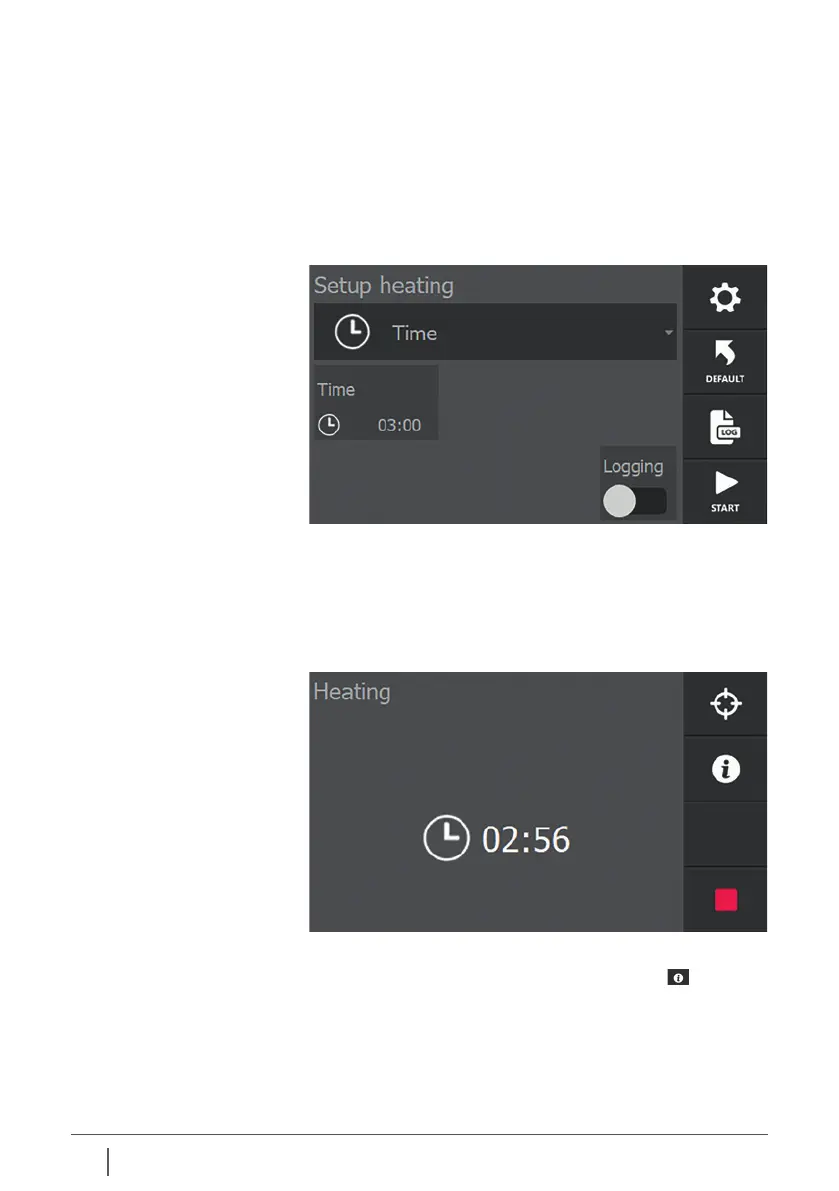
■ Switch on the heater and select the time mode if necessary.
■ If necessary, change the time set by pressing the
current time.
■ Press “START”. The heating starts, you will hear a slight
humming sound.
■ The display shows the time left until process completion.
9.3 Heating in time mode
If you have connected the sensors and placed them on the
workpiece, the temperatures measured are also shown on
the display.
NOTE! In time mode, the process does nothing with
these temperatures!
Only when sensors are connected, the heating process is
displayed graphically by pressing the info button . Pressing
info again displays additional information from the process.


 To Next Page