44 Schaeer Technologies
In addition to the log functionality, which can be switched on
or o, the heater automatically saves certain data from the
heating process.
This data includes:
■ Last crash, data from the process shortly before the
generator failed (crashed) for whatever reason
■ Heating logs, data on stored heating processes
■ Alarms occurring during the process
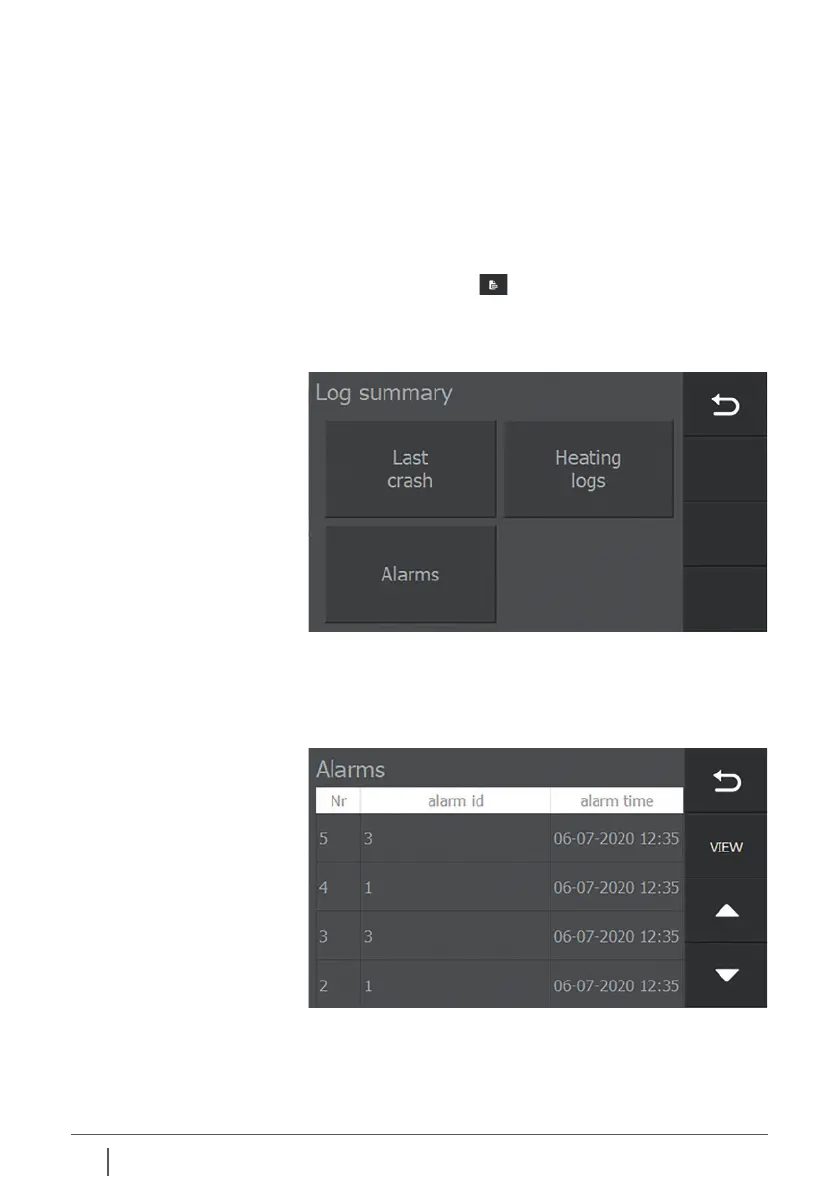
Press the “Log” button on the right side of the settings
screen to view the logs.
An overview screen is displayed with three types of log.
10.2 Access to the log files
Leave the screen by pressing “Previous”.
Select the log you want to view by pressing it.
10.3 Alarms By pressing “Alarms” an overview will be displayed of alarms
that have occurred.
Use the arrow keys to select which alarm you want to view and
then press “View”.


 To Next Page