Schaeer Technologies
43
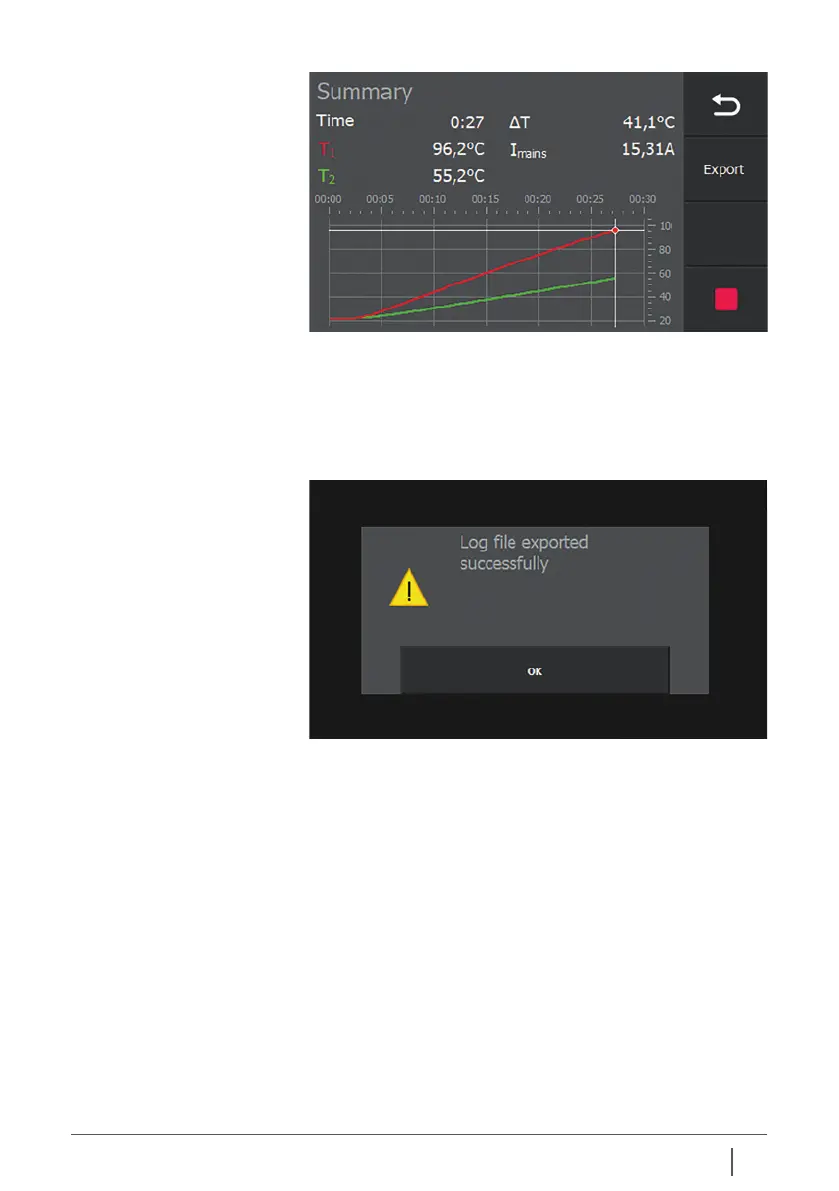
Now the heating data can be exported to a USB data carrier as
a CSV file. To do so, tap the “Export” button.
The screen below appears as a sign that the export of the log
file has been successful. Press “OK” to confirm the message
and to clear the message from the screen.
The file is now stored as a .CSV file (comma separated
variables) that can be imported, for example, into Microsoft
Excel for processing as a report.
It is not necessary to export the log files immediately after
each heating cycle.
The files are stored on the heater and can be selected from a
list at a later stage to view and/or export them to a USB data
carrier. See section 10.5.


 To Next Page