42 Schaeer Technologies
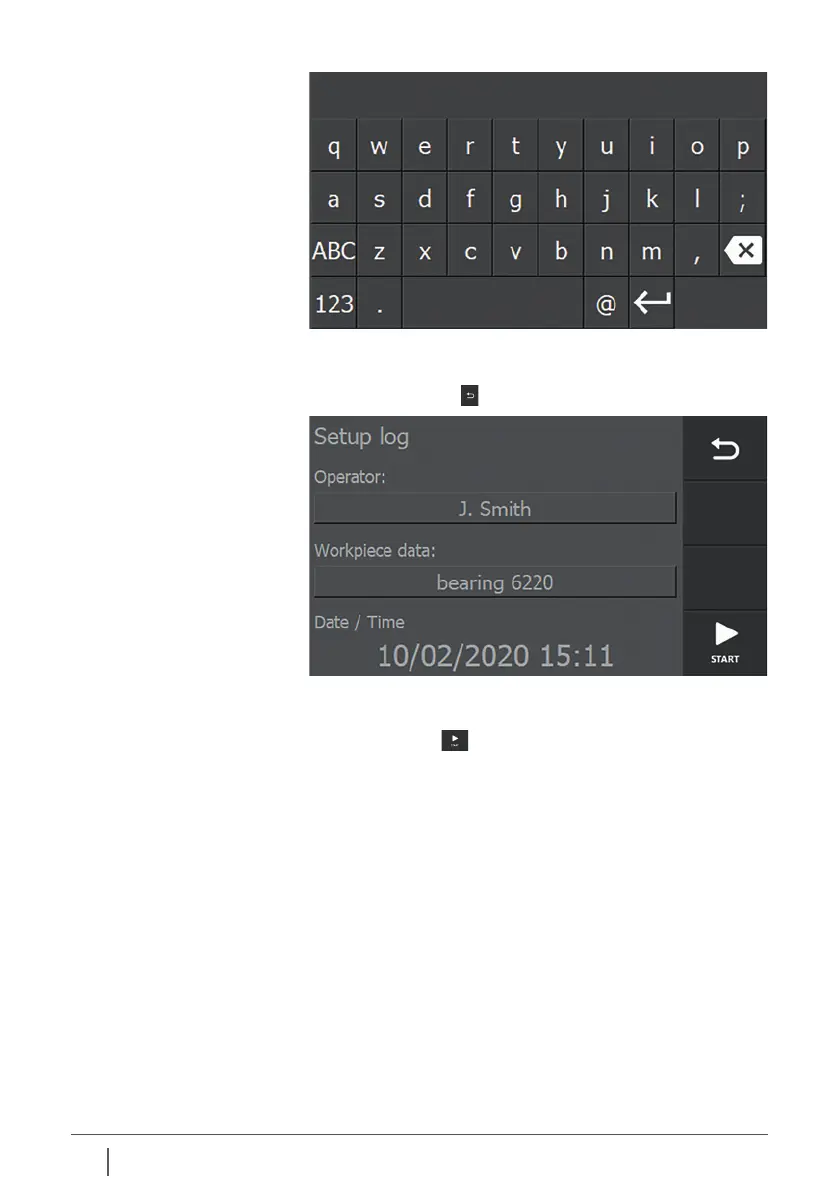
Enter the data and exit with enter. The keypad disappears
from the display and the entered data is transferred to the
corresponding field.
Repeat the above steps, if necessary, for the other input field.
Pressing “START” now starts the heating process and the
heating data are coupled to the entered data, operator and
project name. The system date and time are also included.
When the process has been completed, an overview screen
with all the heating data is displayed.


 To Next Page