36 Schaeer Technologies
■ If necessary, change the temperature and/or time set by
pressing the current values.
■ Press “START”. The heating starts, you will hear a slight
humming sound.
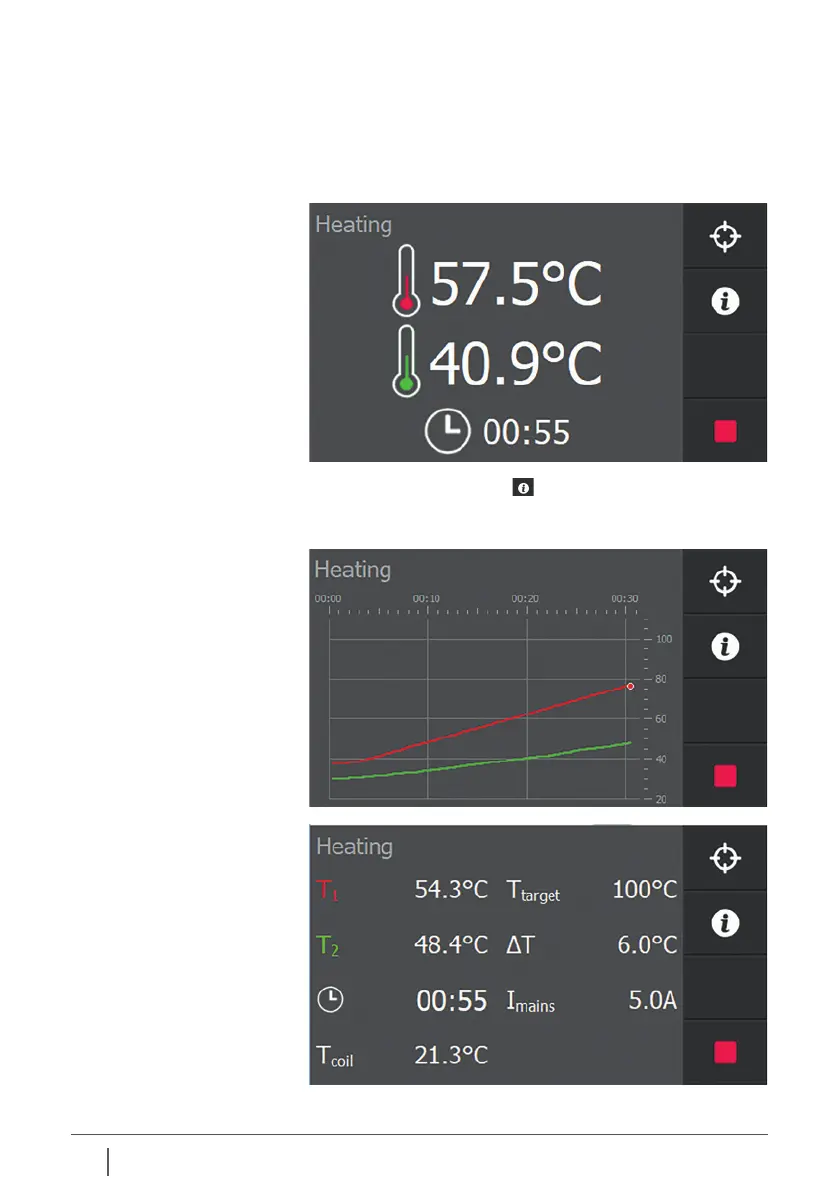
■ The display shows the temperature and the time left until
process completion.
By pressing the info button , the heating process is
displayed graphically. Pressing info again displays additional
information from the process.


 To Next Page