humimeter RH2 Operating Manual
Page 20
5. The measuring process
5.1 Preparing a measurement
To do so: The device has to have nearly the same temperature than the product being
measured. It is recommended to let your humimeter device adjust to the surrounding
temperature for at least 30 minutes before the measurement.
• Switch on the device (see "4.1 Switching on the
device").
• Connect the desired sensor to the device (see "4.3
Exchanging the sensor").
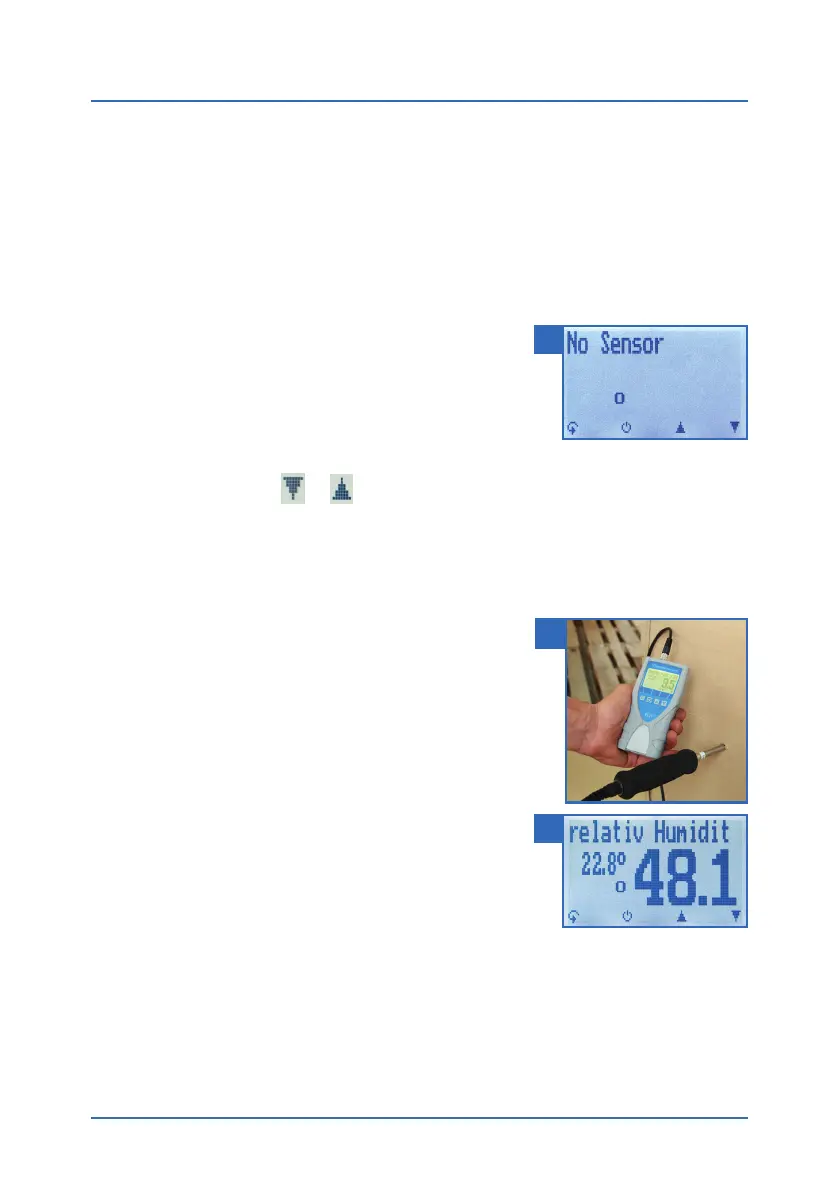
» If no sensor is connected, the display will show No
Sensor (figure 9).
• Select the desired product type (see "7. Product
types") by pressing
or (see "4.2 Selecting the product type").
5.2 Taking a measurement
5.2.1 Measurement with plug-in sensor
To do so: The device has to have nearly the same tempe-
rature than the product being measured.
• Insert the measuring head of the device straight
into the material being measured.
» Do not bend or drop the measuring head!
» Let the device adjust to the material being measu-
red for an adequate time period (see "5.3 Adjust-
ment behaviour of the sensor").
• Now take the measured values shown on the dis-
play of the device (figure 11).
» Once the reading has been taken, it can be saved
on the device (see "6.2 Saving your readings manu-
ally" or "6.3 Auto save function (time-based)").
9
10
11



 To Next Page