humimeter RH2 Operating Manual
Page 24
6. Saving your readings
6.1 Hold function - Freezing the displayed values
The device can be configured in such a way that the information being shown on the
display will freeze at the touch of a button until a new button is pressed. This function
can be very useful when e.g. taking readings in places where it is not possible to see
the display (e.g. overhead).
6.1.1 Activating the Hold function in the Options menu
To do so: The device has to be switched on and be in the product selection menu.
1. Press
twice or hold for 2 seconds.
2. Select Options. To do so, press
or and confirm by pressing .
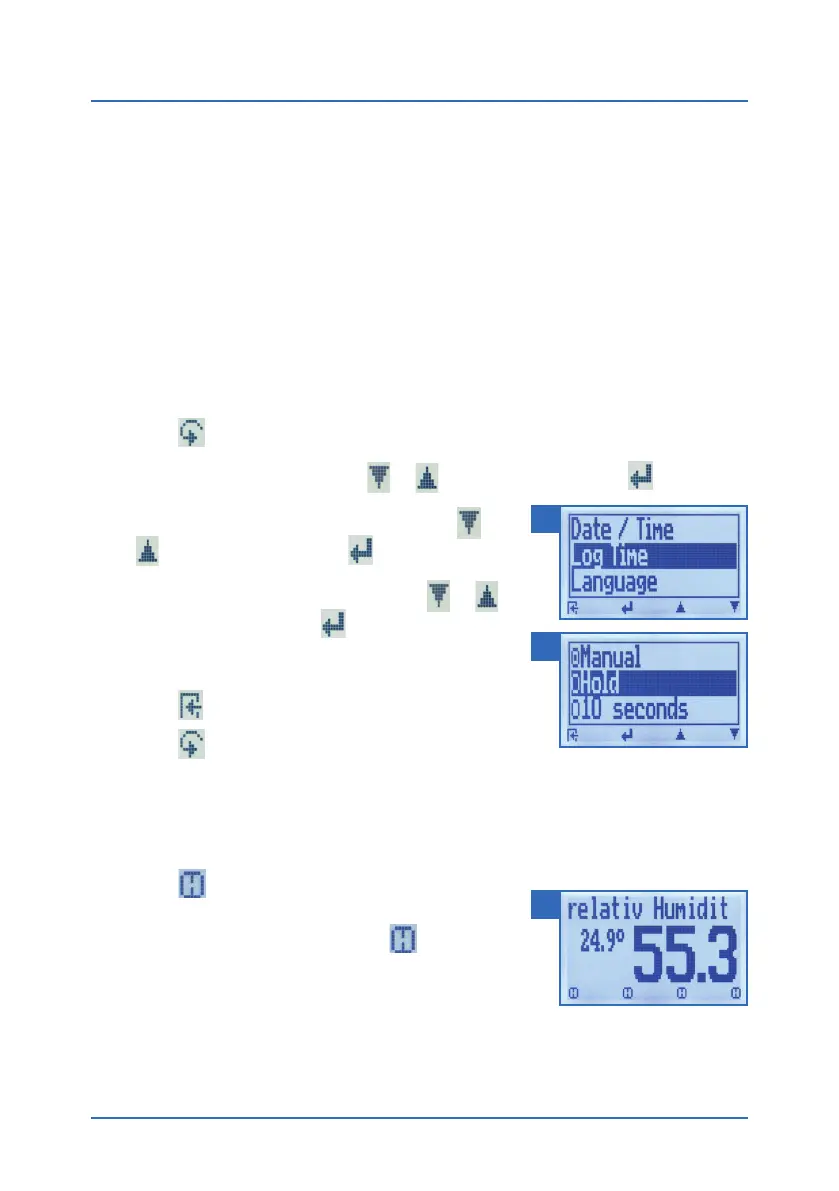
3. Select Log Time (figure 14). To do so, press
or
and confirm by pressing .
4. Select Hold (figure 15). To do so, press
or
and confirm by pressing
.
» The setting has been saved.
5. Press
to leave the Options menu.
6. Press
to leave the main menu.
6.1.2 Using the Hold function
To do so: The device has to be switched on and be in the Data Log menu.
• Press
.
» The current reading will be frozen. All of the four
symbols will now be displayed as
(figure 16).
• To reactivate the frozen display, simply press any
button.
14
15
16



 To Next Page