Page 25
6.2 Saving your readings manually
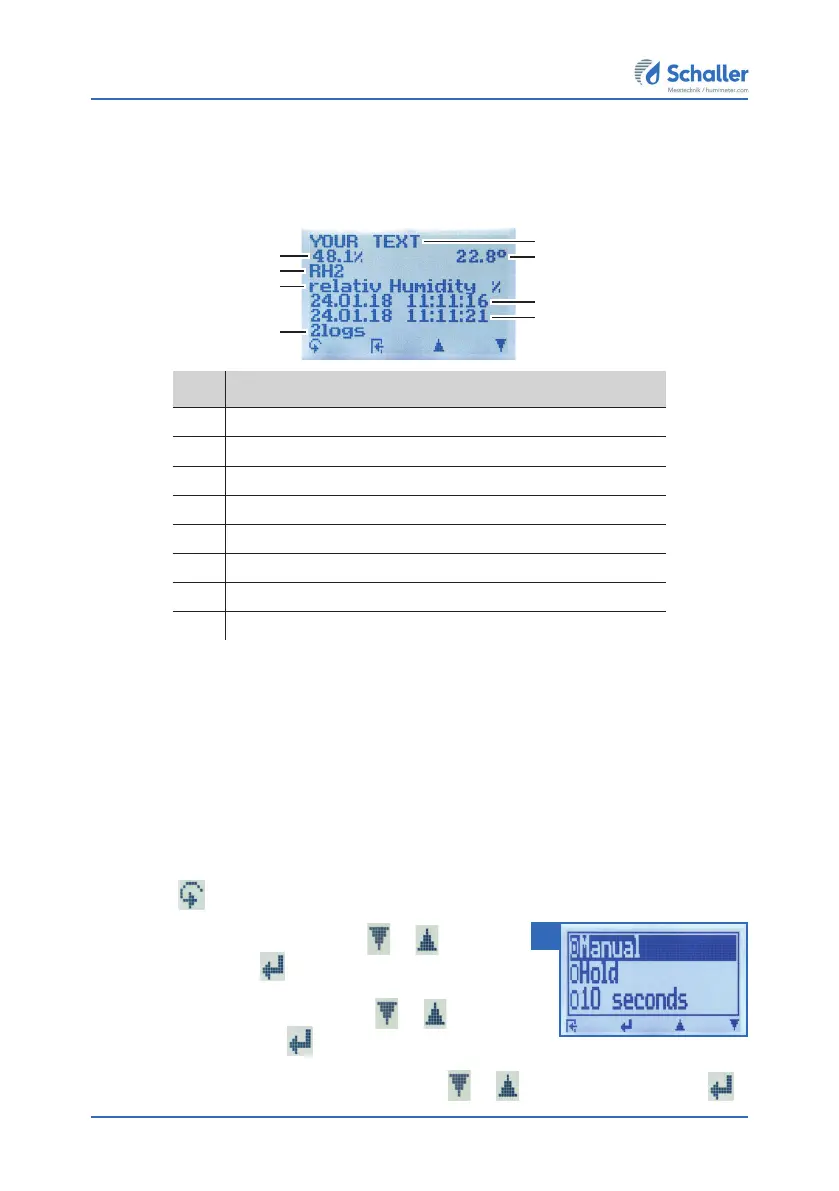
All of the readings can be saved, edited and viewed on the device. The figure below
shows the overview screen of a single saved series of measurements.
No. Name
1 Name of the measurement series (editable)
2 Temperature (average)
3 Date & start time of the measurement series
4 Date & end time of the measurement series
5 Number of saved readings
6 Product type
7 Device name
8 Relative air humidity (average)
6.2.1 Saving individual readings
The device can be configured in such a way that the device will save a reading every
time a button is pressed. This option (manual save function) is the device’s default
setting.
Activating the manual save function in the Options menu
To do so: The device has to be switched on and be in the product selection menu.
1. Press
twice or hold for 2 seconds.
2. Select Options. To do so, press
or and con-
firm by pressing
.
3. Select Log Time. To do so, press
or and
confirm by pressing
.
4. Select Manual (figure 17). To do so, press
or and confirm by pressing .
1
2
7
8
3
4
6
5
17



 To Next Page