humimeter RH2 Operating Manual
Page 42
10.5 Activating options
To do so: Some of the options must be deactivated.
1. Press
twice or hold for 2 seconds.
2. Select Options. To do so, press
or and confirm by pressing .
3. Select Unlock. To do so, press
or and confirm by pressing .
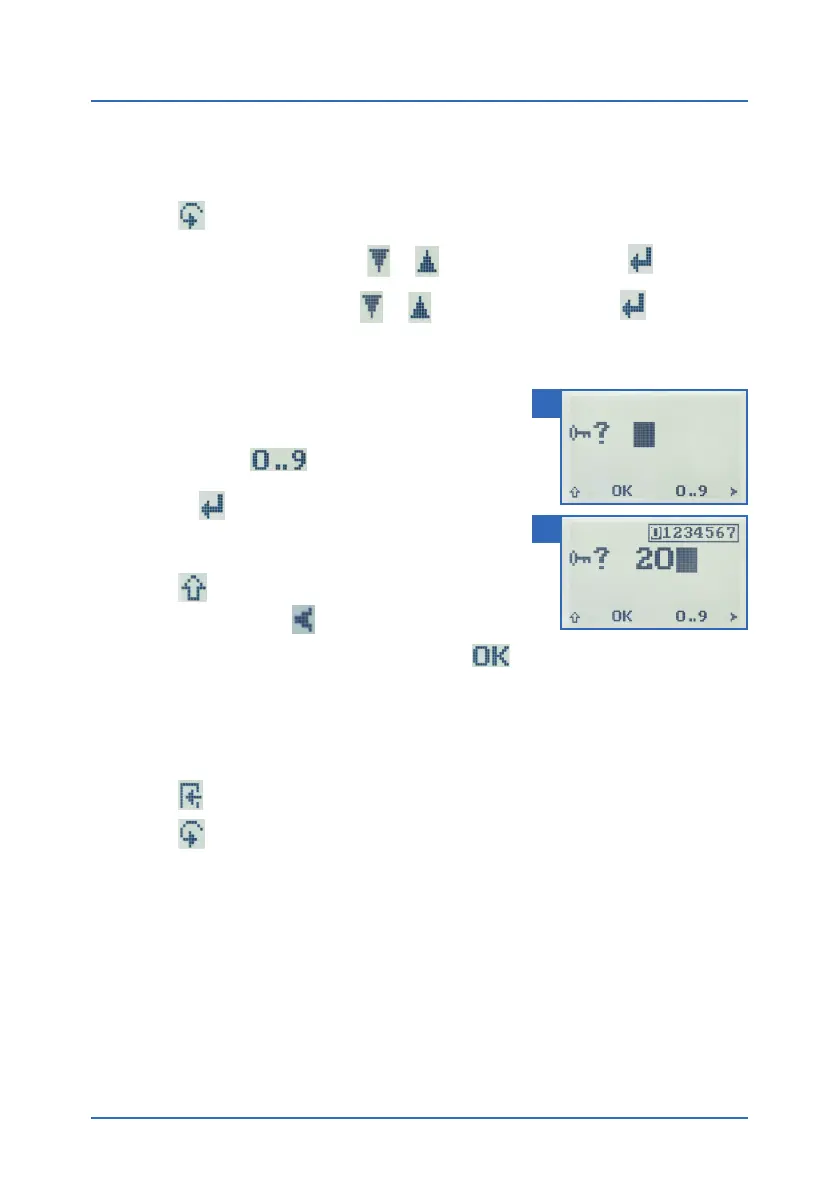
» The display will now appear as shown in figure 59.
» On delivery, the four-digit password is the device’s
serial number.
4. Inputting numbers:
Press and hold
to quickly scroll to the
required number and either press it for 3 seconds
or press
to confirm the selected number (figure
60).
5. Moving back:
Press
to switch to another input level.
To move back, press
.
6. Confirm the four-digit password by pressing
.
» The setting has been saved.
» The °C/°F, BL On Time, Auto OFF Time, Calibrate, Materialcalib., Online Send, Pass-
word, Reset options are now activated.
7. Press
to leave the Options menu.
8. Press
to leave the main menu.
10.6 Deactivating options
Once the device has been switched restarted, the °C/°F, BL On Time, Auto OFF Time, Cali-
brate, Materialcalib., Online Send, Password, Reset options will be deactivated again.
59
60



 To Next Page