EasyManua.ls Logo

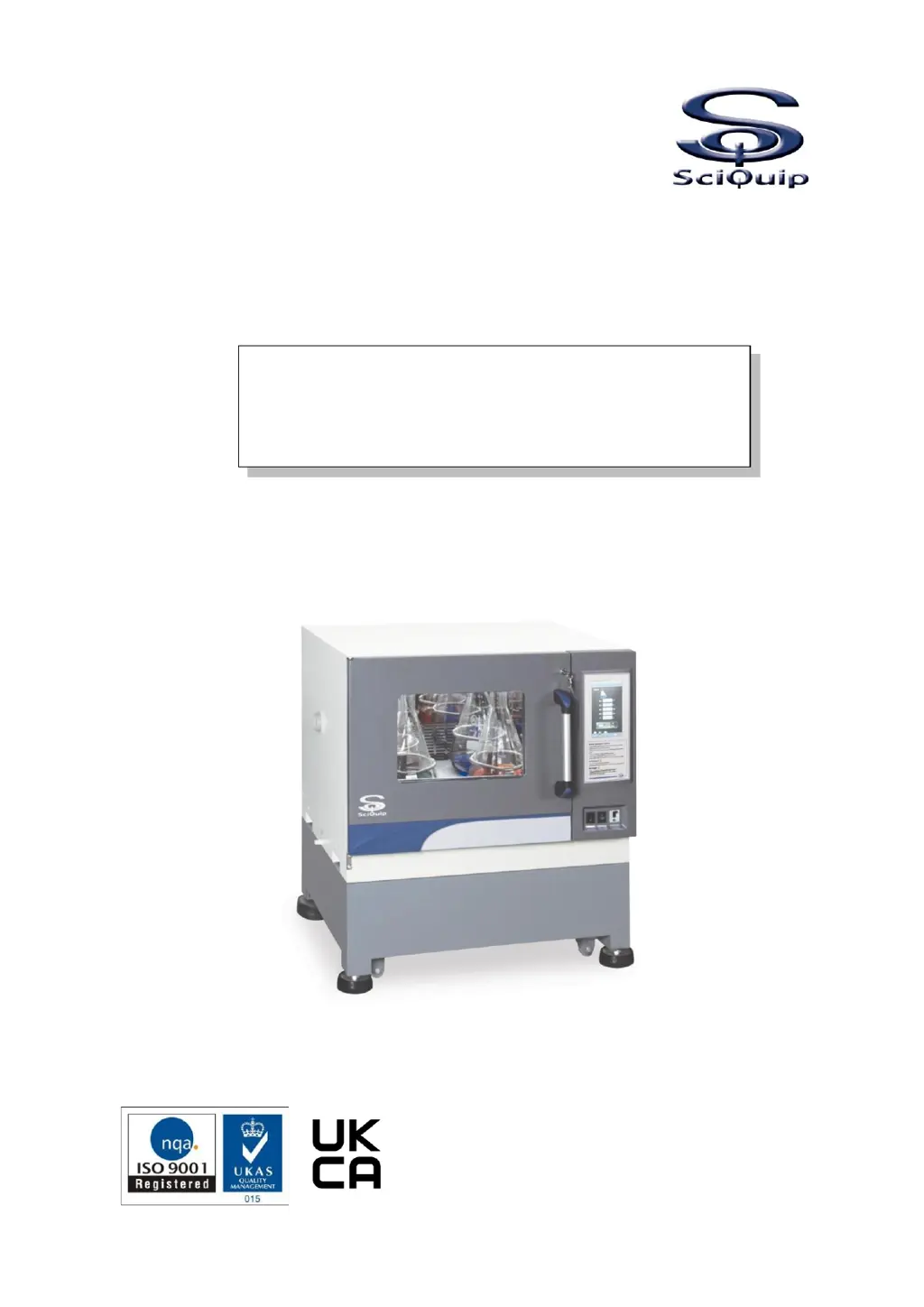
SciQuip Incu-Shake Compact - User Manual

SciQuip Incu-Shake Compact
49 pages
Print Icon
To Next Page IconTo Next Page
Loading...
User’s Manual
This Manual applies to:
Modes: Incu-Shake Compact
Premium Compact
Stackable Shaking Incubator
Orbital Model
Incu-Shake Compact

Table of Contents

Questions and Answers

  • J
    justin95Aug 17, 2025
    How to fix SciQuip Laboratory Equipment with no display on power on?
    • A
      Alexander GibsonAug 17, 2025
      If your SciQuip Laboratory Equipment isn't displaying anything after you've turned it on, there are several things to check: * Ensure the power supply is properly connected and has voltage. * Make sure the plug is firmly inserted into the socket. * Verify that the power switch on the side cooling compartment is turned on. * Inspect the fuse and replace it with a new one of the same specification if it's broken. If none of these steps work, the main power board system may be malfunctioning, and you should contact your distributor for repair service.
  • J
    Janet WestAug 19, 2025
    Why is the shaking movement of the platform unstable in my SciQuip Laboratory Equipment?
    • S
      Sarah CrawfordAug 20, 2025
      If the shaking platform of your SciQuip Laboratory Equipment is unstable, it might be due to several reasons: * An object inside the chamber may be causing an imbalance. If this is the case, remove the object and clean the chamber. * The equipment might not be placed horizontally. Try adjusting the left-back foot leveler to properly install the equipment. If the issue persists, there may be a malfunction with the control circuit, requiring you to notify the distributor for repair service.
  • L
    lauren63Aug 22, 2025
    What to do if the actual temperature is higher than the set point in SciQuip Laboratory Equipment?
    • B
      Brian BarnettAug 22, 2025
      If the actual temperature of your SciQuip Laboratory Equipment is higher than the set point and the high-temperature alarm is activated, it could be due to a few reasons: * The unit might still be in the process of reaching the required temperature. Give it some time to stabilize. * If the issue persists, the circulation fan may be broken, or there may be a malfunction with the refrigeration system. In either case, notify the distributor for assistance.
  • C
    Christopher ReedAug 25, 2025
    Why is the shaking platform not working on my SciQuip Laboratory Equipment?
    • K
      Katherine HuntAug 26, 2025
      If the shaking platform of your SciQuip Laboratory Equipment isn't working, check the following: * Ensure that the door is firmly closed, as the door switch might not be making contact. * Inspect the bottom of the platform for any objects that may be blocking it. If there are any obstructions, remove the platform, clear the objects, and clean the inside. If the issue continues, the belt may be broken, or there could be a malfunction with the control circuit. In either case, contact the distributor for assistance.
  • J
    Jeffrey HarrisonAug 28, 2025
    What to do if the actual temperature is lower than the set point in SciQuip Laboratory Equipment?
    • T
      Tammy RodriguezAug 28, 2025
      If the actual temperature of your SciQuip Laboratory Equipment is lower than the set point and the low-temperature alarm is activated, consider the following: * The unit might still be in the process of reaching the required temperature, so allow some time for it to stabilize. * The circulation of cold air may be excessive. Try closing part of the ventilation opening. If the problem persists, the circulating fan may be broken, or the heater may not be working. In either of these cases, it's best to notify the distributor for repair.
  • P
    Patrick NguyenAug 30, 2025
    Why is the actual temperature fluctuating in my SciQuip Laboratory Equipment?
    • M
      Matthew KennedyAug 30, 2025
      If the actual temperature of your SciQuip Laboratory Equipment is fluctuating and not stable, make sure that the door (lid) is closed firmly. If the issue continues, a malfunction may have occurred with the control circuit, and you should notify the distributor for repair service.
  • A
    andreacookSep 2, 2025
    What causes the shaking movement of platform to be out of control in SciQuip Laboratory Equipment?
    • T
      thompsonchristopherSep 2, 2025
      If the shaking movement of the platform in your SciQuip Laboratory Equipment is out of control, a malfunction may have occurred with the control circuit. You should notify the distributor for repair service.
  • E
    Earl FreemanSep 5, 2025
    What causes the temperature to be constant out of control in SciQuip Laboratory Equipment?
    • Z
      Zachary ClarkSep 5, 2025
      If the temperature of your SciQuip Laboratory Equipment is constantly out of control, a malfunction may have occurred with the control circuit. You should notify the distributor for repair service.
  • C
    Carlos RothSep 7, 2025
    Why does the platform keep shaking after the door is opened on my SciQuip Laboratory Equipment?
    • J
      Juan Turner DDSSep 8, 2025
      If the platform continues to shake after the door of your SciQuip Laboratory Equipment is opened, the door switch may have short-circuited. Notify the distributor to replace the door switch.
  • T
    Tina CardenasSep 12, 2025
    What to do if the platform starts shaking fast as the door is closed on SciQuip Laboratory Equipment?
    • R
      Robert CantrellSep 12, 2025
      If the platform starts shaking and the speed suddenly increases when you close the door of your SciQuip Laboratory Equipment, ensure you are operating it correctly. Refer to the User's Guide and press the Start/Stop button to operate it again.

Summary

Introduction

Safety Precautions

Environmental Requirements

Technical Data

Unit Dimensions and Views

Details the physical size, layout, and stacked configurations of the incubator unit.

Standard Functions and Components

Lists and describes the main unit, door, and inner chamber components.

Key Functional Controls

Explains shaking control, temperature control, electronics, and tray operation.

Detailed Specifications

Lists technical parameters including dimensions, performance, and power.

Preparation and Start-Up

Unpacking, Handling, and Leveling

Covers safe unpacking, lifting, and precise leveling procedures for the unit.

Initial Setup: Cleaning and Electrical

Details preliminary cleaning and electrical connection requirements.

Platform and Tray Installation

Instructions for installing flask clamps and sticky mats on shaking trays.

Shaking Diameter Adjustment

Procedure for adjusting the shaking orbit diameter from 1-50mm.

Special Features: Refrigeration and Modbus

Information on refrigerated units and Modbus TCP/IP communication.

Operating the Unit

Home Page Interface Overview

Explains the main display, buttons, and status indicators on the home page.

Set Menu and Password Access

Guides users on accessing the settings menu via password.

FUNC Page for Mode Selection

Describes how to select control modes and functions via the FUNC page.

Control Modes: Temperature & Speed

Explains switching between fixed and programmable control for temp and speed.

Keep Function & Defrosting

Covers temperature holding settings and automatic defrost cycle configuration.

Programmable Control Mode Operations

Details setting up multi-segment programs for experiments.

Photosynthetic Lighting System Operations

Explains operation of LED lighting, including fixed and programmable modes.

Clock and System Settings

Instructions for setting the real clock time and other system parameters.

Password and Communication Management

Details operator/admin password management and communication address setup.

Data Logging and Illumination Control

Covers using the USB data logging system and controlling illumination lights.

Sticky Mat Usage and Care

Provides guidance on using, loading, unloading, and maintaining sticky mats.

Alarms and Deviation Settings

Temperature and Speed Alarm Deviations

Defines how to set temperature and speed deviation thresholds for alarms.

Maintaining the Unit

Routine Maintenance Schedule

Outlines daily, annual, and as-required maintenance checks.

Fuse Replacement and Cleaning

Instructions for replacing the fuse and cleaning cooling condensers.

Sticky Mat Care

Details on cleaning and replacing the sticky mat for optimal performance.

Electronic Control System

Troubleshooting Common Issues

After-Sale Service and Warranty

SciQuip Incu-Shake Compact Specifications

General IconGeneral
Temperature RangeAmbient +5°C to 60°C
Shaking Speed30 to 300 rpm
Orbit19 mm
TypeIncubator Shaker
Platform Size300 x 300 mm
Timer1 min to 99 hours or continuous
Power Requirements230V, 50/60Hz