MAN.270.EN--05--SDT270-user-manual-Eng.docx
Getting started
5 Charging the battery
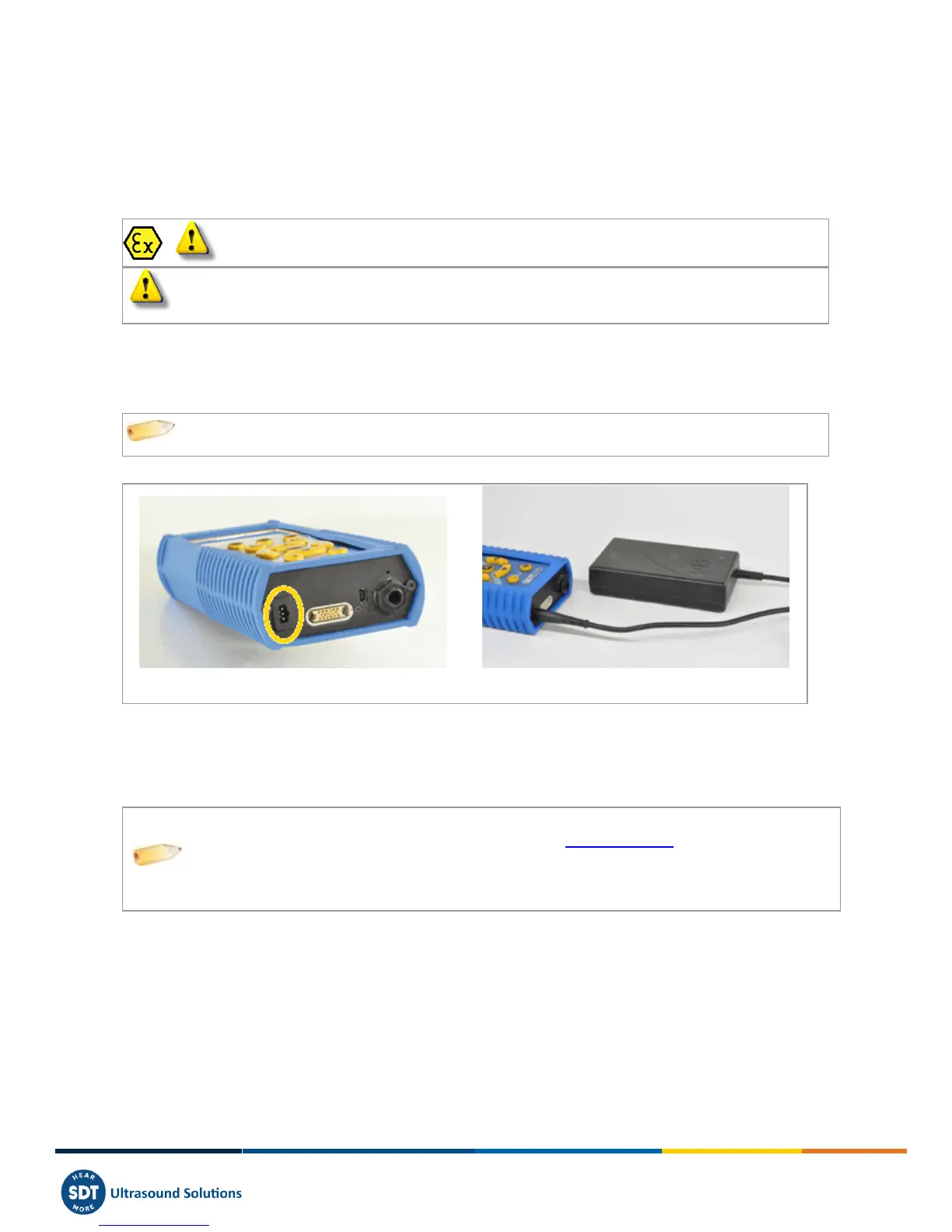
If you have just taken your SDT270 and this manual out of the box for the first time, please put your 270 on charge now.
The SDT270 uses an internal NiMH battery. The battery charger outlet will connect to a socket on the rear side of the
270.
Battery charge of the SDT270 ATEX must exclusively be performed outside potentially
explosive environments.
Only use the charger provided by SDT.
The charging time will typically be 6 hours. When the Led of the charger is off, the SDT270 battery is completely
charged.
Like most batteries these days, leaving the 270 charging after the charger says it is charged does not hurt the battery –
in fact it very slowly tops the charge up a little more.
You can charge the SDT270 switched off. You can also trickle charge the SDT270 switched on, so
you can be using it to load and unload data, for example, and charge it at the same time.
SDT270 with its battery loader
5.1 SDT270 autonomy
A fully charged battery will give you about 8 hours of continuous use. This will vary of course depending upon your need
to use the backlight and the power drain of certain external sensors that you might be using.
You can increase the autonomy by more than 20% by disabling the LAN when your
device is not connected to a network Check out Network setting chapter to find how to
disable LAN function.
You are able also to set an Auto Power Down and a time before switching off the
backlight.



 To Next Page