MAN.270.EN--05--SDT270-user-manual-Eng.docx
16.3 Download and erase stored data with DataDump
Before continuing this section you must have installed and activated the DataDump software.
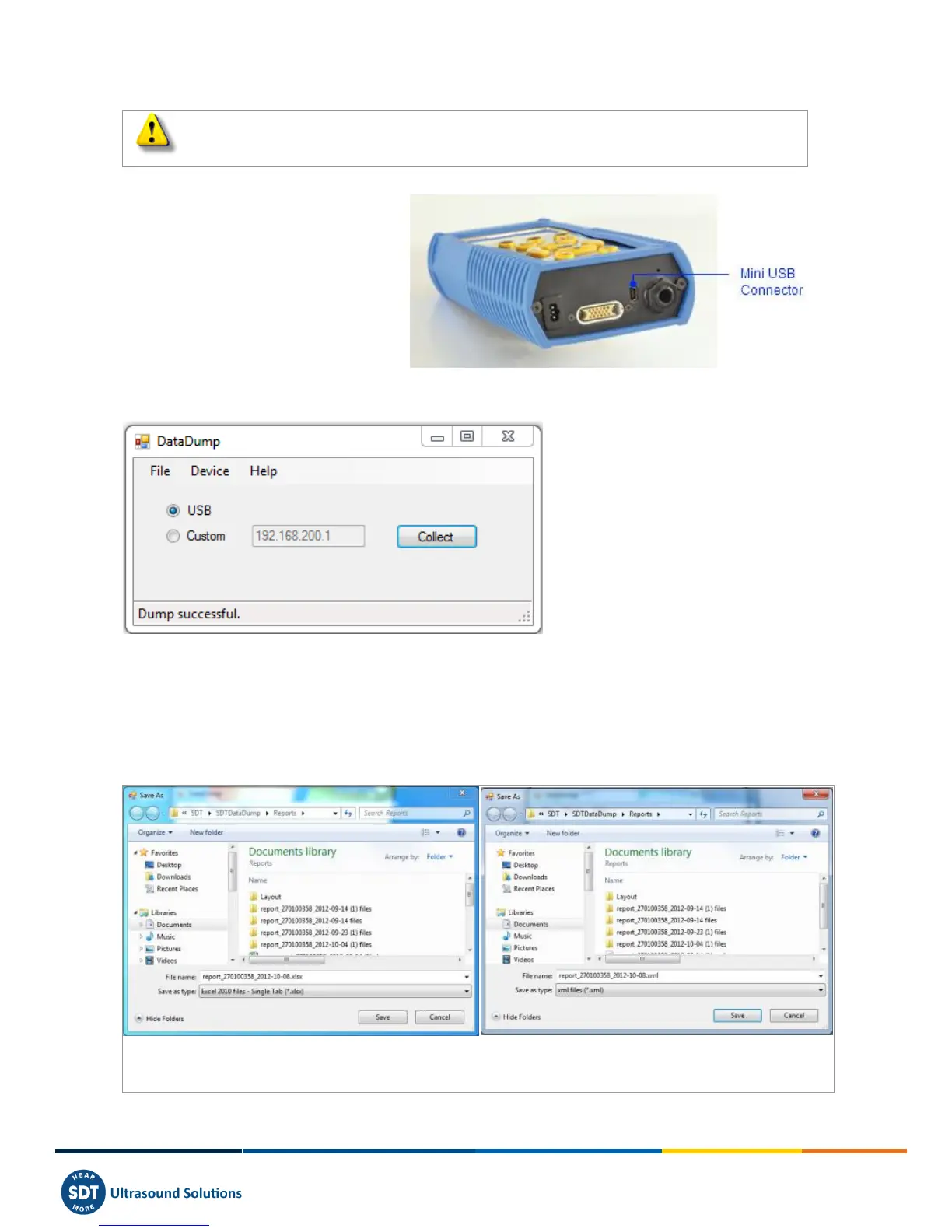
Your SDT270 must be switched on with the
Measurement screen loaded. Then connect the
SDT270 to a USB socket of your computer using
the Mini-USB/USB cable provided by SDT.
Start DataDump Application on your computer, the following screen appears:
Verify the USB radio button is ticked then click on Collect.
The following screen appears.
You can choose, by clicking on ''Save as type field'', to save the report as an xml file (open by your web browser) or as an
xls file (open by MS Excel).
You can also choose the name of the report and its destination.
The report is saved in an Excel format.
The report is saved in a xml format
Click on Save. DataDump will generate and open the report:



 To Next Page