23 System Info
From the Measurement screen press Enter.
Use left arrow to highlight Down Arrow till highlighting the System Info Menu:
Press the Enter Button to access to it.
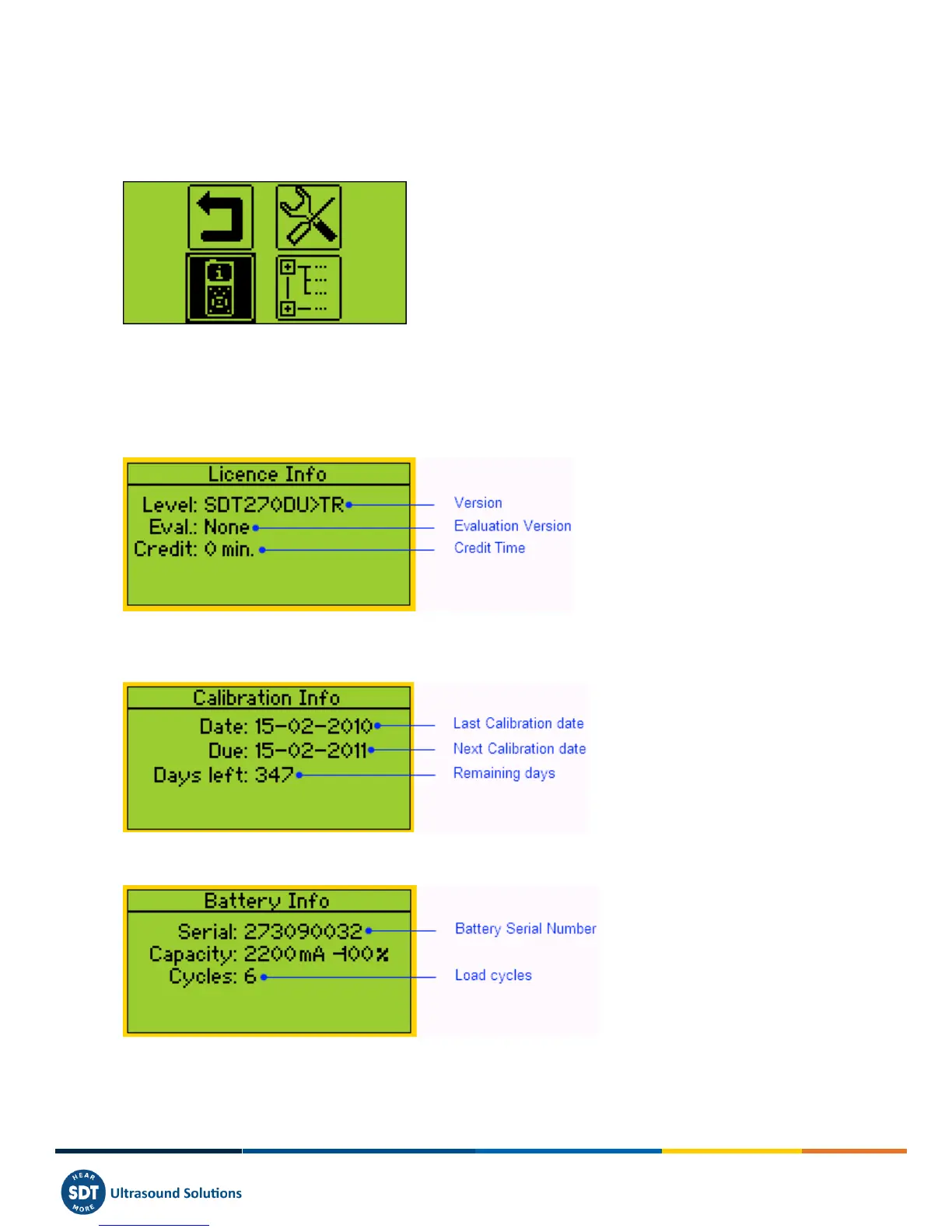
The first screen provides:
o The SDT270 Version (SB, SS, SD, SU, DD or DU) and the installed options (for example T= built-in
thermometer ; R = built-in tachometer ; A = accelerometer interface).
o Eventually if your device is temporary upgrade to a higher Evaluation Version
o The Credit Time before the expiry of the Evaluation Version.
Press the Down Arrow to access to the next screen which indicates:
o The last Calibration date
o The recommended next Calibration date
o The remaining days before the end of valid Calibration.
Press the Down Arrow to access to the third screen which provides:
o The battery Serial Number.
o The number of load cycles.



 To Next Page