7 Plug & unplug a sensor
7.1 Plug a sensor
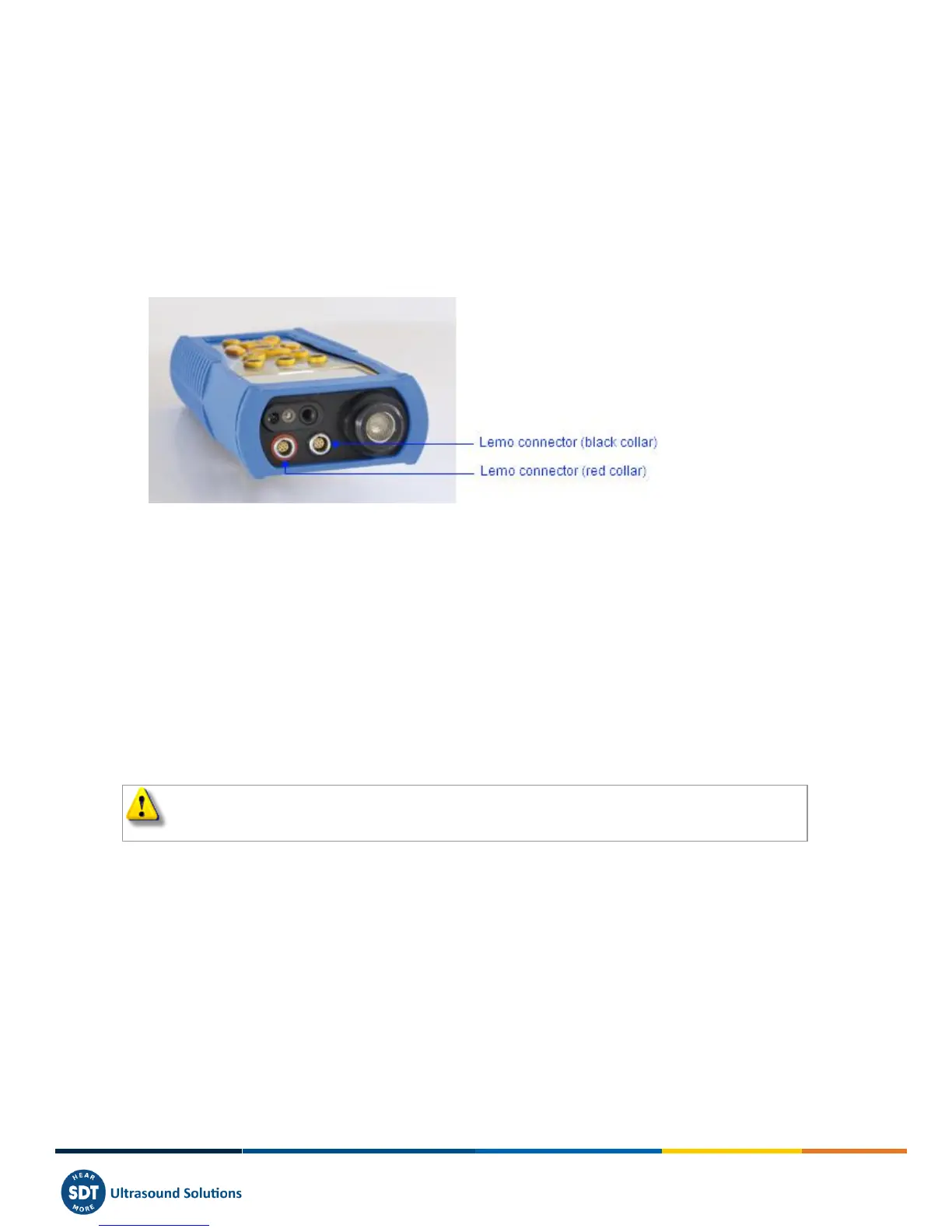
The SDT270 has two measurements channels for external sensors:
The first one is equipped with a black collar. It corresponds to the B choice on the display. The black collar
LEMO is reserved for ultrasonic and Mass Flow sensors.
The second one with a red collar. It corresponds to the R choice on the display. The Red collar LEMO connector
is reserved for accelerometers.
The connections for external sensors are LEMO connectors. They are a commonly used industrial connector, considered
for their reliability and their robustness. They have a sprung-loaded knurled barrel and mechanical polarisation to go
only in one way round
To plug a LEMO connector:
Line up the red dot on the plug with the red mark on the connector.
Insert the plug into the connector without any rotating movement.
When an external sensor is connected to the SDT270, it is automatically selected. However, you can switch between
available sensors using the F1 button.
7.2 Unplug a sensor
To unplug the LEMO connector
Move up, towards the cable, the ring located on the bottom of the plug.
Only pull the connector without any rotation.



 To Next Page