MAN.270.EN--05--SDT270-user-manual-Eng.docx
22 Settings
To access the Main menu from the measurement screen,
press Enter.
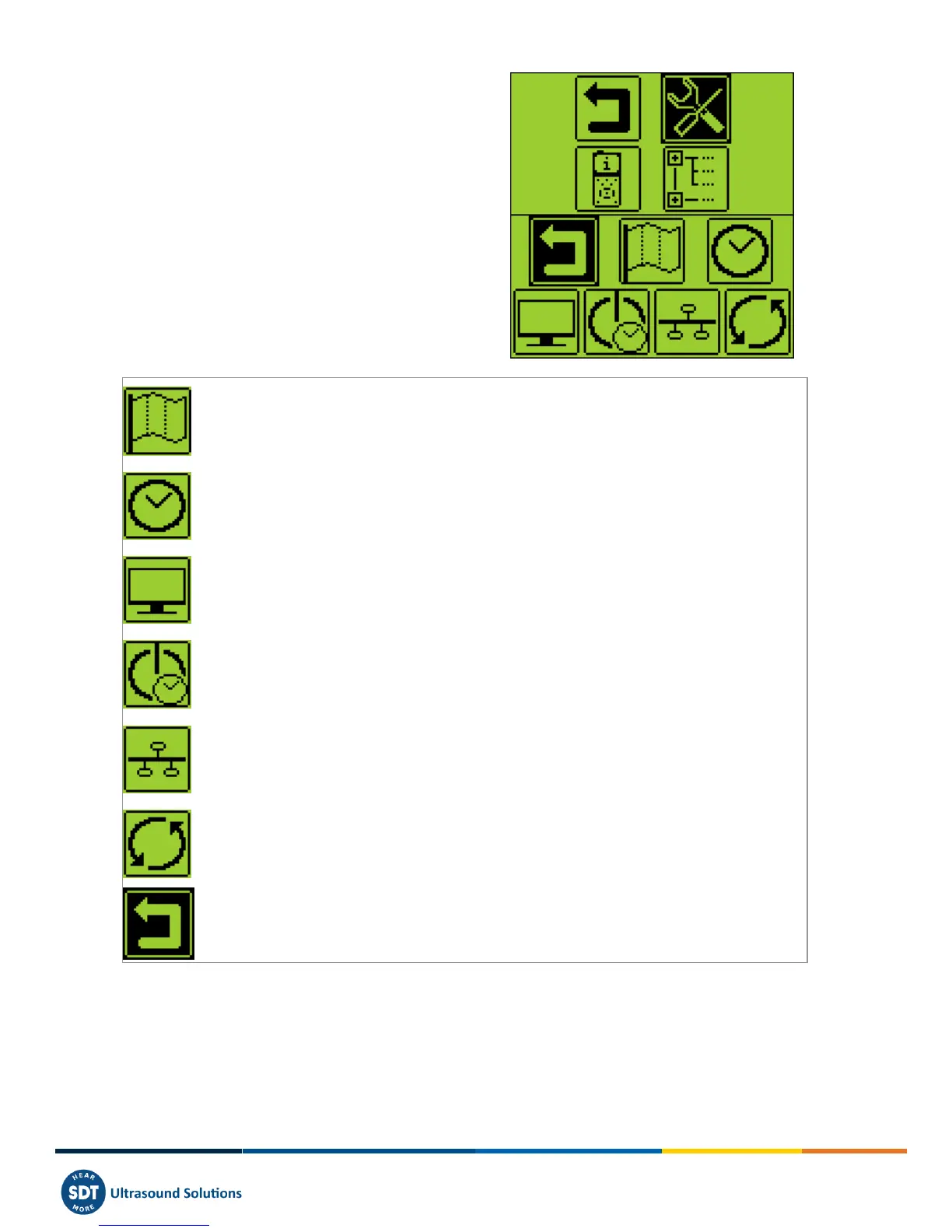
Use the arrow buttons to highlight the Settings icon:
Press Enter to access the Settings menu:
Use the arrow buttons to select the desired menu and Enter to access it.
Language icon: change device interface language (English, Nederlands, Français, Deutsch, Italiano or
Español).
Date and time icon: set date, time and their format
LCD icon: adjust the screen contrast and the operating time of the backlight
Auto power down icon: adjust the time before device auto power down when it is unused.
Network icon: define the IP adress of your SDT270 and the default gateaway.
Reset icon: force a factory reset of the SDT270 device. Note that this does not erase saved
measurements.
Escape icon: to get back to the main menu.
As an alternative, uses F1 to get back to the previous menu.
To modify the parameters of the selected setting :
Use the Up and Down arrow buttons to switch form one field to another.
Use the Left and Right arrow buttons to modify the value of the selected field.
Use the Enter button to save the changes and return to the previous menu.
Use the F1 button to go back to the previous menu without saving the changes.



 To Next Page