Seaory S21 Desktop Single-sided Card Printer
Excellent quality, Perfect service
www.seaory.com 41 / 51
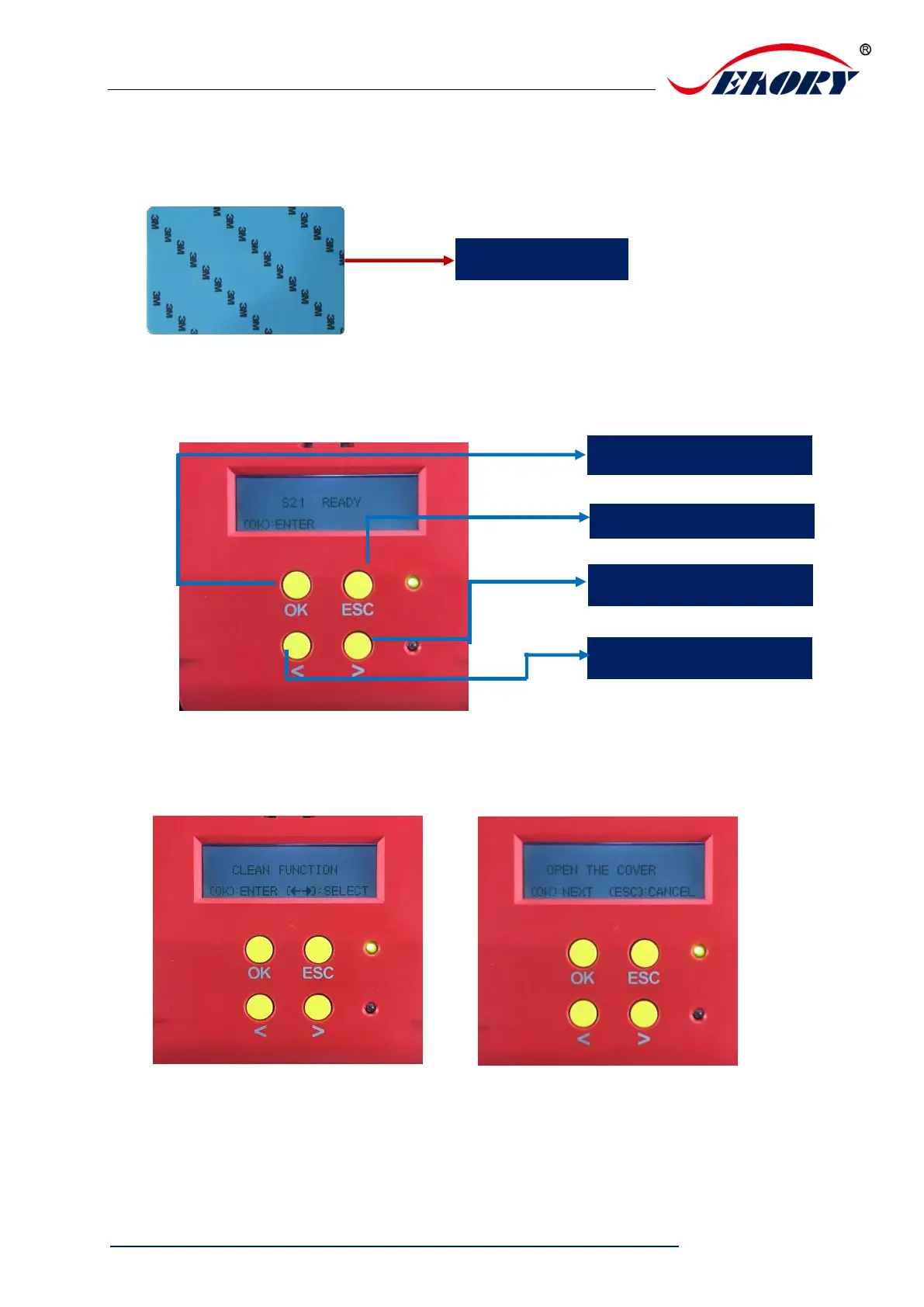
(2)LCM operating guide:
Step 1: Take out the cleaning card from the accessory box and remove the 3M hyaline
layer on cleaning card’s both sides and put it into input hopper.
Step 2: When Card printer shows “Ready”, press “OK” one time, then press “>” two
times.
Step 3: LCM show “Clean function” press “OK” one time. Then LCM will show
“Open the cover”.



 To Next Page