Seaory S21 Desktop Single-sided Card Printer
Excellent quality, Perfect service
www.seaory.com 48 / 51
Finished
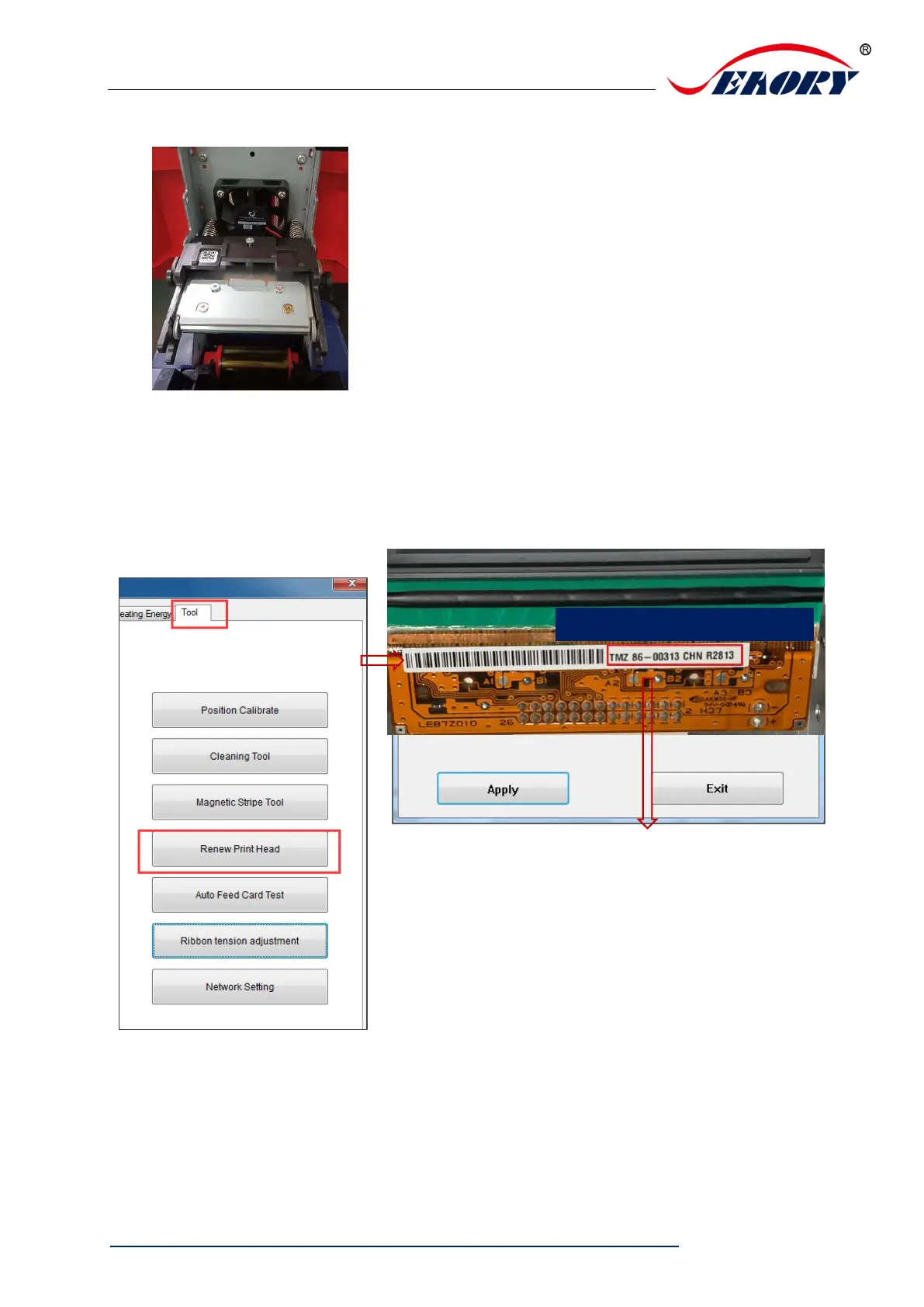
Step 6: Enter the new print head serial number into the driver. Failure to enter may
result in an abnormal print.
Open “Printing preferences”, click “Tool”, find and click “Renew print head”.



 To Next Page