第 19 页
3.5.5 PTZ control
*T series no PTZ function
*PTZ control is a little different between hybrid mode & full digital mode:
Digital channel – the digital channel need link PTZ, the remote device should connect with PTZ
and with protocol correctly set also.
Analog channel – Only when the device is connect with PTZ and configure protocol correctly is
ok.
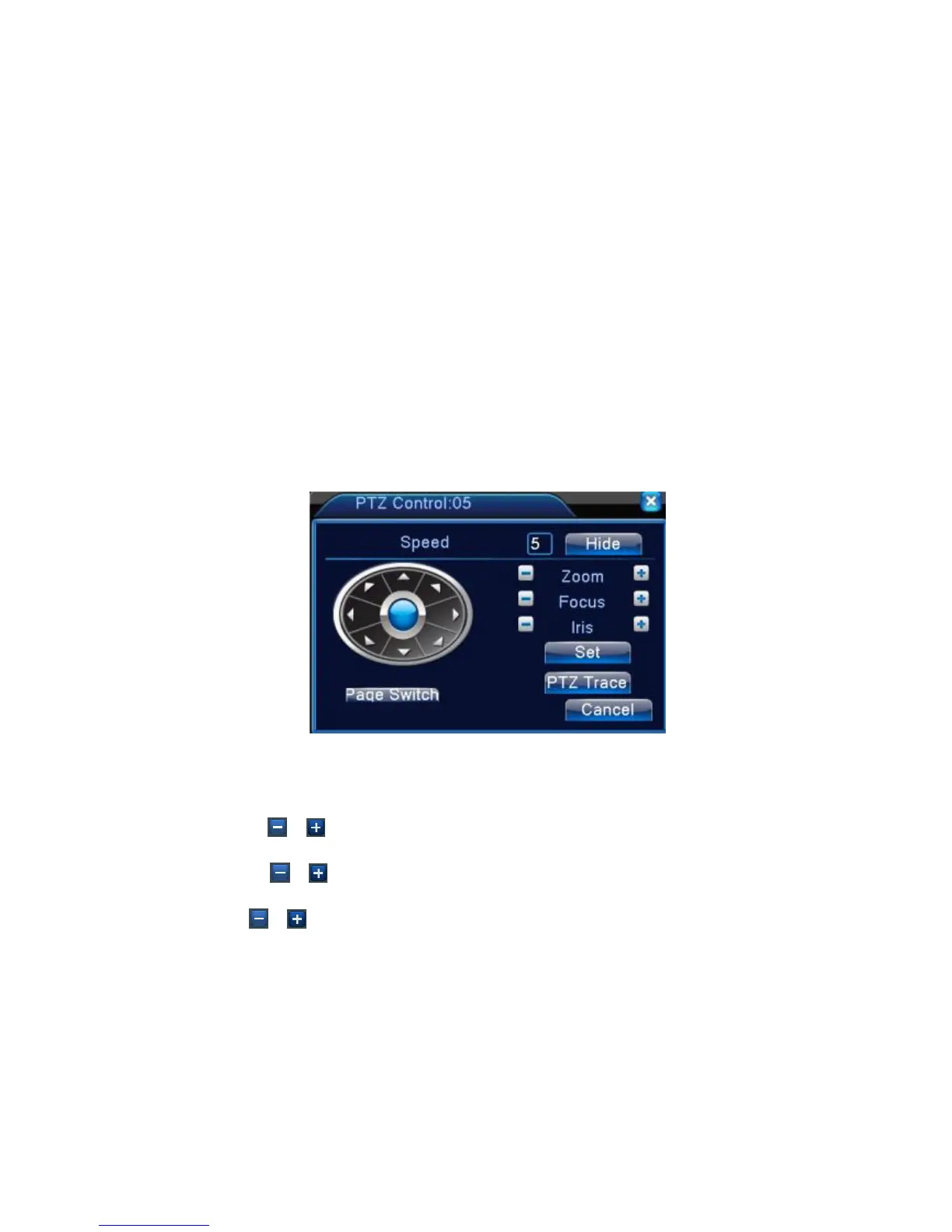
Operation interface is as followed. The functions include: PTZ direction control, step, zoom, focus,
iris, setup operation, patrol between spots, trail patrol, boundary scan, assistant switch, light switch,
level rotation and so on.
Note1. Decoder A(B)line connects with DVR A(B)line. The connection is right.
2. Click [main menu] >[system configuration] >[PTZ setup] to set the PTZ parameters.
3. The PTZ functions are decided by the PTZ protocols.
Picture 3.10 PTZ setup
【Speed】Set the PTZ rotation range. Default range: 1 ~ 8.
【Zoom】Click / button to adjust the zoom multiple of the camera.
【Focus】Click / button to adjust the focus of the camera .
【Iris】Click / button to adjust the iris of the camera.
【Hide】Current interface will be temporarily hidden after click it.
【Direction control】Control the PTZ rotation. 8 directions control is supportive.(4 directions in Front
panel is supportive )
【High speed PTZ】Full-screen show channel image. Left press mouse and control PTZ to rotate
orientation. Left press mouse and then rotate the mouse to adjust the zoom multiple of the camera.



 To Next Page