第 24 页
5、Horizontal Rotating
Click Horizontally Rotating button, PTZ begins to rotate horizontally (relative to the original position
of the camera). Click the Stop button to stop.
6、Rotate
Click on horizontal Rotating button, PTZ turn around.
7、Reset
PTZ restart, all the data clears to 0.
8、Page Shift
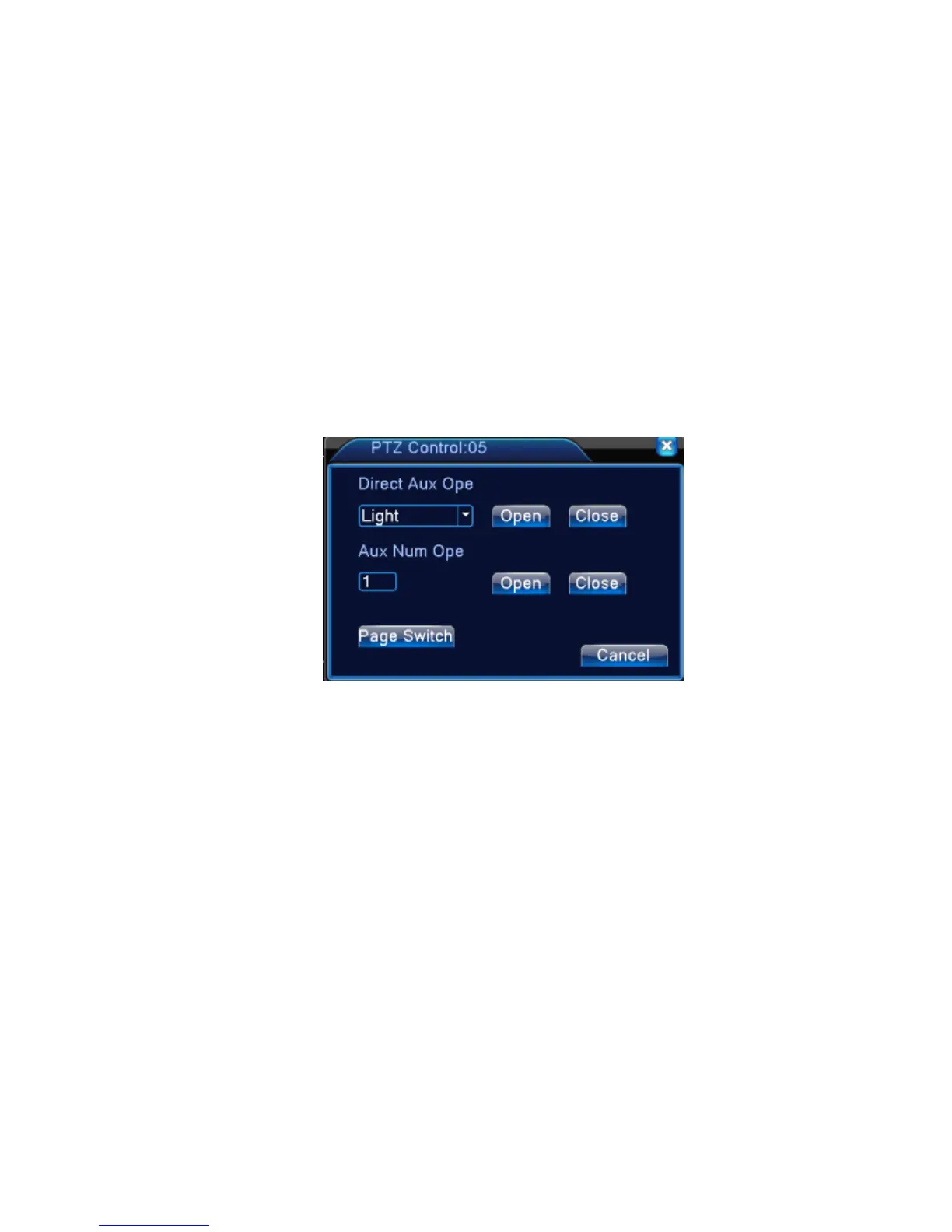
In Picture 3.12, click Page Shift button into Picture3.16, setting auxiliary function. Auxiliary
number corresponding to auxiliary switch on the decoder.
Picture 3.16 Auxiliary Function Control
【Intuitive Auxiliary Operation】 choose auxiliary equipment, select Open or Close button,
switch control;
【 Auxiliary Number】 The operation of corresponding auxiliary switch according to PTZ
agreement;
【Page Shift】In Picture 3.16,click Page Shift button enter the Picture 3.17 PTZ Main Menu , the
menu itself can be control by the menu control buttons
3.5.6 Color setting
*color setting only apply for Hybrid(HVR)/full analog(DVR) mode,and only analog channel can
setting.
Set the selective image parameters (current channel for single window display and cursor place for
multi-window display). You can use the desktop shortcut menu and enter the interface. The image



 To Next Page