第 63 页
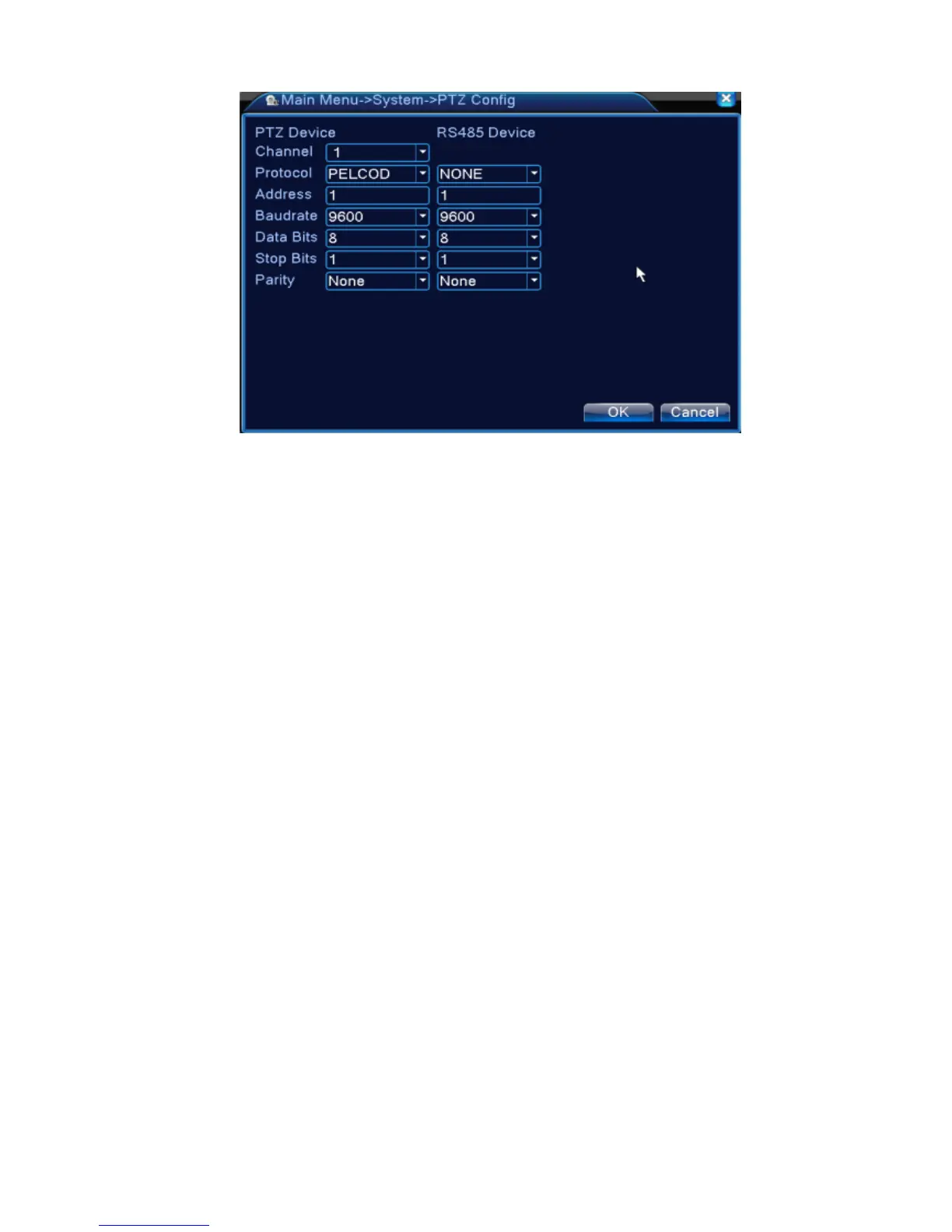
Pic 4.37 PTZ configure
【Channel】Choose the dome camera input channel.
【Protocol】Choose the corresponding dome protocol. (PELCOD as an example)
【Address】Set as the corresponding dome address. Default: 1.(Note:The address must be
consistent with the dome address.)
【Baudrate】Choose the corresponding dome baud rate length. You can control the PTZ and vidicion.
Default: 115200.
【Data bits】Include 5-8 options. Default: 8.
【Stop bits】Include 2 options. Default: 1.
【Parity】Include odd check, even check, sign check, blank check. Default: void.
*When under full digital mode, it will show RS485 device.



 To Next Page