Auto Pan the camera
Pan Left by 5 deg / Pan Left by 1
deg.
Pan Right by 1 deg / Pan Right by 5
deg.
Tilt Up by 5 deg / Tilt Up by 1 deg.
Tilt Down by 1 deg / Tilt
Down by 5
deg.
2.2 Information
The “Information” tab contains the following subsections:
2.2.1 System Status
2.2.2 Current Connections and
2.2.3 Event Log.
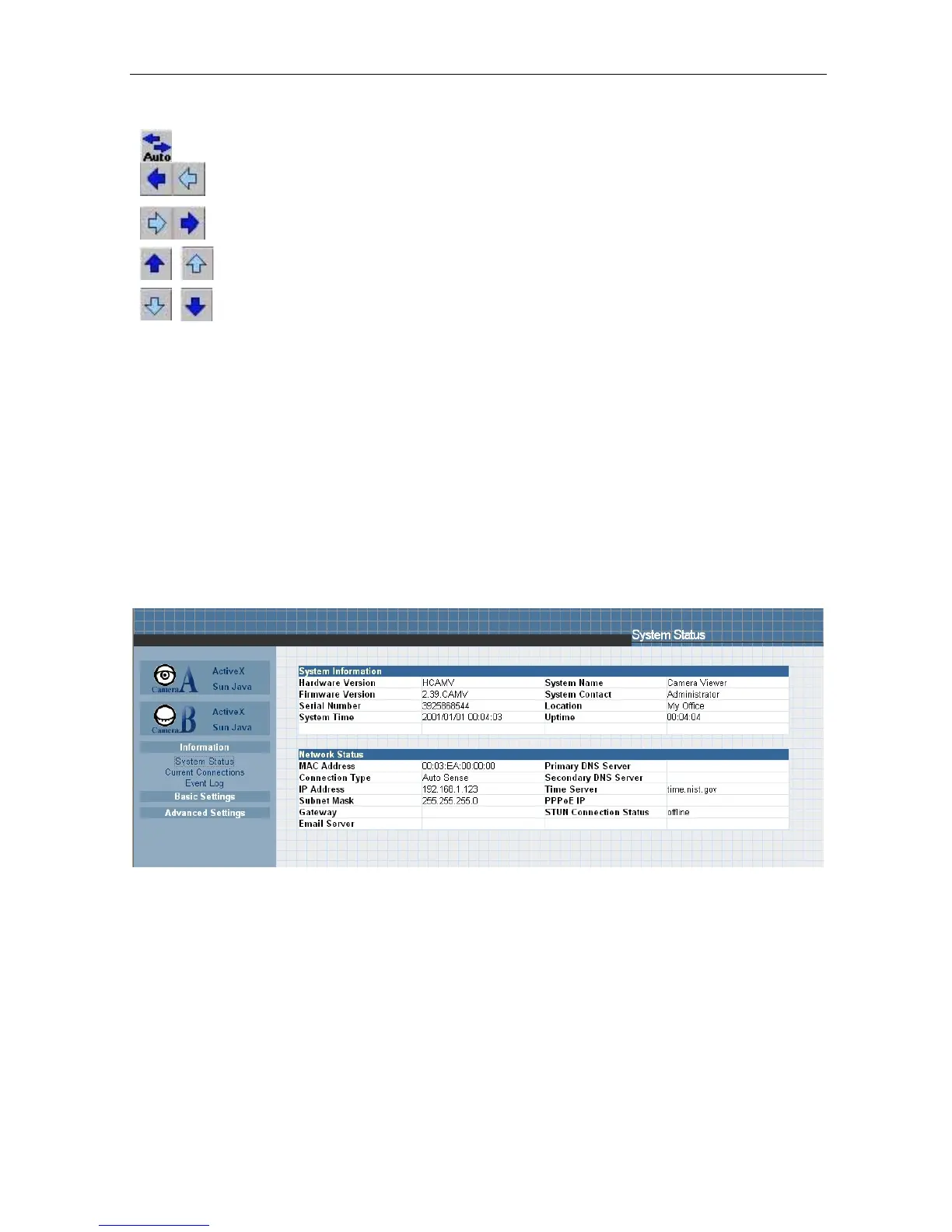
2.2.1 System Status
This section displays all
the information relating to IP Camera.
i. System Information
This section shows t h e IP Camera System Information such
as the
Hardware and Firmware Version, the
serial number, current
/ local System
Time, the system name,
contact,
location
and
uptime.
These
values
are
either
provided
by the IP Camera or set by user.
Fig.17 IP Camera System Status
ii. System Information
This section shows the IP Camera Network settings. The MAC Address is unique
to every IP Camera. All the other values are set
by the user in Setup Wizard.
2.2.2 Current Connections
This section will show all the users
currently viewing either Camera A or Camera B. It
also lists the login time and total bytes received. You have an option to block
the IP or
even disable the account of any errant viewer. The administrator privilege will be required
for
this feature.
A total of
10 connections can be
displayed at the same time.
IP Camera Manual 21



 To Next Page