Chapter 2: Installation Procedure
Before you start using your PTZ IP Camera, you will need to
set-up both the hardware and software. The following is a flow chart on the
installation procedure:
1. Connect the Network cable to the camera(Chapter 3)
2. Connect Network cable to ROUTER / HUB / xDSL modem
3. Connect the AC Adapter
4. Install IP Camera Utility (Chapter 4) and iMultiView (Chapter 6) on a computer
connected to the same network as the camera.
5. Use Internet Explorer (>5.0) to access IP Camera Web Manager (Chapter5).
6. Camera set-up completed
Chapter 3: IP Camera, USB Camera and the Network
The following details the installation
procedure for your camera.
Section 1. Installation Procedure
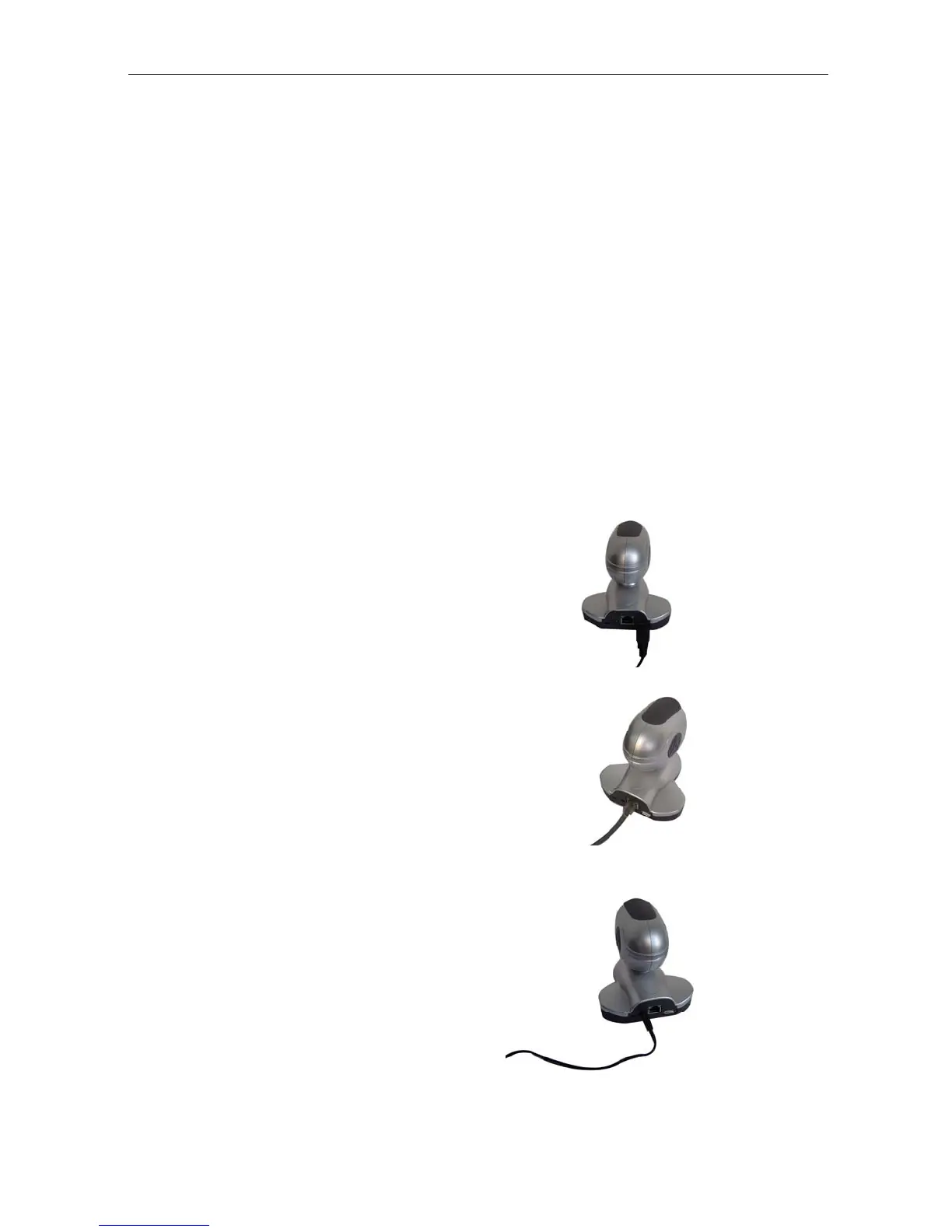
Step 1:
If you have a second USB camera you
wish to use , connect it to the USB port of
your new IP Camera.
Step 2:
Connect the IP Camera
to your LAN by
using the Ethernet UTP port.
Step 3:
Connect DC
power
adapter
output
into IP Camera socket, and plug the DC
power input into the wall socket
IP Camera Manual 7



 To Next Page