To delete an Email address, just press “Delete”.
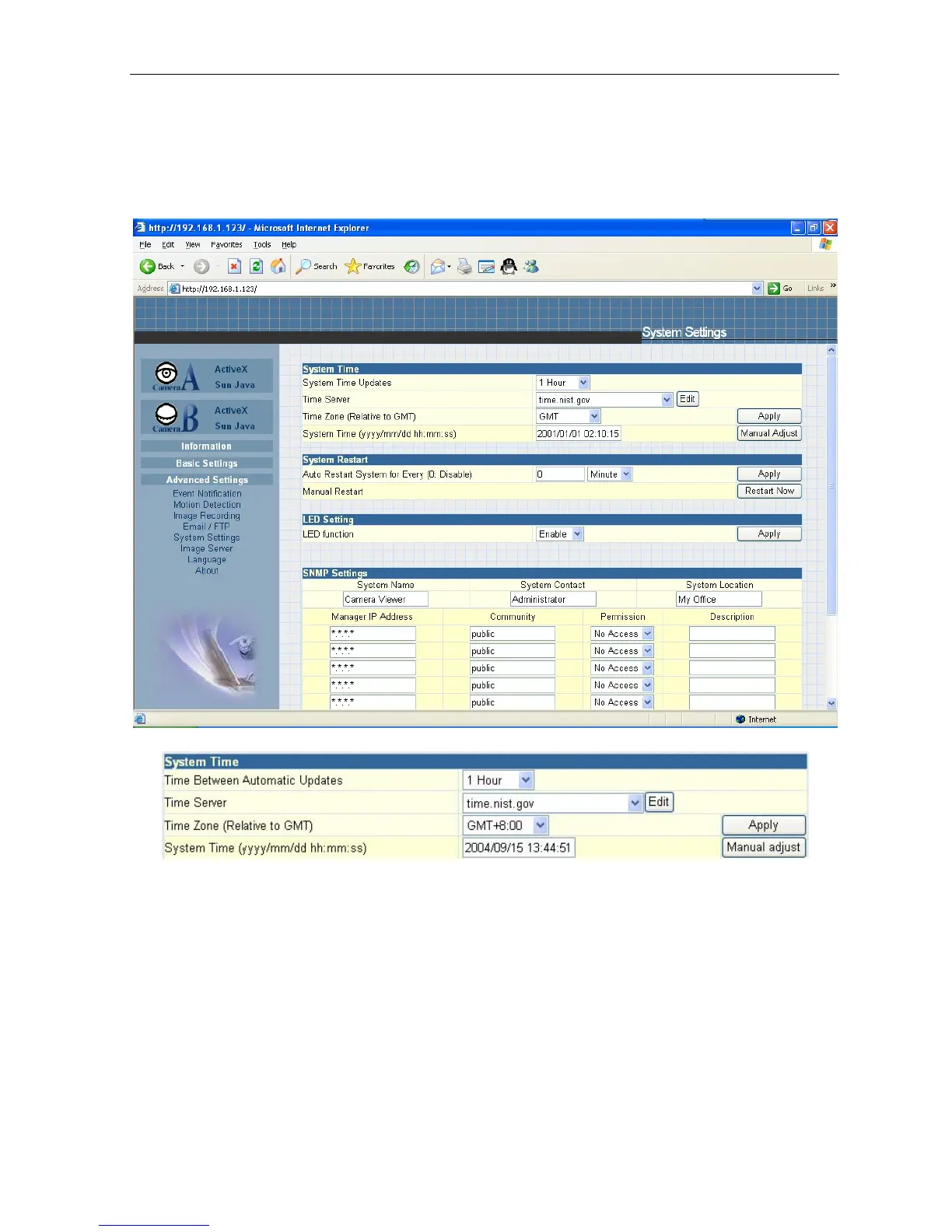
2.4.5 System Settings
This page allows the administrator to set the IP Camera SNMP settings so
it can be used
by a NMS (Network Management System) like iMultiView.
i. System
Time
Fig.41 System Time
“Time Between Automatic Updates”
The administrator can set an interval for time synchronization. Select either 1, 3, 12
hours or 1,
10 & 30 days.
“Time Server”
Choose the nearest Time Server to your
IP Camera
location. The
administrator can choose
from the list
of a maximum of 30 Time Servers.
To add a new Timer Server the administrator must first make space by deleting
some Time
Servers.
Once this is done, the add dialog box will appear
as below.
Click “Back” to return to
the System
Settings Page.
IP Camera Manual 34



 To Next Page