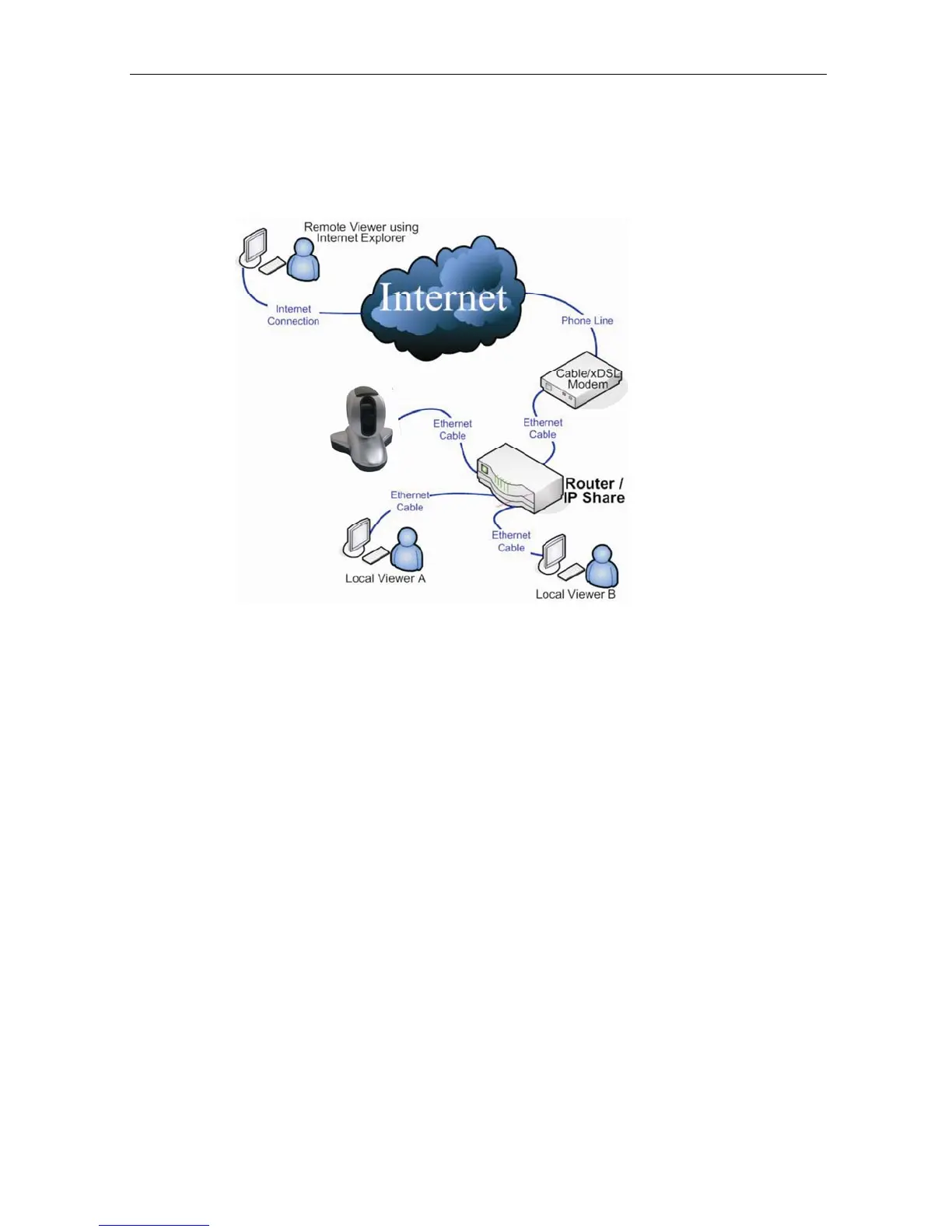
cameras using
a
standard
web
browser.
You
can
monitor
and
control
these cameras simply by entering the IP address (set-up required with
Net utility)
of
the IP Camera
from
anywhere
in
the
world
as
long
as
there
is
an
Internet
connection available.
Fig.1 IP Camera Network Diagram
Section 3. Package Contents
Your IP Camera package should contain the following items;
1. IP Camera.
2. IP Camera Utility CD, which contains:
a. IP Camera Utility to configure IP address, update the firmware, etc.
b. iMultiView: Windows platform software to monitor multiple IP
Cameras.
c. Time Server: Time adjustment utility.
d. Adobe Acrobat 5.0 Reader.
e. IP Camera user manual
f. Windows Driver for Camera
3. 5.3V DC
Adapter
4. Wall / Ceiling bracket
5. LAN connection cable
6. User Manual.
IP Camera Manual 5



 To Next Page