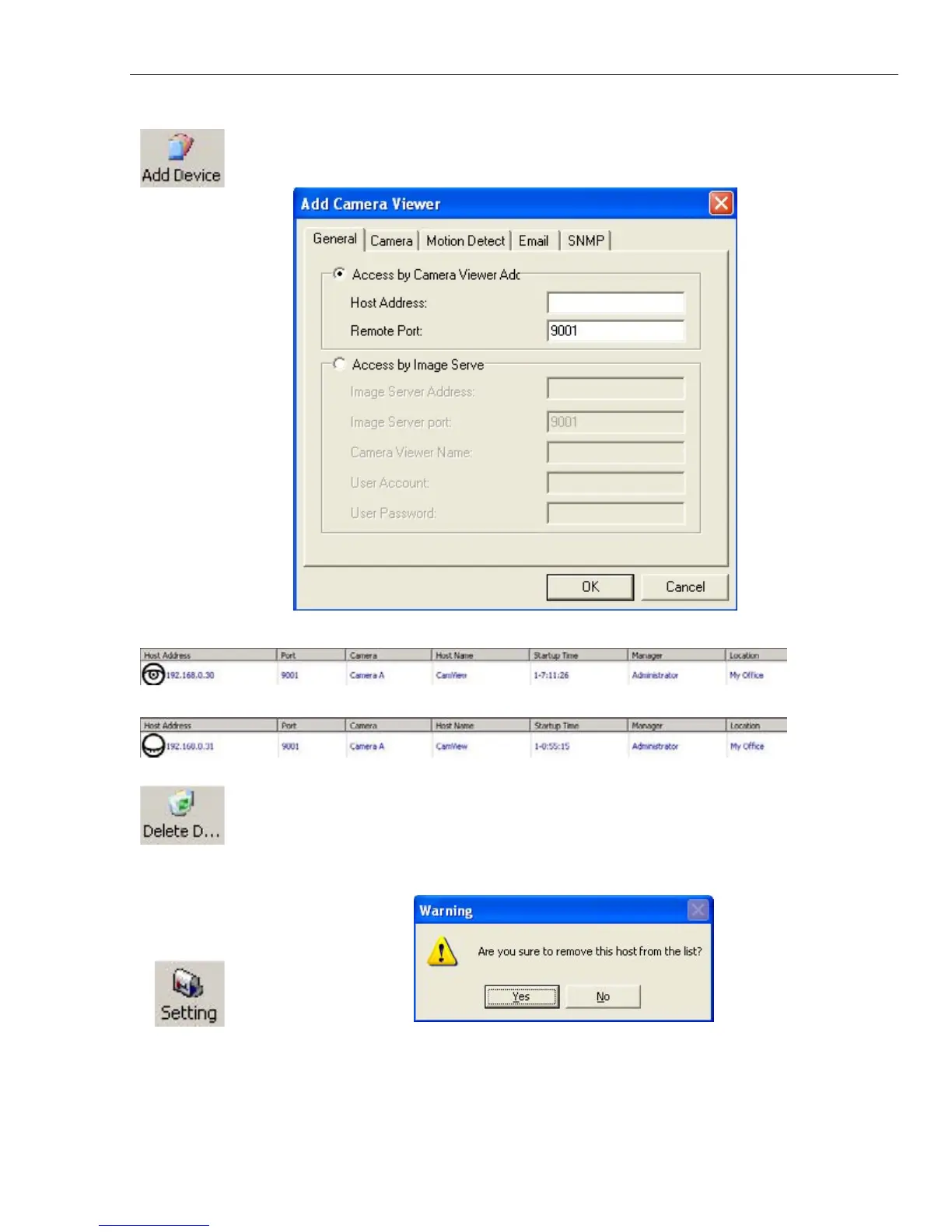
Manually adds the
IP Camera to be monitored. Enter the assigned
IP Camera
IP Address. Port Number by default is 9001. You will have to enter the account
and password if
one has been set earlier, otherwise just press “OK”.
Once detected, the following will show in the main window:
This shows that the camera is online and active.
This shows that the camera is off-line
Highlight the IP Camera to be deleted from
iMultiView’s list. Click “Yes” to confirm
deletion of
selected IP Camera.
:
Display the General IP Camera settings. Key in a Host Name and Location for the
camera.



 To Next Page