Rostock MAX v2 User's Guide
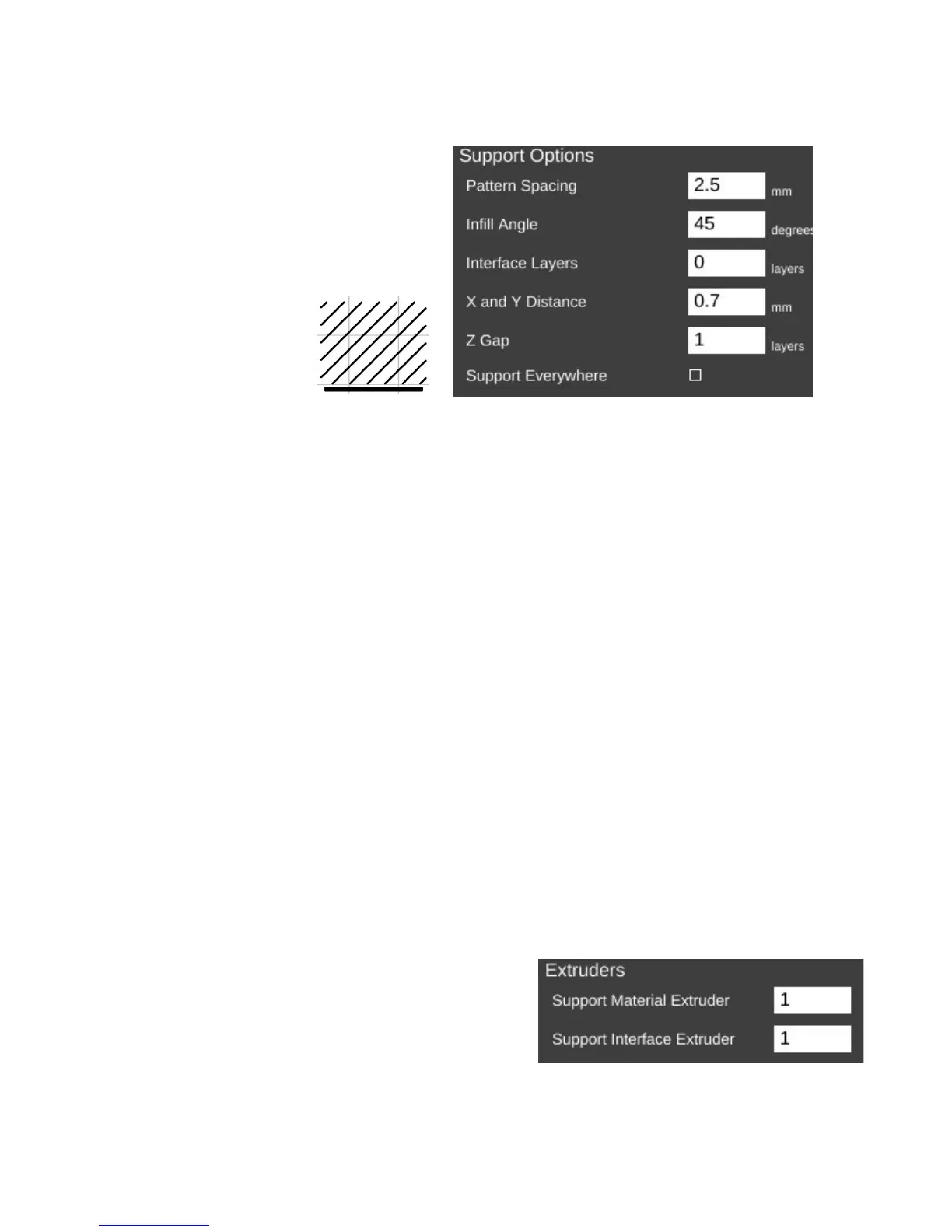
Pattern Spacing controls the distance
between each “track” of support that is laid
down to support your part. The wider the
spacing, the less support that is printed.
Infill Angle adjusts the angle at which
the support structure is built.
Interface Layers allows you to specify solid layers interspersed with the support material.
This comes in handy when using multiple extruders. For example, if you're printing a part in PLA with
lots of support, you can generate all the support with PLA, and then have 5 or 6 interface layers of PVA
(a water soluble filament). The print would then only be in contact with the PVA interface layers and it
would be a flat layer to print on. When finished you can dissolve away the interface layers and the rest
of the support falls off the part cleanly.
X and Y Distance dictates how far away the support structure will be from the part you're
printing. You want it as close as you can get it without it actually touching the surface of the part. The
default of 0.7mm seems to work out pretty well.
Z Gap specifies how many layers should separate the support material from the part. This
parameter contributes to how easy or difficult it is to remove support material from the part once the
print is finished. If you have too little gap, the support material will have more of a grip on the part
surface making it difficult to remove. If the gap is too large, the support material won't be able to do its
job very effectively.
If Support Everywhere is checked, you're probably going to get more support material than
you bargained for. If you have an internal feature of a part, this may be required in order to support it,
but keep in mind that it will also add support to features like horizontally oriented holes, which don't
normally need support to print properly.
If you've got multiple extruders on your Rostock
MAX, these parameters allow you to specify which
extruder is used for generating support structure.
8 – Advanced MatterControl: Settings – General - 79
45 Deg. Infill
Support Options.
Extruder Settings.



 To Next Page