FlexZone Product Guide Page 67
3 Calibration & setup
The Universal Configuration Module
The Universal Configuration Module (UCM) is a Windows based software application, which
serves as the calibration, setup and maintenance tool for the FlexZone sensor system. The UCM
communicates with the FlexZone processor locally through a USB connection, or remotely via the
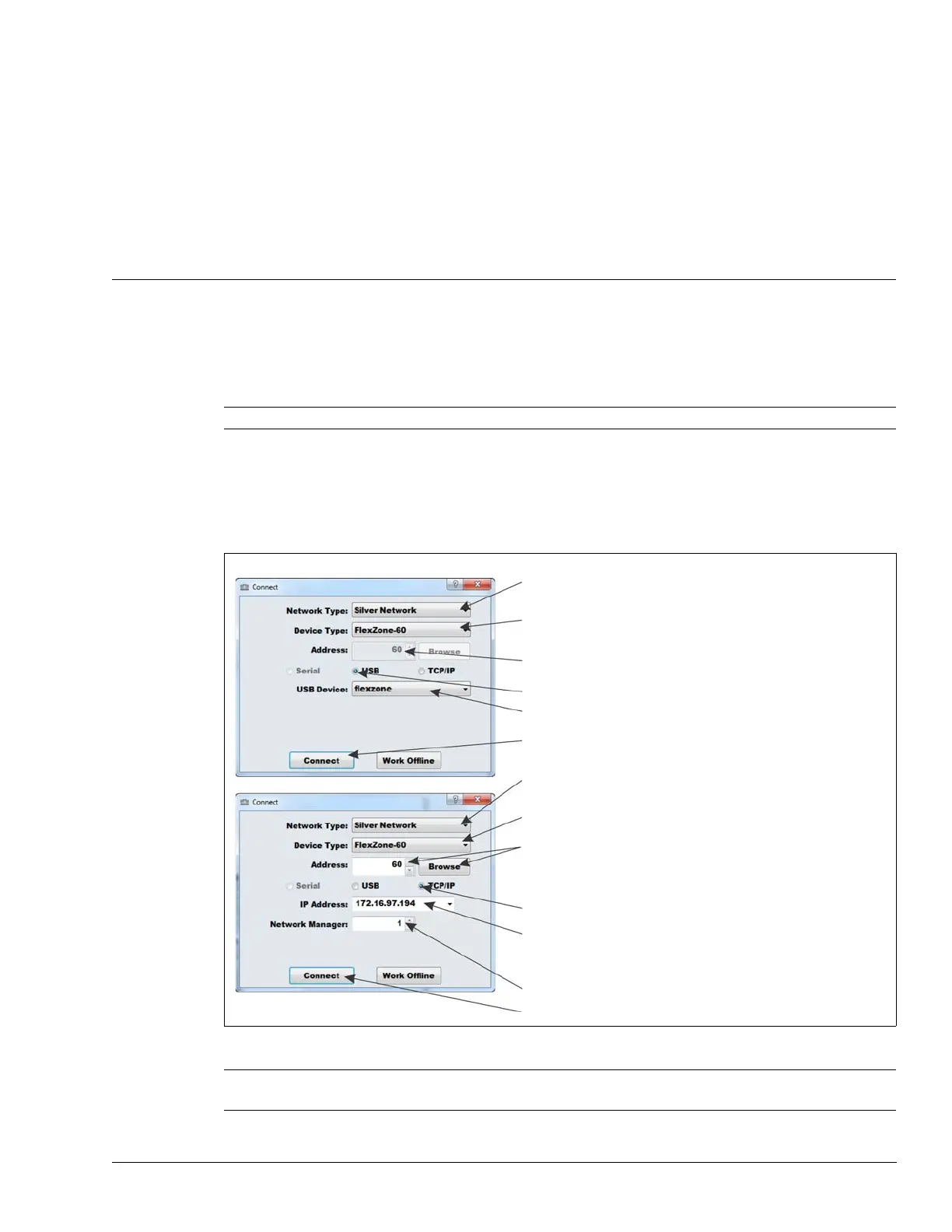
Silver Network Manager. When you start the UCM, a window displays that enables you to specify
the device to which you are connecting.
Note Consult the online help for detailed information on UCM operation.
Figure 77: Connecting the UCM
Tip Save UCM files with a meaningful name, which includes the time and
date. The files can then be reopened at a later time (Work Offline).
USB direct connection
TCP/IP connection via Network Manager
in the Network Type: field select the network to
which you are connecting (Silver for FlexZone)
in the Device Type: field select the device (FlexZone -4 or -60)
the address of the connected processor is displayed
select the connection type (i.e., USB)
select the arrow to display the connected USB device
select the connect button to establish the connection
in the Network Type: field select the network to which you
are connecting (Silver for FlexZone)
to connect via the Silver Network Manager, use the Browse
button to locate the processor address OR use the Address
field to specify the processor address (Browse requires a
previously specified IP address and Network Manager ID)
select the connection type (i.e., TCP/IP)
enter the IP address of the Network Manager PC
(if the NM and UCM are located on the same PC,
enter 127.0.0.1 as the IP Address)
specify the ID number assigned to the Network Manager
select the connect button to establish the connection
in the Device Type: field select the device (FlexZone -4 or -60)



 To Next Page