Input/output configuration
FlexZone Product Guide Page 83
Local control mode
In local control mode, the two Aux inputs are used to activate electronic self-tests (AUX1 = A-side,
AUX2 = B-side). To activate the self-test function, close a momentary switch across the input. You
must close the momentary switch for the time specified in the Filter Window. Leave the AUX inputs
open if you do not want to use the self-test function.
Remote control mode
In Remote control mode, the two Aux inputs serve as auxiliary device inputs to the host Security
Management System (SMS). The inputs are available for reporting the status of other security
devices. The processor reports any change of an input’s state to the SMS via the Silver Network
Manager. Table 2:
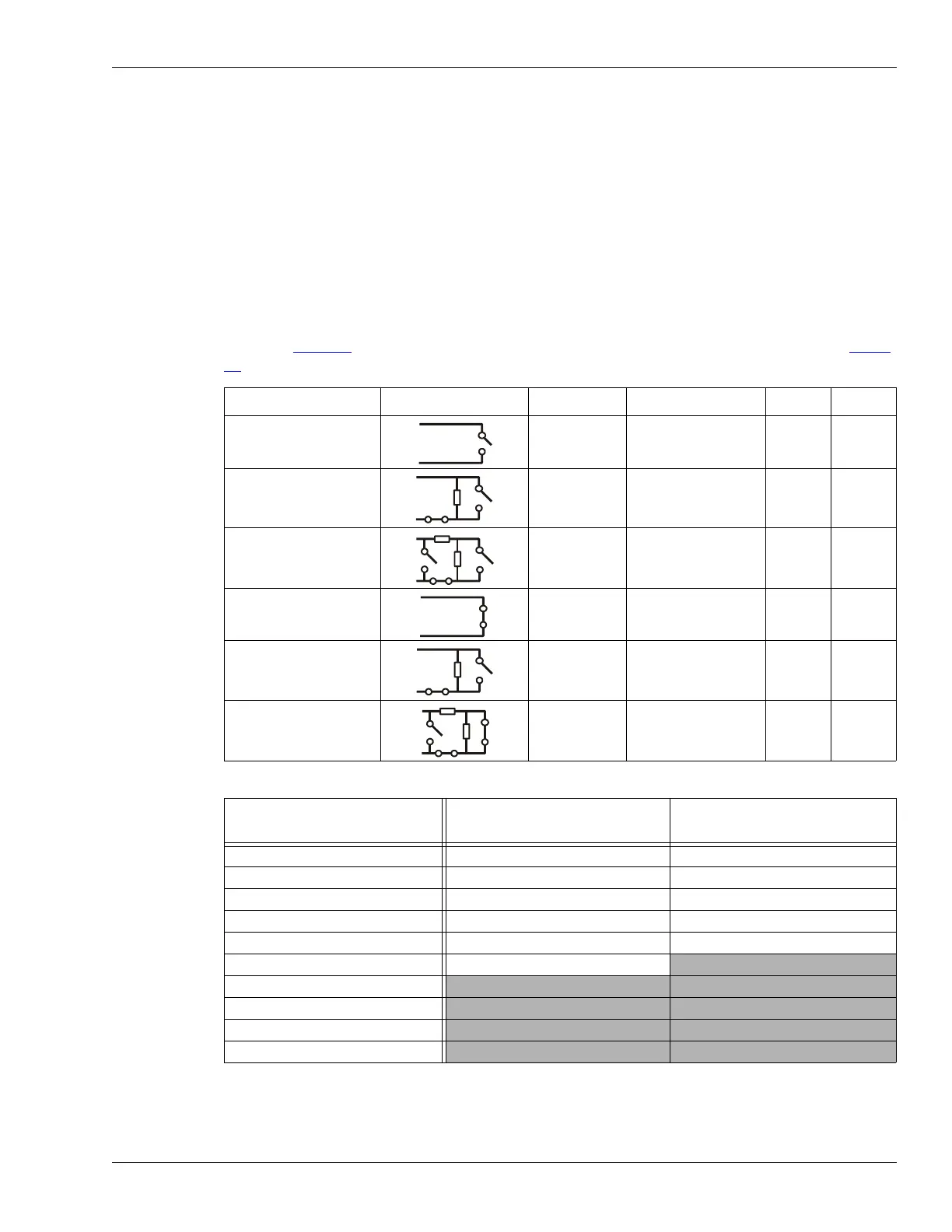
includes the selectable Remote Control input wiring configurations, and Table
3: includes the selectable supervision resistor values.
Input option UCM selection Alarm relay Supervision R1 R2
unsupervised NO --- --- ---
single resistor
supervision
NO cut 5.1 k ---
dual resistor
supervision
NO cut & short 4.3 k 820
unsupervised NC --- --- ---
single resistor
supervision
NC short 5.1 k ---
dual resistor
supervision
NC cut & short 5.1 k 820
Table 2: Selectable input configurations
R1 values (single resistor
supervision)
R1 values (double resistor
supervision)
R2 values (double resistor
supervision)
820 1.1 k 820
1 k 2.2 k 1.1 k
1.1 k 4.3 k 2.2 k
1.2 k 4.7 k 3.3 k
1.5 k 5.1 k 5.6 k
2.2 k 5.6 k
3.3 k
4.7 k
5.1 k
5.6 k
Table 3: Selectable resistor values



 To Next Page