System test procedure
FlexZone Product Guide Page 85
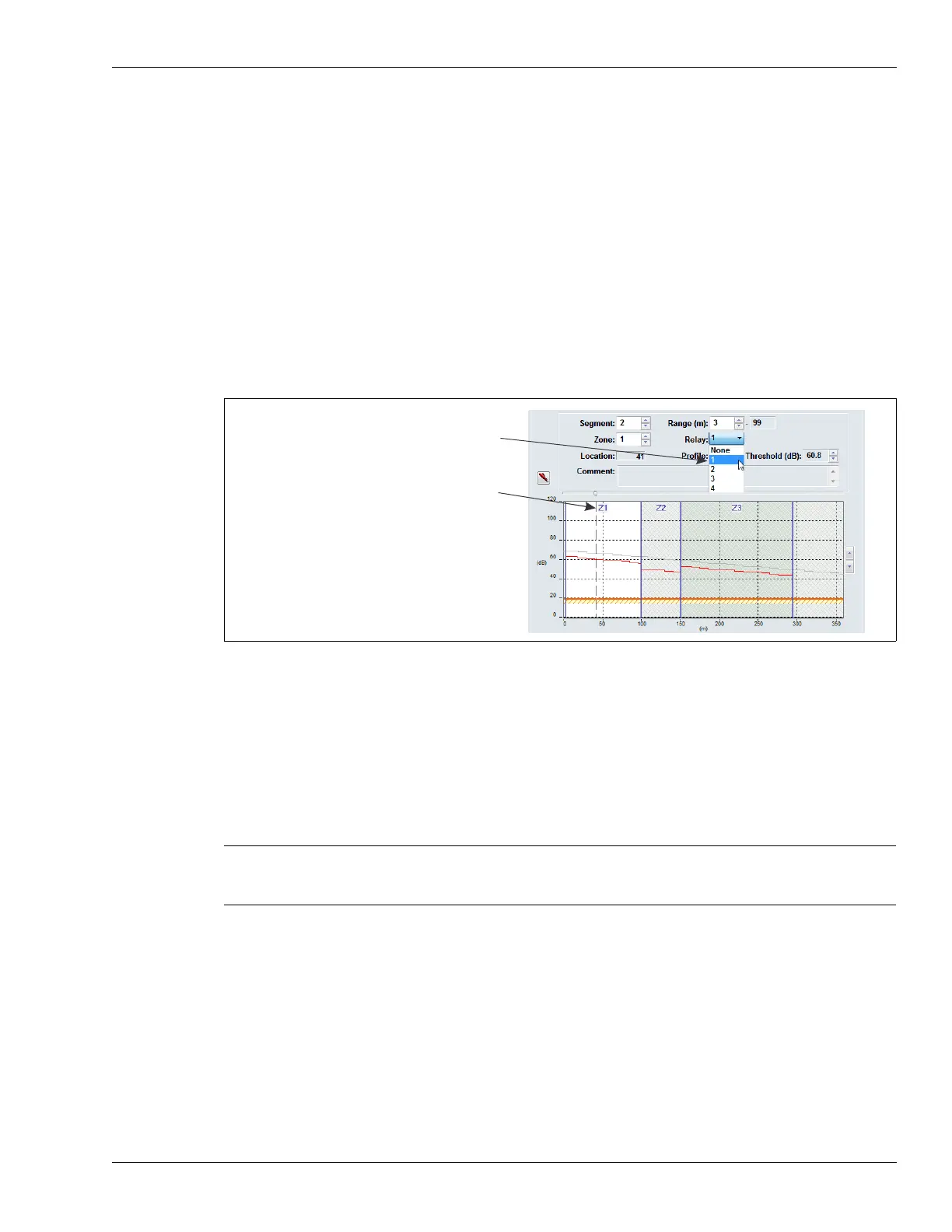
Linking cable segments to relays (local control mode)
You can link the defined cable segments to processor relays 1, 2, 3 and 4 and to the four relays on
the ROC (OPT 1, OPT 2, OPT 3, OPT 4). This provides up to 8 relays per processor, for signaling
sensor alarm conditions.
1. Under the Side A Cfig tab, on the Segment Settings window, select the cable segment to
which you will associate a relay.
2. Select the relay from the pull down menu, which will be associated with the segment (the
selected relay activates to annunciate a sensor alarm in the cable segment).
3. Repeat steps 1 and 2 until you have associated the available relays to the defined cable
segments.
4. Save the UCM configuration file and download the configuration changes to the processor.
5. Repeat this procedure for the B side cable.
System test procedure
Once the system is calibrated and setup, you should conduct a series of tests to verify detection.
Run a UCM Response plot during the testing. Network based processors can be tested over the
network to verify network communications.
• Cut detection - Use the tap test, or weave a piece of scrap fence wire into the fabric of the
fence and cut the scrap wire. Test each zone in at least three separate locations.
At each location, tap the fence fabric, or cut the scrap wire, the number of times specified by
the Event Count parameter. Wait at least 2 seconds between taps.
PASS ____ FAIL____
• Climb detection - Have a tester climb on the fence fabric for at least as long as the Event
Time X the Event Count (or use the screwdriver drag method). Repeat the climb simulation in
at least three locations per zone.
PASS ____ FAIL____
Figure 89: Linking relays to cable segments
Note The following tests can be used to verify FlexZone system operation.
The tests are described in a generic manner, which does not take into
account site specific details.
select the cable segment to which you will
assign a relay
select the relay from the drop down menu



 To Next Page