A description of the common characteristics of trends is provided in 6.5.2.
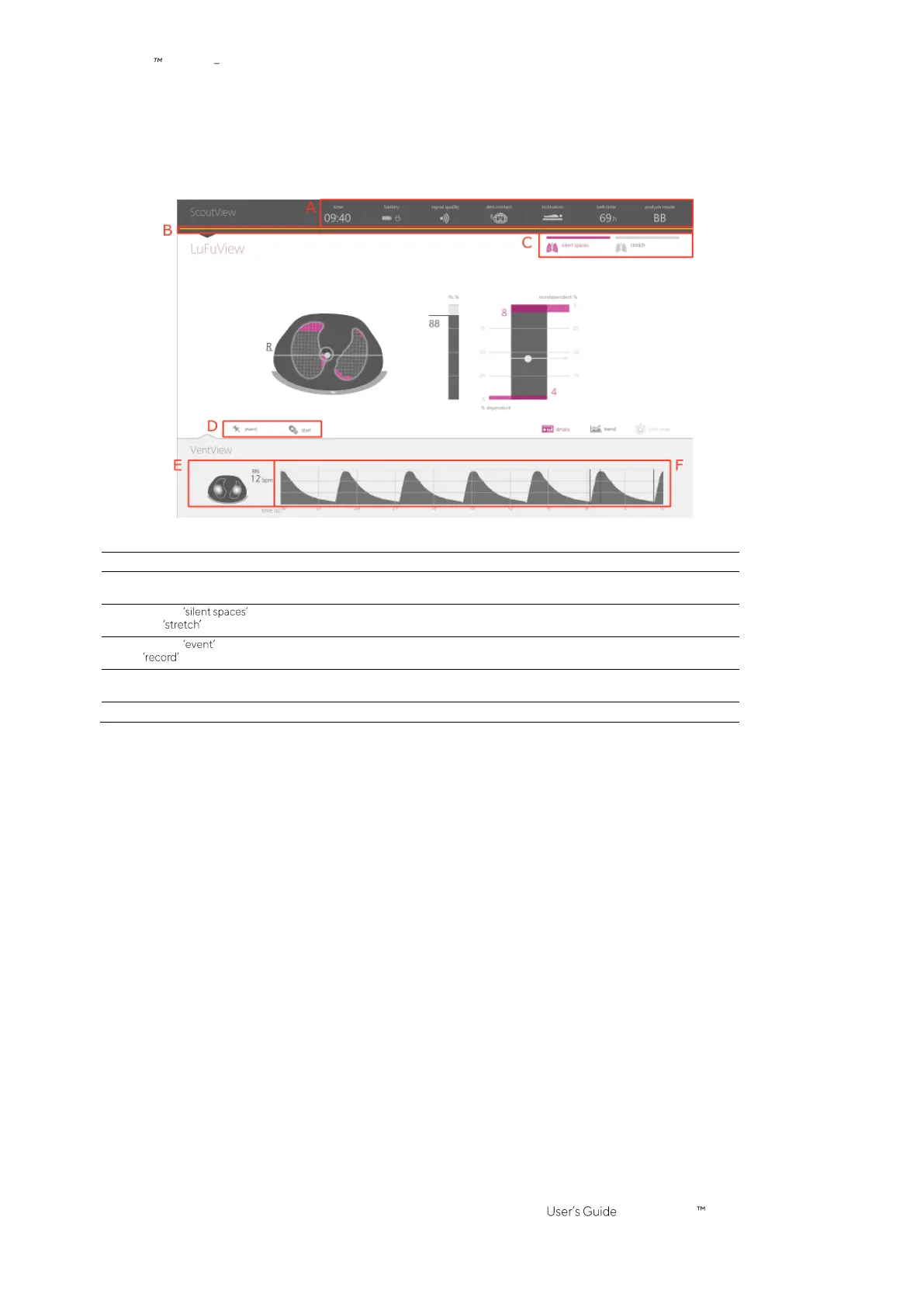
In addition to the three main screens, which are always visible at least in minimized form (Figure 6-1), the GUI
elements or functions highlighted in Figure 6-5 are always visible.
Figure 6-5: GUI elements always being visible
Refer to 6.6.1 for a description of the status icons provided in the status bar.
B. Status message
indicator line
Horizontal yellow line displayed underneath the status bar when a status message (6.6.2) is
displayed.
Refer to Figure 6-3 for a description of these buttons.
Refer to 9.11 and 9.12.1 for a description of these buttons.
E.
Global Dynamic Image
and
Respiratory Rate
Refer to 9.4, 9.6 and Figure 6-13 for a description of this
EIT image
and this
parameter
, being
displayed in larger size on the details view of VentView (Figure 6-13).
Refer to 9.4 and Figure 6-13 for a description of this
waveform
.



 To Next Page