SERVOPRO NOx Analyzers Page
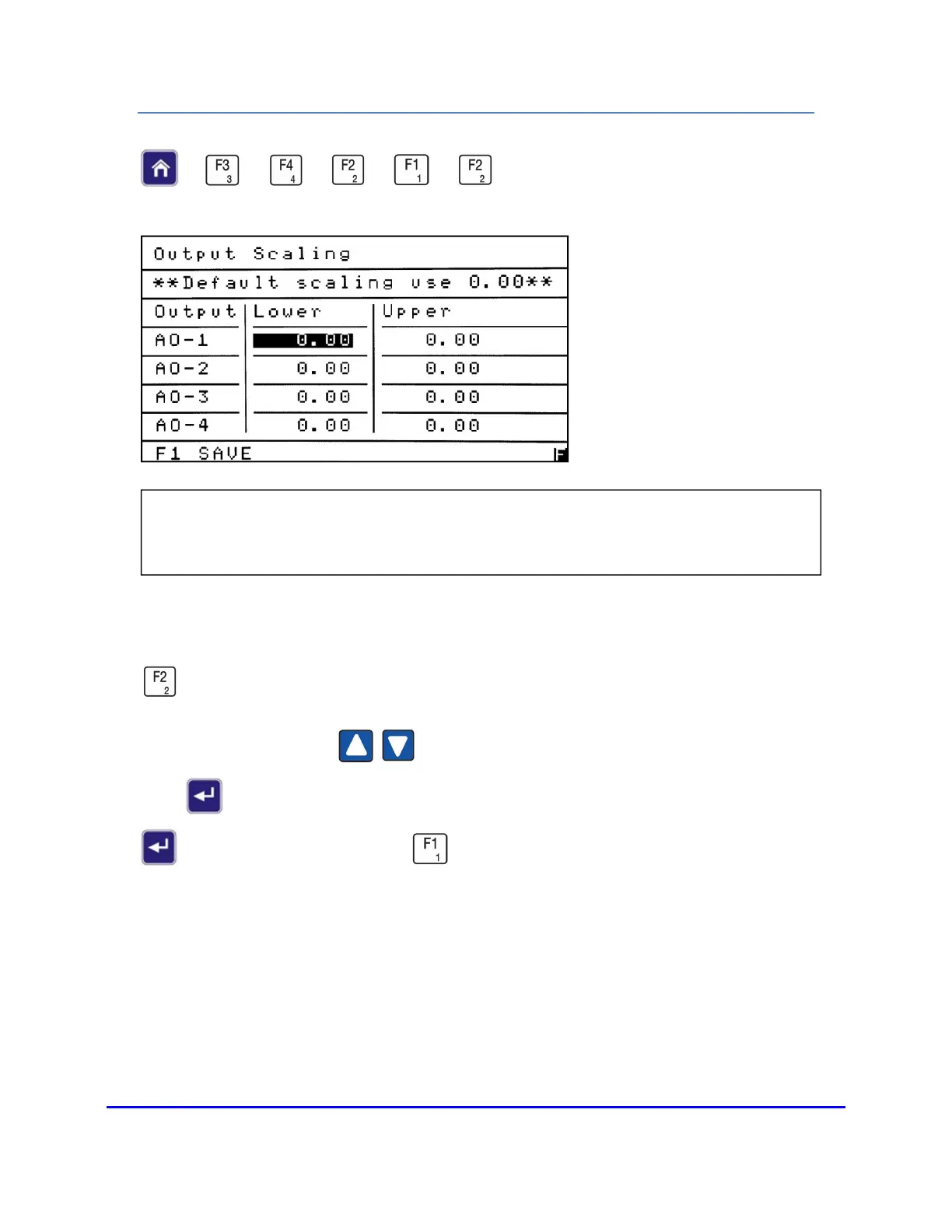
OUTPUT SCALING
→
→
→
→
→
This is generally used for scaling of temperatures or pressures, but it can also be used to
set an output for a specific concentration. From the Programmable Analogs menu press
to access the Output Scaling screen.
Use the Up/Down arrows to highlight the field you intend to change. Press
Enter to open the field to change the value. After making your change, press Enter
again to close the field. Press to save your changes and return to the
Programmable Analogs menu.
NOTES:
Analog Output 1 is indicated as AO-1 in the Output column.
0 to 10 VDC output is used for the following three examples:
NOTE: The Output Scaling screen allows the operator to scale the analyzer’s Analog
Outputs to a specific value for each of the four output signals.














 To Next Page