Settings 350
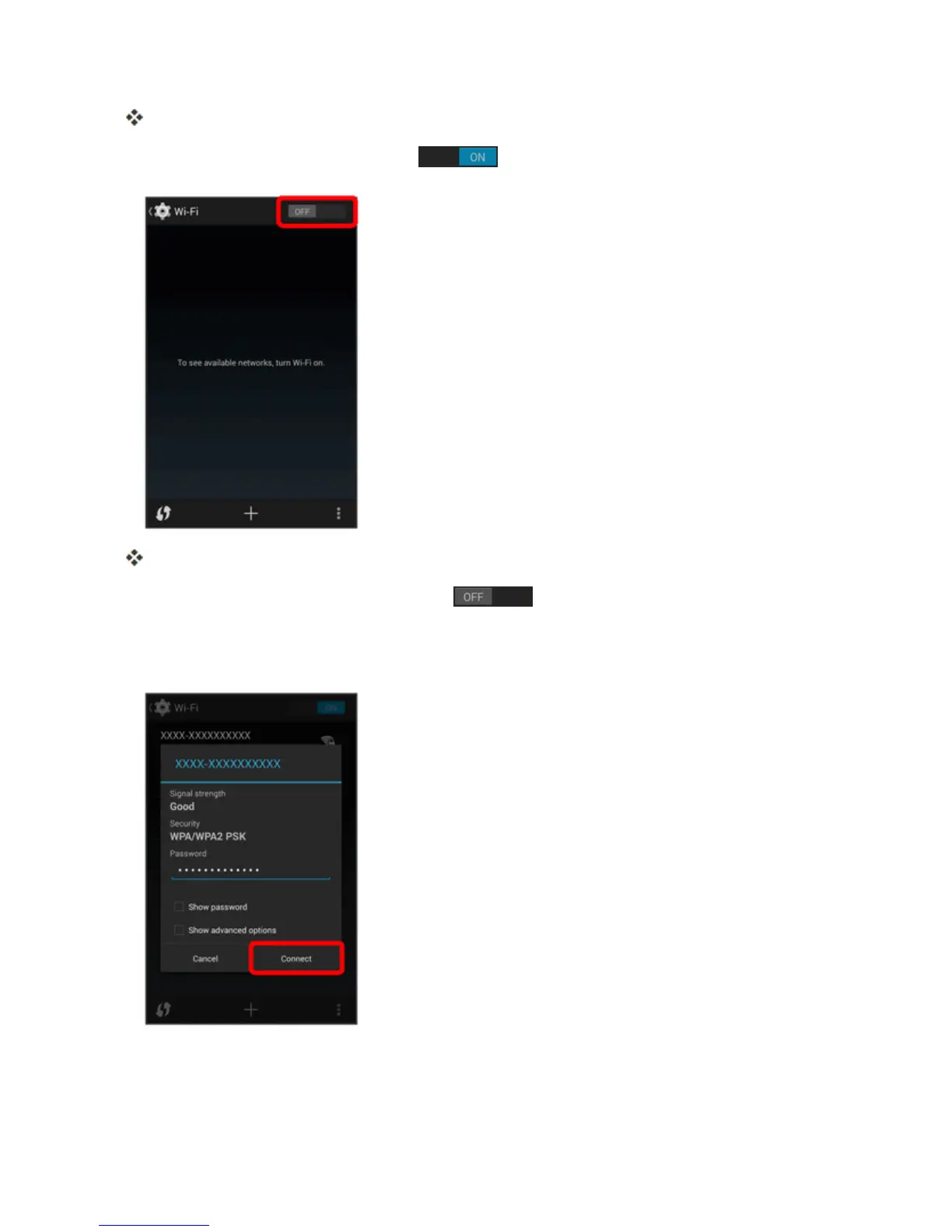
TheWi-Fisettingsmenuappears.
3.
TouchtheWi-FislidertoturnWi-Fion .
Wi-Fiisenabled.Youwillseethenamesandsecuritysettingsofin-rangeWi-Finetworks.
l
TodisableWi-Fi,touchtheslideragain .
4. TouchaWi-Finetworktoconnect,enterthepassword(ifit’snotanopennetwork),andthen
touchConnect.



 To Next Page