83
6
Special Printing Function
Some functions described in the following sections require optional keys. When you need optional keys for
these functions, consult your authorized SHARP dealer.
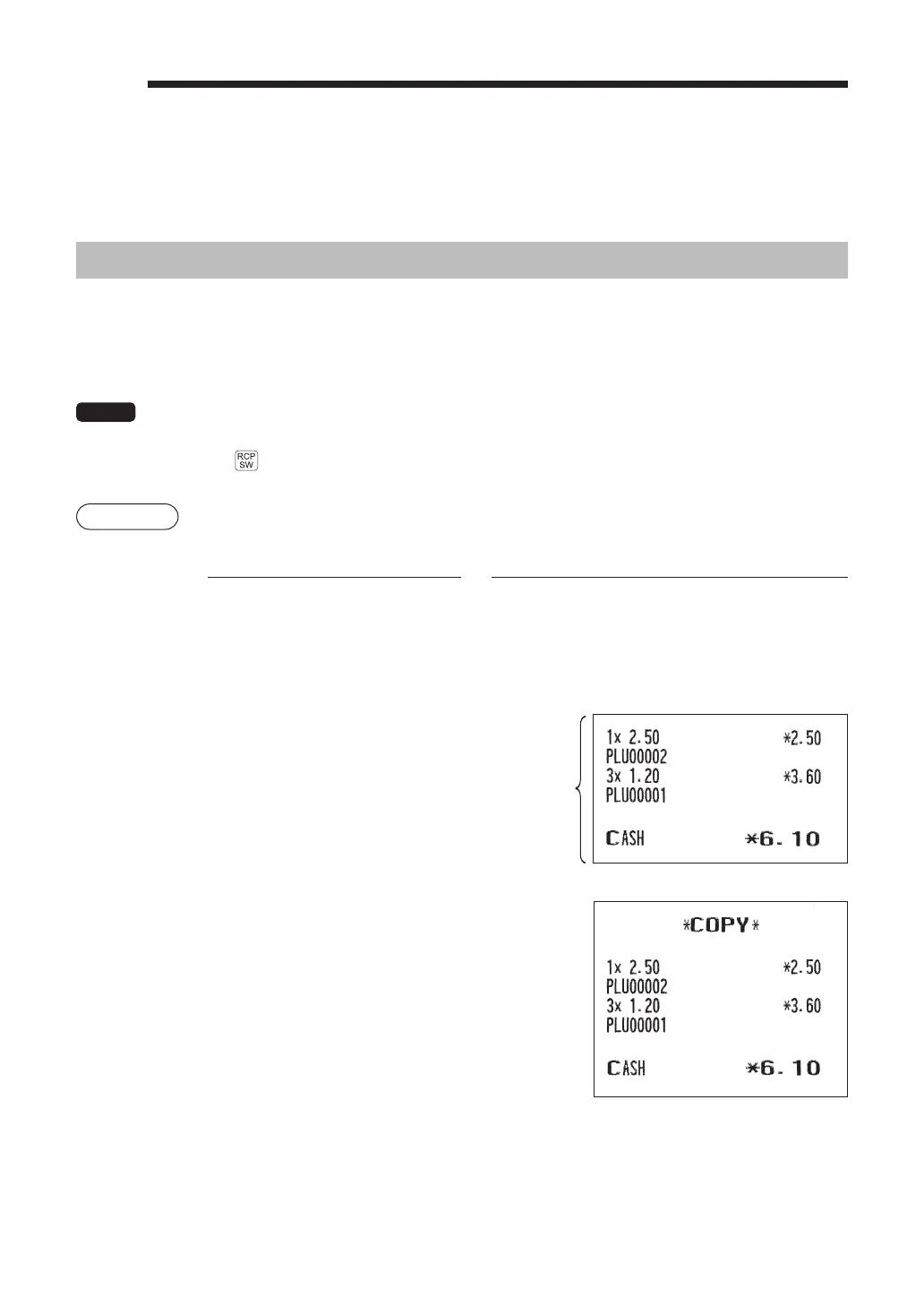
After Transaction Receipt / Copy Receipt Printing
If your customer wants a receipt after you have fi nalized a transaction with the receipt ON-OFF function in
the OFF status (no receipting), press the
R
key to issue an after transaction receipt.
If the
R
key is pressed when the receipt ON-OFF function is in the “ON” status or after a receipt is issued,
a copy receipt will be issued.
NOTE
To toggle the receipt ON-OFF status, use one of the following procedures:
• Press the
F
key and select “RCP SW.” from the menu list.
• Press the
key to open the “RCP SW.” window.
Example
Printing a receipt after making the entries shown below with the receipt ON-OFF function
“OFF” status
Key operation Print
2
U
3
x
1
U
A
For receipting
l
R
Print on
the receipt
When the receipt ON-OFF function
is in the “ON” status or after a
receipt is issued, a copy receipt will
be issued.



 To Next Page