!§I
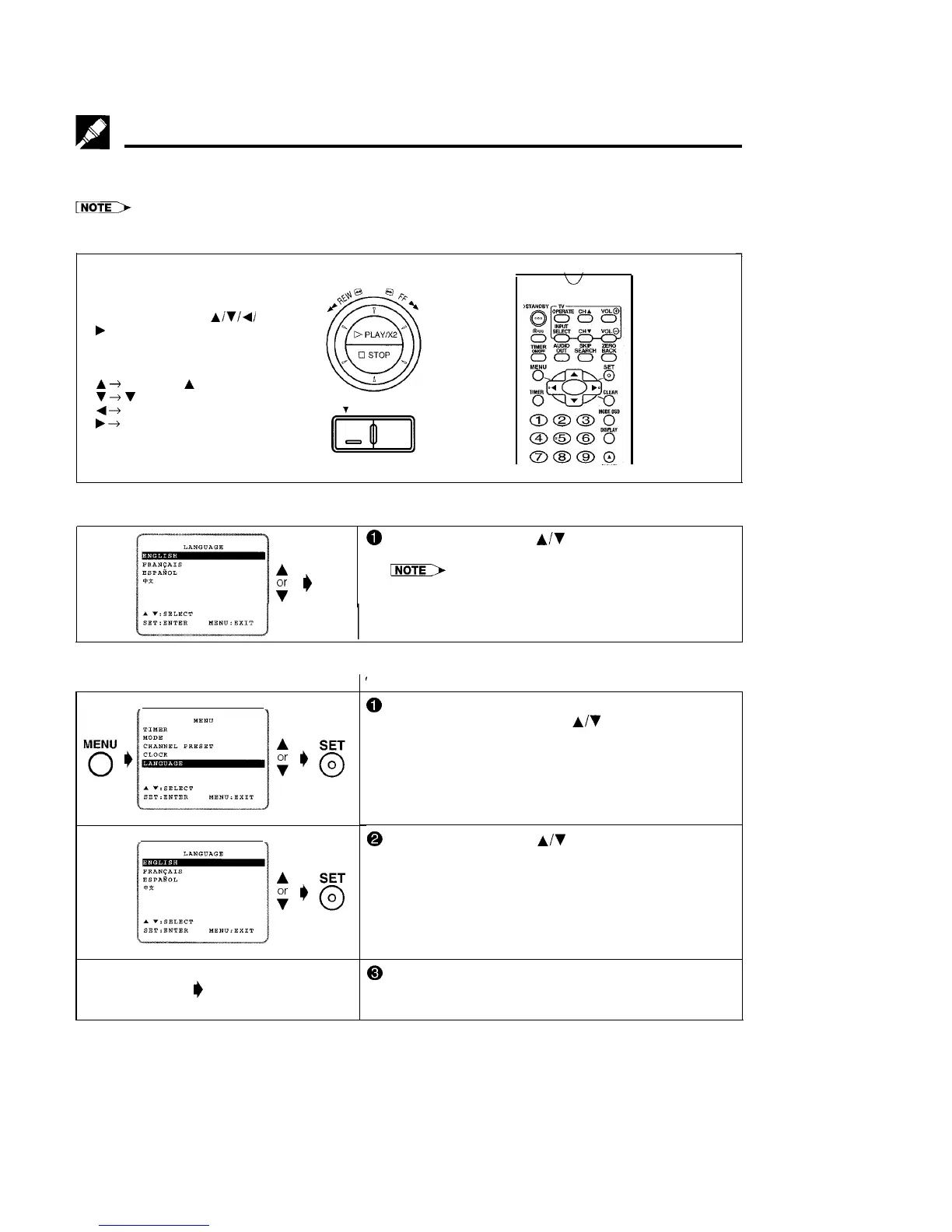
Setting the Language
PREPARATION
*Select the video channel on your TV and turn power ON the VCR. (See page 5, item 3.)
l Language setting screen will appear when the VCR is used for the first time. If the power has been disconnected, clock
setting screen will appear first.
*While in MENU, the
~/v/d/
b
buttons on the remote
control operates the following
functions (same functions on
the VCR):
A
+
CHANNEL
A
7
+
v
CHANNEL
4
3
REW (Shuttle Ring)
b
+
FF (Shuttle Ring)
Y
CHANNEL,
m
Changing Language
l If the language has already been set previously
Initial Setting of Language
A
SET
or
# 0
v
0
@
Select the language with
A/v
and press SET.
Ex.: ENGLISH
NoTE>
l Refer to page 11 to set the clock.
MENU
0
I)
Normal
Screen
’
and you want to change it, follow the steps below.
0
Press MENU.
Select item “LANGUAGE” with
A/V
and press SET.
@
Select the language with
A/v
and press SET.
Ex.: ENGLISH
@ To return to the normal screen, press MENU.
10



 To Next Page