Simple Recording Timer
There are two ways to use this Simple Recording Timer for
/
l Immediate recordinq:
your convenience..
Immediate Recordina
Convenient when- having an unexpected visitor or
telephone call.
l Delayed recording:
Convenient when leaving the house or going to bed
REC
0
0
l Press STOP to terminate recording
Delayed Recording
6STANDBY
0
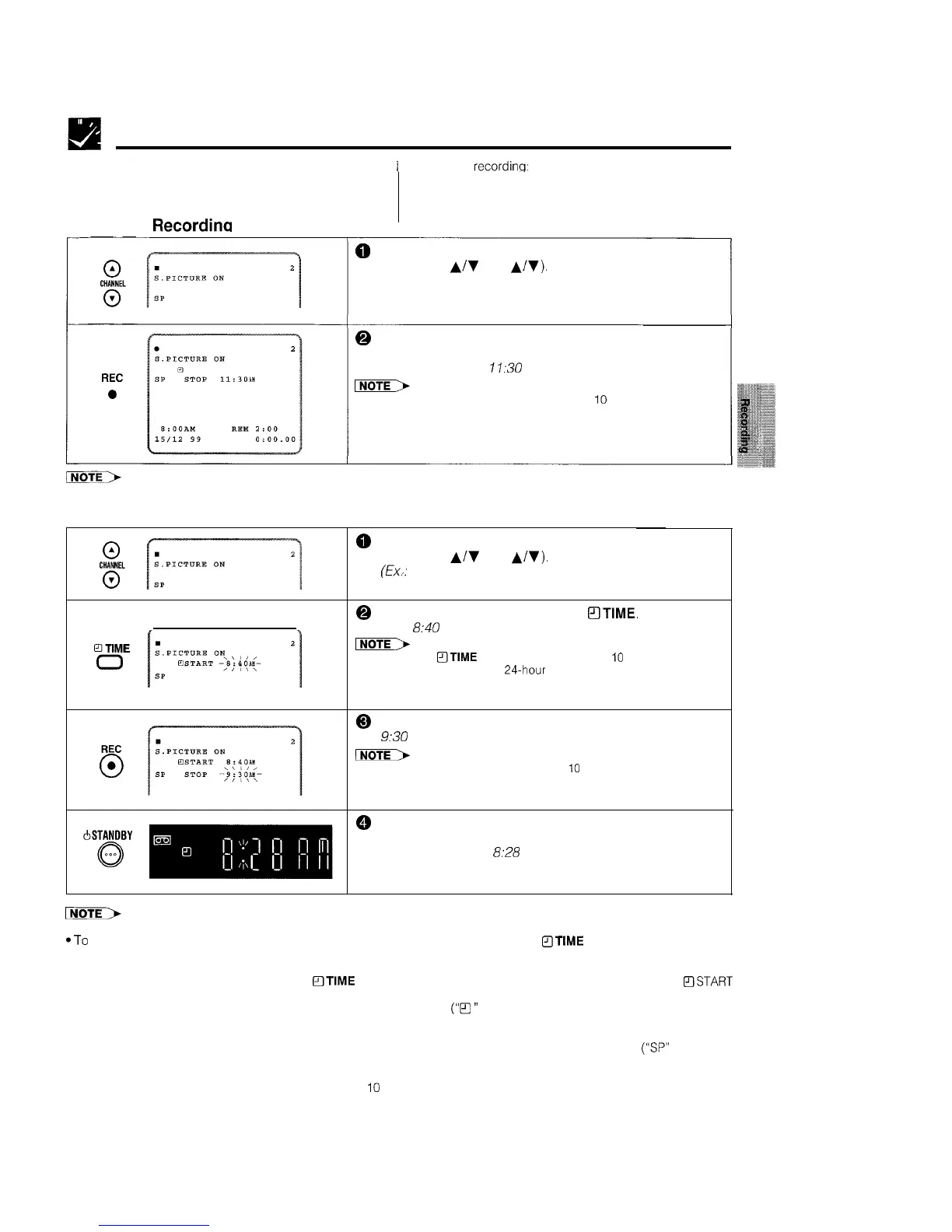
Select the channel position to be recorded by pressing
CHANNEL
A/V
(CH
A/V).
(Ex.: Channel position: 2)
@ Press REC to enter the normal recording mode. Then,
press REC repeatedly to set the desired ending time.
(Ex.: Ending time:
11:30
AM)
INoTE>
l
Each press of REC increases the stop time by
IO
minutes.
0
Select the channel position to be recorded by pressing
CHANNEL
A/V
(CH
A/V).
(Ex.,:
Channel position: 2)
@ Set the starting time by pressing
OTIME.
(Ex.: Starting
time:
8:40
AM)
INoTE>
l
Each press of
aTIME
increases the start time by
IO
minutes.
*Setting the time within a 24.hour period in IO-minute intervals is
oossible
0
Set the ending time by pressing REC. (Ex.: Ending time:
9:30
AM)
INoTE>
l
Each press of REC increases the stop time by
IO
minutes.
@
Press STANDBY to turn to the POWER STANDBY mode.
(See page 5, item 2.)
(Ex.: Present time:
8:28
AM)
l
After the Simple Recording Timer
is set, the channel position cannot be changed
*To
confirm the starting time and the ending time, first turn on the power. Then press
QTIME
to confirm the starting and
ending time. And turn to the POWER STANDBY mode.
l To clear the Simple Recording Timer setting during setting of “Delayed Recording”, press CLEAR on the remote control. To
clear after setting, turn on the power, press
mTIME
to select Simple Recording Timer mode, and then while the BSTART
time is flashing, press CLEAR.
l The Simple Recording Timer cannot be set if the timer has been preset
(“B
”
indicator on the VCR display is lit). If this is the
case, cancel the timer standby mode by pressing TIMER ON/OFF, turn on the power and then proceed with setting of the
Simple Recording Timer.
l Select the SP (Standard Play) or LP (Long Play) recording speed with TAPE SPEED on the remote control
(“SP”
or “LP” will
light up on the VCR display). SP (Standard Play) gives the best picture quality. LP (Long Play) gives the largest recording
time.
l The stop time for delayed recording must be set within
10
seconds of setting the start time, otherwise start time must be set
again.
21



 To Next Page