!!a
Mode Selection
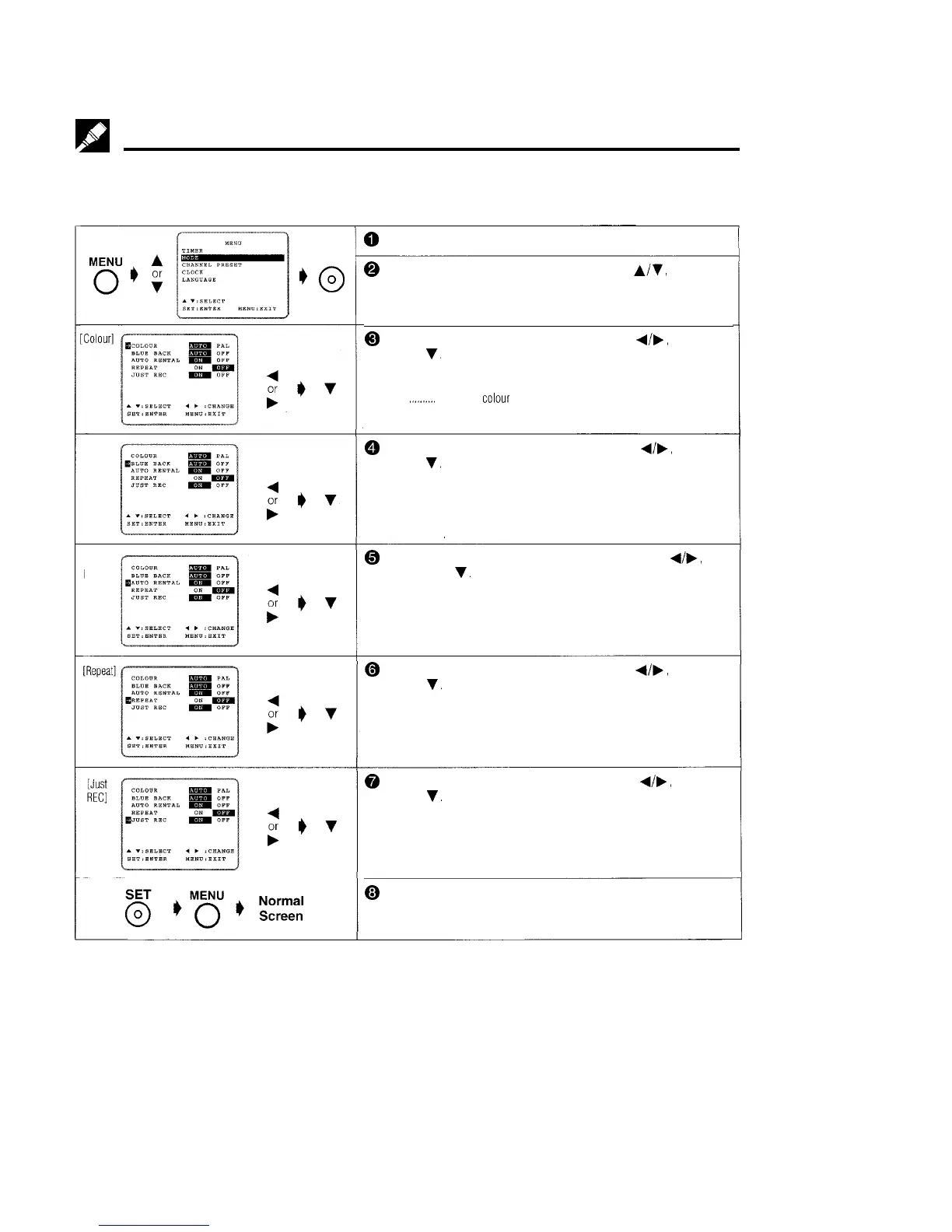
You can set the basic functions listed in the table below on the MODE selection screen.
PREPARATION
*Turn on your TV and select the video channel and turn on the VCR. (See page 5, item 3.)
SET
+c9
[Blue
Back]
[Auto
Rental]
@
Press MENU.
@ Select the MODE selection mode with
A/v’,
and then
press
SET.
@ Select the COLOUR mode by pressing
d/b,
and then
press
v.
(For details, see Colour Mode on page 18.)
AUTO Usually select AUTO mode.
PAL
,.,.,.....
Strict PAL
colour
mode.
@ Select the BLUE BACK mode by pressing
4/b,
and then
press
v.
AUTO Usually select AUTO.
A blue screen will appear when your VCR receives no TV signal or an
unrecorded tape is played back.
OFF Select OFF if the screen turns blue due to weak TV signal reception, or
playback of a poorly recorded tape.
@ Select the AUTO RENTAL mode by pressing
4/W,
and
then press
v.
(For details, see Auto Rental Mode on page 19.)
@ Select the REPEAT mode by pressing
4/b,
and then
press
v.
(For details, see Auto Repeat on page 26.)
@ Select the JUST REC mode by pressing
d/b,
and then
press
v.
(For details, see Intelligent Timer Recording (JUST
REC) on page 26.)
@ Press SET. To return to the normal screen, press MENU.
15



 To Next Page