R
-
Playback
Inserting a Video Cassette
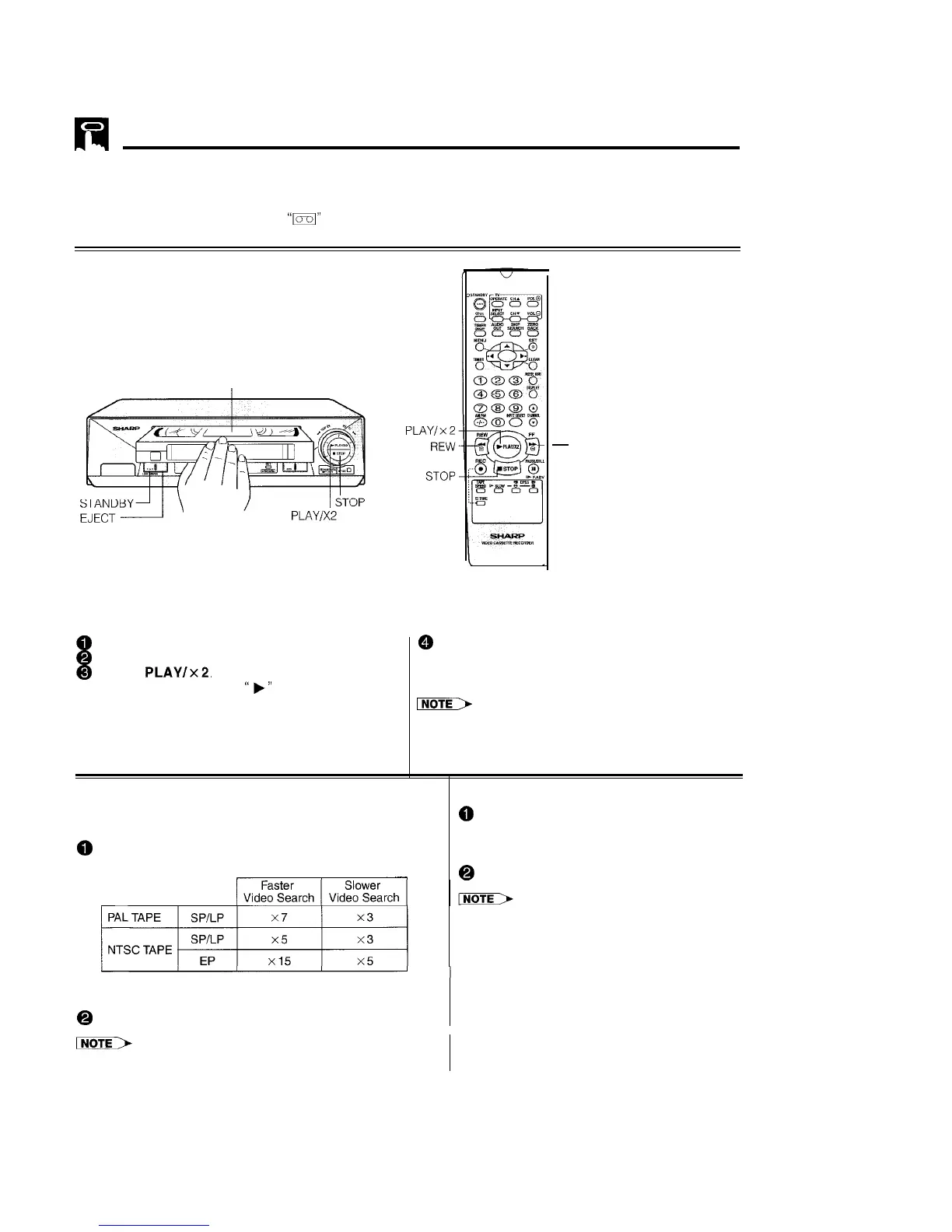
Gently insert the video cassette into the cassette compartment. The VCR turns on automatically. If the cassette
is inserted incorrectly, the loading system will not function. Do not force the cassette into the VCR. When the
cassette has been properly loaded,
“m”
appears on the VCR display.
To remove the cassette, press EJECT during stop mode.
Playback
PREPARATION
l Turn on your TV and select the video channel.
Insert a cassette.
@
Turn on the VCR. (See page 5, item 3.)
@
Insert a cassette.
@
Press
PLAY/x2.
(The auto tracking control
system engages and
“b”
flashes on the TV
screen for a few seconds.)
-
FF
@ To stop playback, press STOP. (If the tape
reaches its end, the VCR will automatically rewind
the tape to the beginning, eject the cassette, and
turn into POWER STANDBY mode.)
INoTE>
l
NTSC tapes recorded in EP mode may appear distorted
during playback. This does not indicate a malfunction. The
tracking function can be used to slightly enhance the
picture quality.
Video Search
Fast Forwarding and Rewinding
Use the following procedure to quickly find the section you
@
To move through the cassette faster, press
want, while viewing the picture.
STOP and then press FF or REW to fast
@
During playback, press FF for forward video search, or
forward or rewind the cassette. (The picture
REW for reverse search.
cannot be viewed in this mode.)
@
Press STOP to stop fast forward or rewind.
l
If you use other than E-90/E-180 cassettes, fast for-
ward and rewind may take somewhat longer.
There are 2 search speeds in each direction. The VCR
switches between them each time the button is pressed.
@
Press PLAY/x 2 to resume normal playback.
l During video search of a tape recorded in the LP mode, the upper
part of the picture may be skewed to one side.
16



 To Next Page