LOW POWER Feature
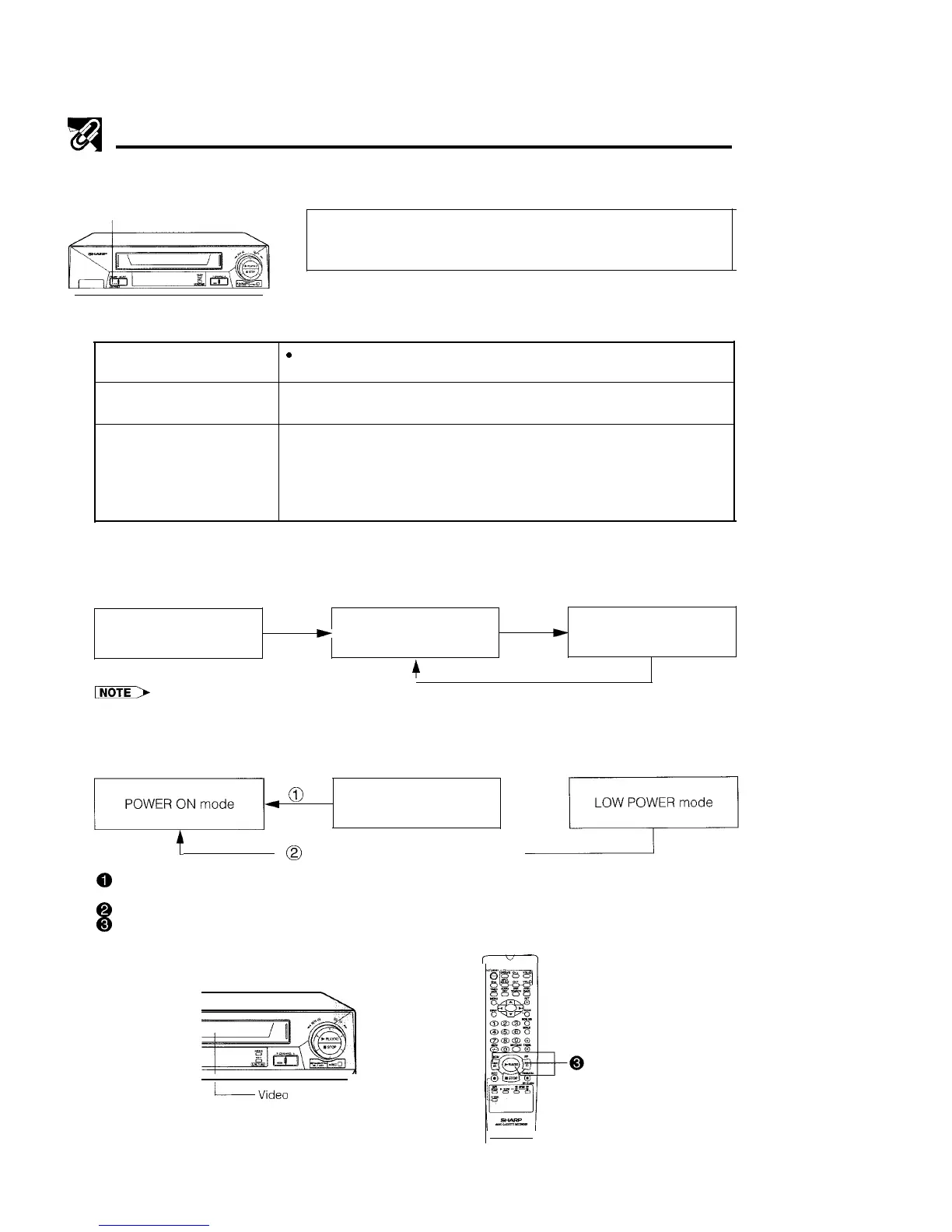
This model is equipped with a LOW POWER feature to save energy when the VCR is not in use.
STANDBY/LOW POWER button
Clock keeps time regardless of this button.
This VCR is not equipped with a mains power switch. Accordingly, nominal
current to drive the clock is drawn at all times when the AC power cord is
plugged into a wall socket. If the VCR is not to be used for an extended period,
be sure to unplug the cord.
1. Definitions of POWER modes
POWER ON mode
9
VCR in operation or ready for operation.
l
VCR display is on.
POWER STANDBY mode
l
VCR in standby mode.
l
VCR display is on.
LOW POWER mode
l VCR display is off, but clock continues to keep time.
l Noise may appear on the screen when watching TV in this mode. If this
occurs, switch to POWER STANDBY mode.
l This mode cannot be used when the programmable timer is set to
TIMER ON.
2. In POWER ON mode
Each time STANDBY/LOW POWER on the VCR or STANDBY on the remote control is pressed, the
POWER MODE changes as shown below.
(Current)
POWER ON mode
+
POWER STANDBY mode
4
+
LOW POWER mode
l LOW POWER mode cannot be used when the programmable timer is set to TIMER ON
3. Switching from POWER STANDBY or LOW POWER mode to POWER ON
mode.
(14
@
POWER STANDBY mode
t
0
(Press STOP on the remote control)
@
Press STOP on the VCR or the remote control to switch from POWER STANDBY mode to POWER ON
mode.
@ Press STOP on the remote control to switch from LOW POWER mode to POWER ON mode.
@ By pressing one of the tape operation buttons on the remote control (PLAY, REW, FF, etc.) with a video
tape in the VCR, the mode will automatically switch to POWER ON and the tape operation will begin.
r
/Video
taoe must be loaded
5



 To Next Page