!!a
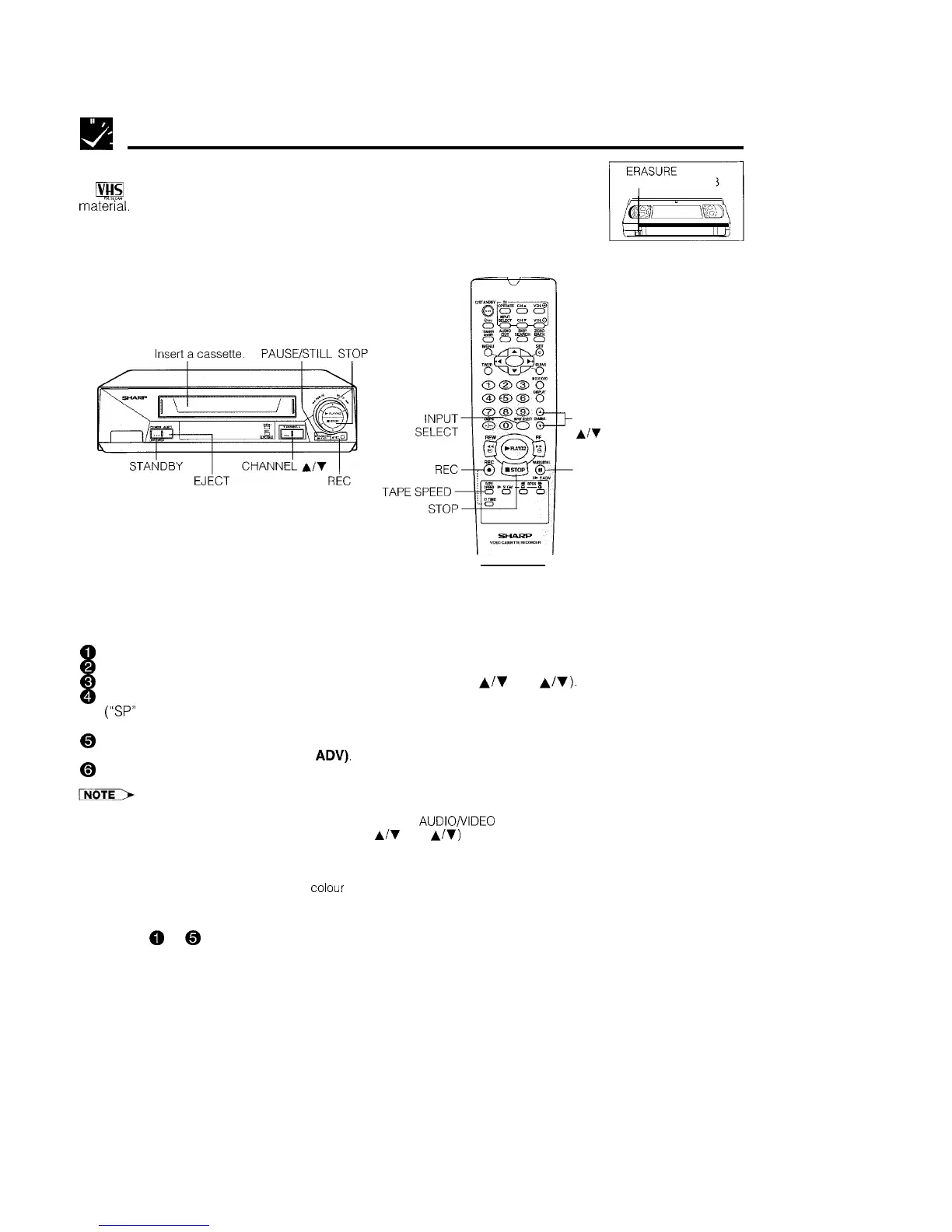
Recording a TV Programme
Cassette Erase Protection
A
Ives
cassette has a removable tab to prevent accidental erasure of recorded
PROTECTION TAB
mate”%l.
Removing the tab prevents recording. To record on a video cassette with the
tab removed, place adhesive tape over the tab opening.
Recording a TV Programme
CHANNEL
Al’l
PAUSE/STILL
PREPARATION
*Turn on your TV and select the video channel
PROCEDURE
0
Turn on the VCR. (See page 5, item 3.)
@
Insert the cassette, making sure the erasure protection hole is covered.
0
Select the channel position you wish to record with CHANNEL
A/v
(CH
A/v).
@
Select the SP (Standard Play) or LP (Long Play) recording speed with TAPE SPEED on the remote control
(“SP”
or “LP” will light up on the VCR display). SP (Standard Play) gives the best picture quality. LP (Long
Play) gives the longest recording time.
@
Press REC. (If the erasure protection hole is uncovered, the cassette will be ejected.) To pause during
recording, press PAUSE/STILL (F.
ADV),
To resume recording, press PAUSE/STILL (F. ADV) again.
@
To stop recording, press STOP.
l
The pause mode disengages automatically after
about 5 minutes, and the VCR enters stop mode.
l To record audio and video from an external source through the AUDIODIDEO terminal on the rear of the VCR, press INPUT
SELECT on the remote control or press CHANNEL
A/T
(CH
A/V)
to select the AV channel position situated between the
last channel and first channel. (When the AV position is selected, “AV” is displayed where a channel position number is
usually displayed.)
l If the TV signals are weak and the picture changes to monochrome, set the PAL mode on the MODE selection screen. (See
Colour Mode on page 18.) Normally, the colour mode should be set to “AUTO”.
To Watch Another TV Programme While Recording
After steps
0
to
@
have been completed, select the programme you wish to view using the TV tuner. At the
end of the tape, your VCR will automatically stop recording, rewind to the beginning of the tape, eject the tape
and turn to the POWER STANDBY mode.
20



 To Next Page