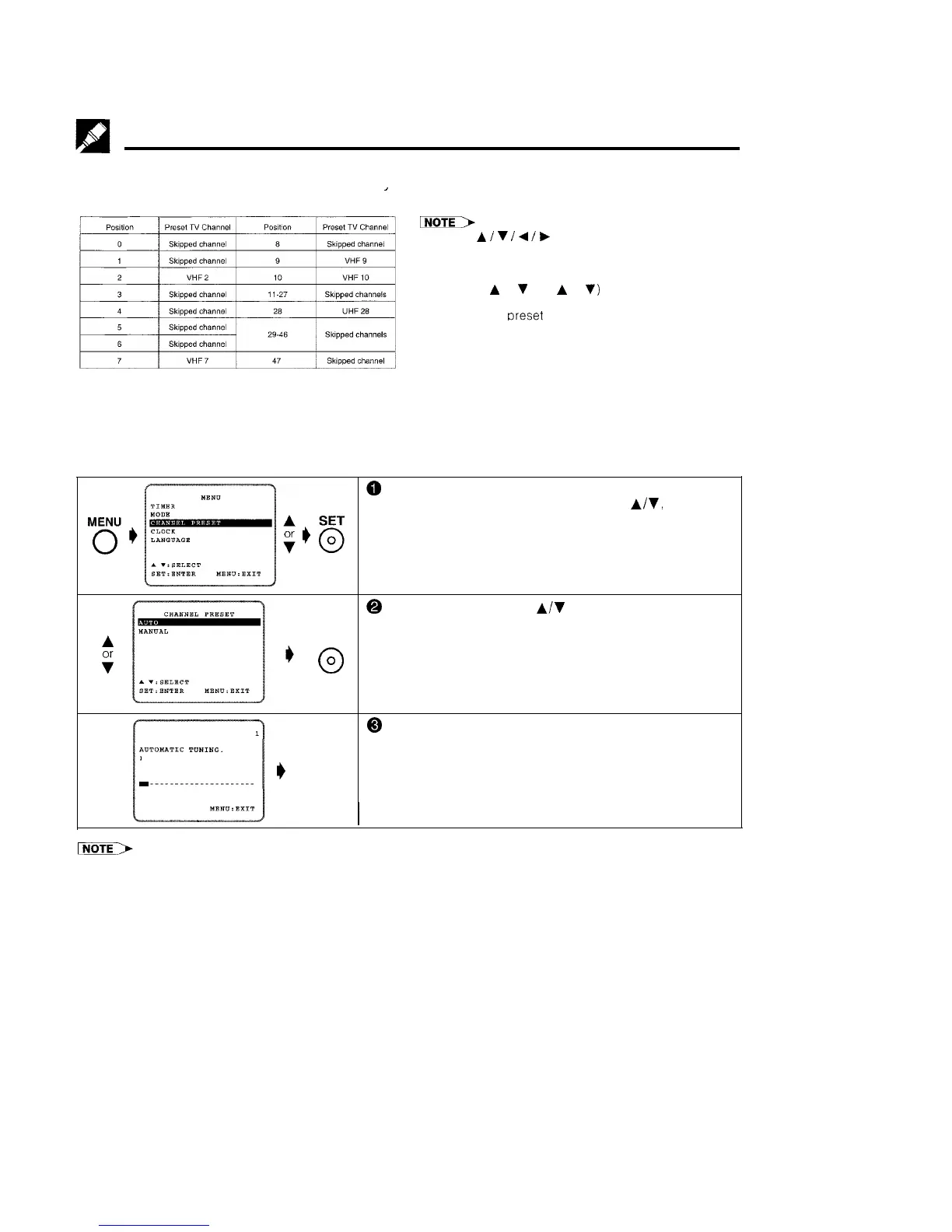
Setting the Channels
Your VCR can receive VHF channels 0 to 12, and UHF channels 28 to 69. Your VCR has 48 programmable
channel positions, each of which can be set to anv of the above broadcast channels. The channel positions
have been preset ‘at the factory as shown below.
’
AUTO TUNING
PREPARATION
l Use the
A
/
V
/
4
/
b
buttons on the remote control to set
the OSD.
l Channel position numbers 0, 1, 3 to 6, 8, 11 to 27, and 29
to 47 have been factory set to be skipped when
CHANNEL
A
or
V
(CH
A
or
V)
is used.
l If the picture is not clear, if you want a different channel
from the one
oreset
or if vou wish to reset a skiooed
channel, reset the channel as follows
*Select the video channel on your TV and turn on the VCR. (See page 5, item 3.)
0
Press MENU.
Select item “CHANNEL PRESET” with
AR,
and press
SET.
@
Select item “AUTO” with
A/V
and press SET.
A
SET
T
@ The channel display on the TV screen will continue
ADTDlIllTIC
TUNING.
through all of the channels and when finished, the TV
PLEASE WAIT.
Normal
screen will return to the normal screen.
I)
Screen
The bar display indicates the estimated amount of
I.-.-.---.--.-.--..-.-
channels tuned.
l If additional unwanted channels were found, refer to page 14 to skip unwanted channels
l If some channels were unable to be found, refer to Manual Tuning on page 13.
12



 To Next Page