Shure Incorporated
24/86
2.
◦
◦
•
•
•
•
•
•
Place the charger in storage mode:
From the hardware: Press and hold the Storage mode button for 5 seconds.
From the software: Open the charger web application to the home page and turn on storage mode.
Access Point Installation
Best Practices When Selecting a Location for the Access Point
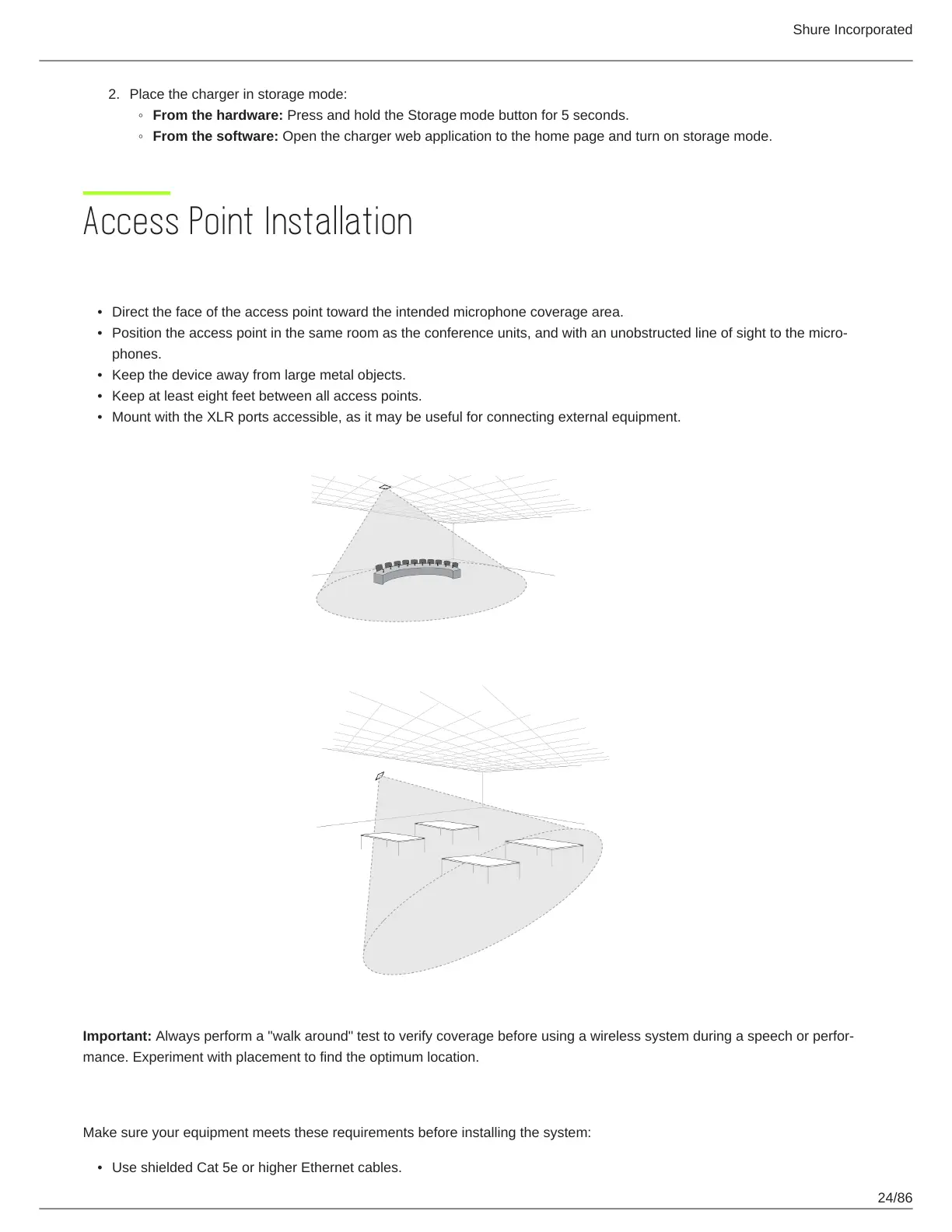
Direct the face of the access point toward the intended microphone coverage area.
Position the access point in the same room as the conference units, and with an unobstructed line of sight to the micro
phones.
Keep the device away from large metal objects.
Keep at least eight feet between all access points.
Mount with the XLR ports accessible, as it may be useful for connecting external equipment.
Important: Always perform a "walk around" test to verify coverage before using a wireless system during a speech or perfor
mance. Experiment with placement to find the optimum location.
Requirements Checklist
Make sure your equipment meets these requirements before installing the system:
Use shielded Cat 5e or higher Ethernet cables.













 To Next Page