Shure Incorporated
35/86
• Mac: ctrl + cmd + f
Using a Passphrase
The access point web application must have an Admin passphrase created when an access point is powered on for the first
time, or after a factory reset. The passphrase may be changed or removed after the system setup is complete.
To change or remove a passphrase, open the Settings menu in Admin view and select the Permissions tab.
Note: Anyone can access the web application from a computer or mobile device connected to the network when a passphrase is not enabled.
Wireless and RF Management
Microflex Complete Wireless provides automatic, encrypted wireless transmission for up to 125 conference units at a time. The
access point scans and selects the best operating channel across the wireless 2.4 GHz and 5 GHz frequency bands, including
DFS channels.
Wireless Operating Distance
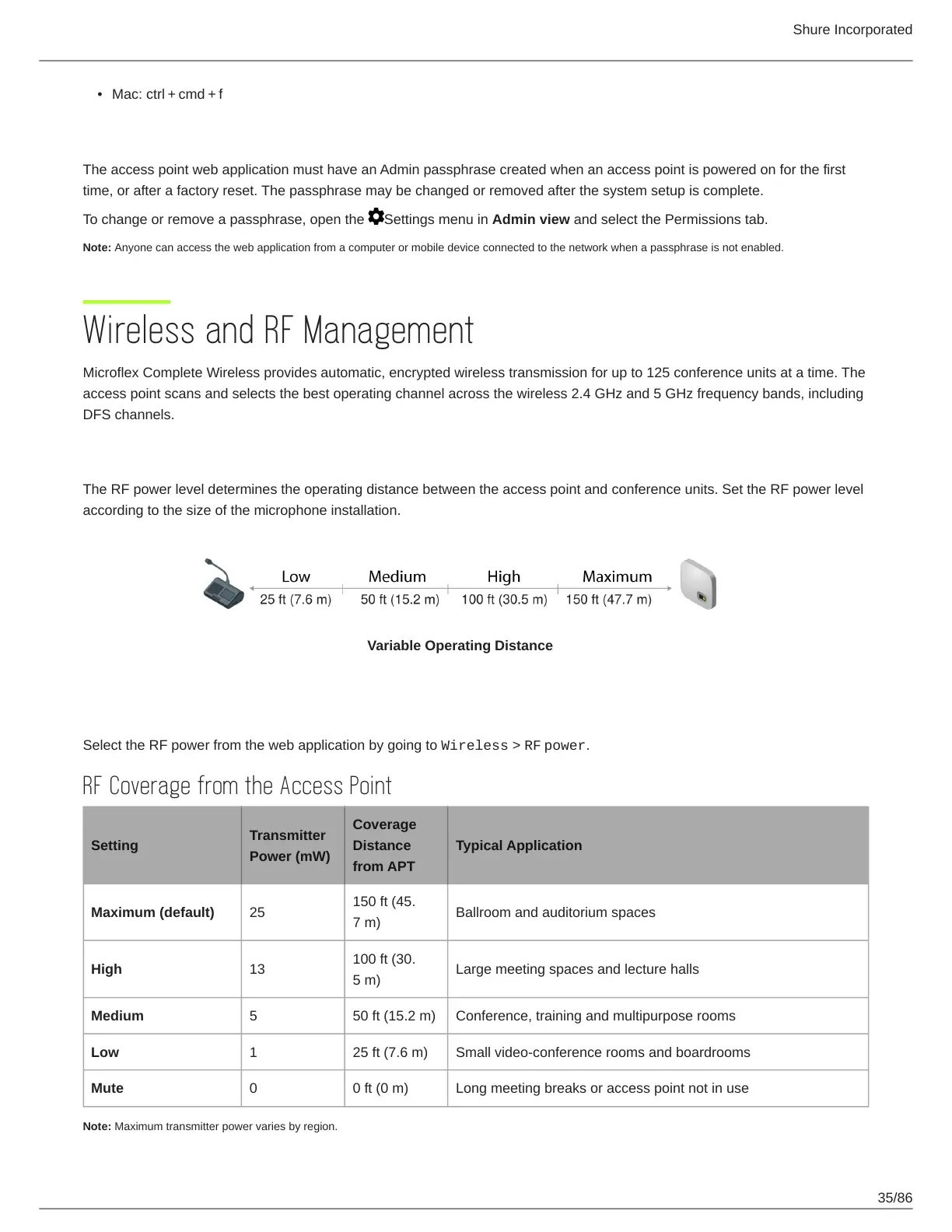
The RF power level determines the operating distance between the access point and conference units. Set the RF power level
according to the size of the microphone installation.
Variable Operating Distance
Setting RF Power
Select the RF power from the web application by going to Wireless > RF power.
RF Coverage from the Access Point
Setting
Transmitter
Power (mW)
Coverage
Distance
from APT
Typical Application
Maximum (default) 25
150 ft (45.
7 m)
Ballroom and auditorium spaces
High 13
100 ft (30.
5 m)
Large meeting spaces and lecture halls
Medium 5 50 ft (15.2 m) Conference, training and multipurpose rooms
Low 1 25 ft (7.6 m) Small video-conference rooms and boardrooms
Mute 0 0 ft (0 m) Long meeting breaks or access point not in use
Note: Maximum transmitter power varies by region.













 To Next Page