Shure Incorporated
36/86
1.
2.
3.
4.
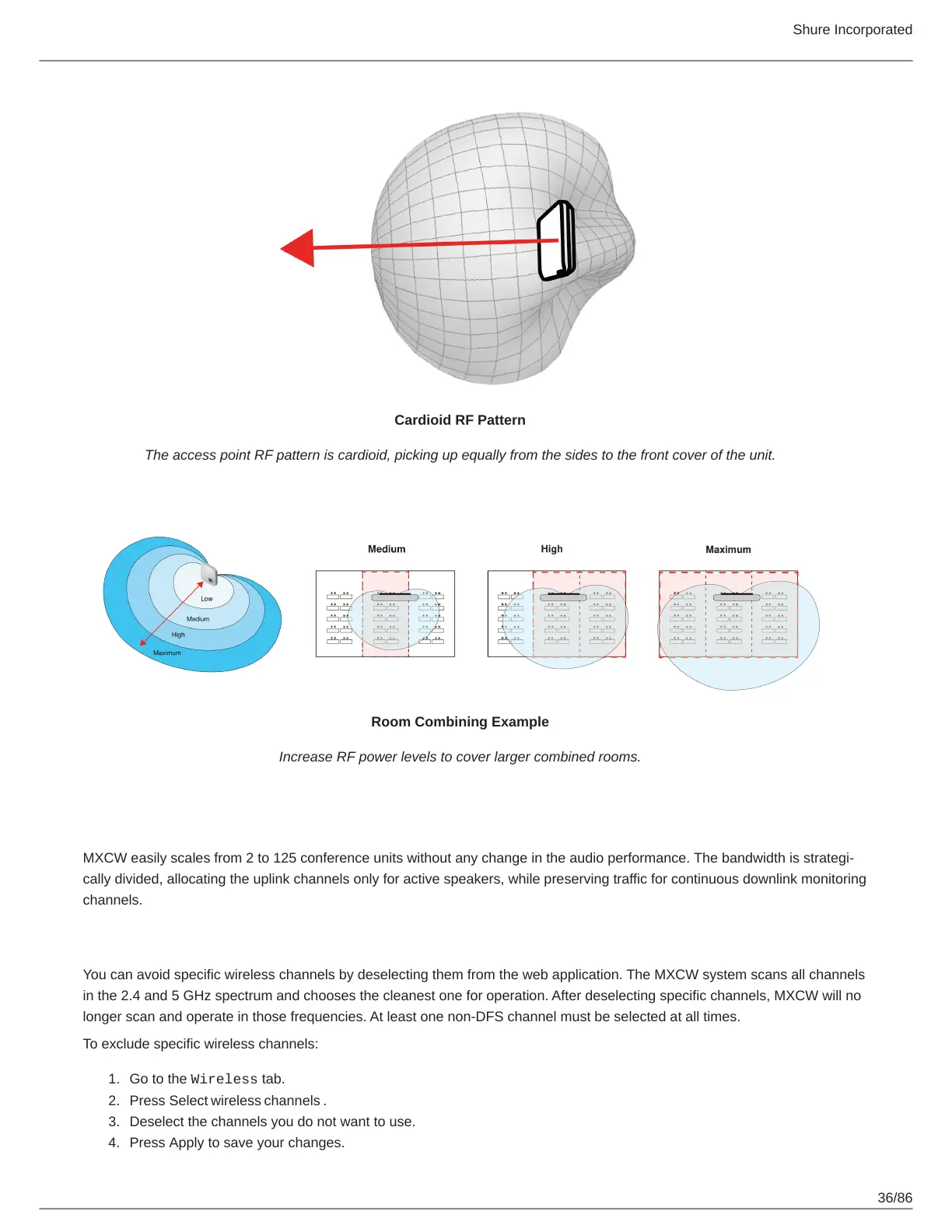
Cardioid RF Pattern
The access point RF pattern is cardioid, picking up equally from the sides to the front cover of the unit.
Room Combining Example
Increase RF power levels to cover larger combined rooms.
Reliable Bandwidth Allocation
MXCW easily scales from 2 to 125 conference units without any change in the audio performance. The bandwidth is strategi
cally divided, allocating the uplink channels only for active speakers, while preserving traffic for continuous downlink monitoring
channels.
Selecting or Excluding Specific Wireless Channels
You can avoid specific wireless channels by deselecting them from the web application. The MXCW system scans all channels
in the 2.4 and 5 GHz spectrum and chooses the cleanest one for operation. After deselecting specific channels, MXCW will no
longer scan and operate in those frequencies. At least one non-DFS channel must be selected at all times.
To exclude specific wireless channels:
Go to the Wireless tab.
Press Select wireless channels .
Deselect the channels you do not want to use.
Press Apply to save your changes.













 To Next Page