656 234 2010-11-22| Sicam srl società unipersonale
Operation | SBM V655 | 35 en
7. Operation
7.1 Start page
i The initialization of the software is displayed approx.
20 seconds after switching on the SBM V655. The
start page is displayed after a further 40 seconds.
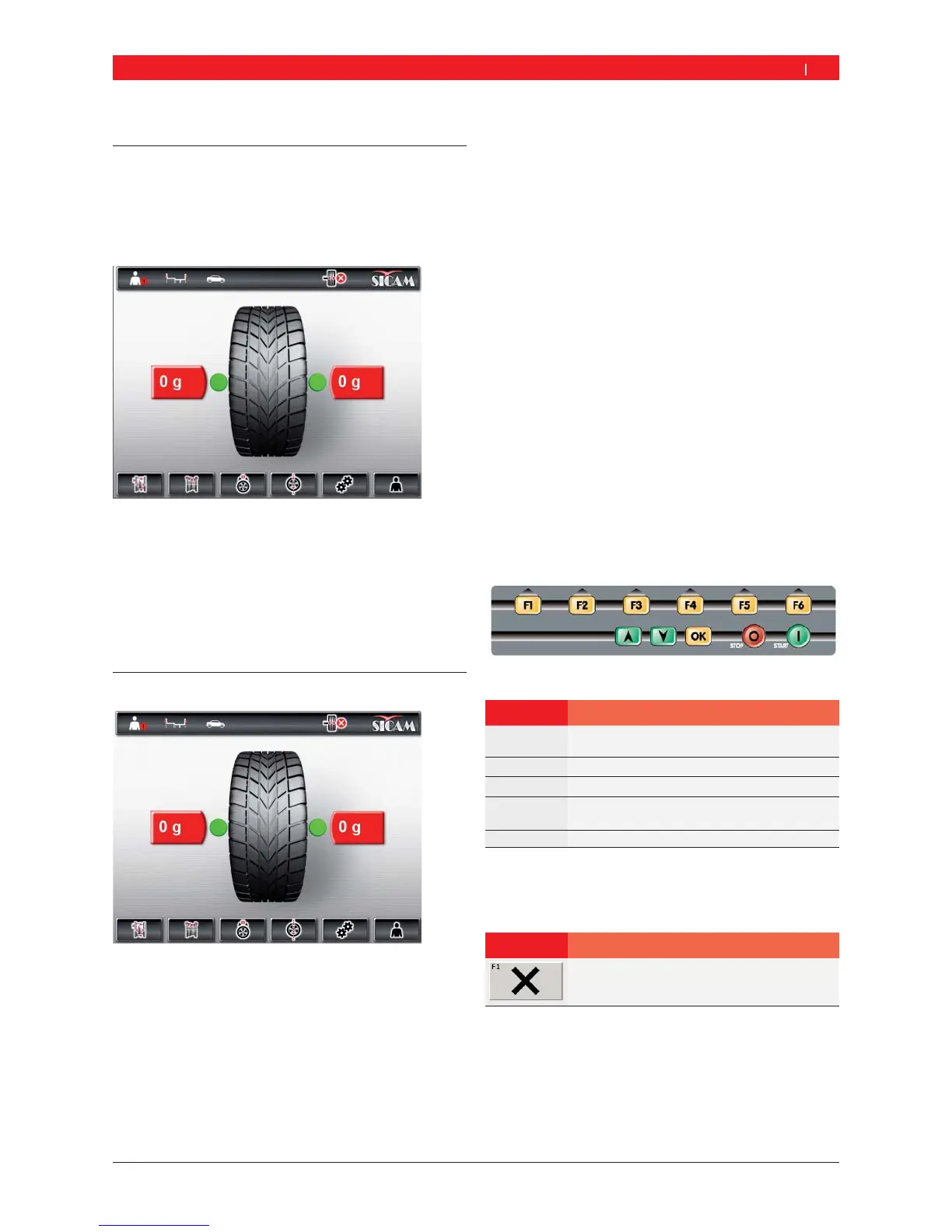
Pressing <F1> opens the "main page".
The following functions can be selected on the main
page:
<F1> Call-up of "Manual rim data input" menu
<F2> Call-up of "Balancing programs" menu
<F3> Selection of number of spokes
<F4> Call-up of "Unbalance minimization" program
<F5> Call-up of "Settings and service" menu
<F6> User selection
7.2 Monitor display
Fig. 4: Main page
1 Status bar
2 Display fi eld
3 Softkey bar
7.2.1 Status bar
The following information is displayed depending on
the menu selected:
Current operator.
Current balancing program.
Type of vehicle selected.
Number of wheel spokes selected in "split program".
"Position braking" function activated/deactivated.
7.2.2 Display field
The following information is displayed here:
Wheel data and positioning of vernier caliper/gauge
arm.
Information on positioning and mass of the balance
weights.
7.2.3 Softkey bar
The softkey bar indicates the functions available in
the corresponding menu. The functions are started by
pressing the function keys <F1> to <F6>.
7.2.4 Function and control keys
The function and control keys (Fig. 1, Item 4) are used
to operate the SBM V655. The corresponding functions
are described in table 2.
Fig. 5: Function and control keys
Key Description
<F1> to <F6> Function keys, function depending on
the symbols in the softkey bar.
Arrow keys Navigation in menus and for altering wheel data.
<OK> Storage of settings selected.
<STOP> Termination of measurement,
display of exact value if key is held pressed.
<START> Start of measurement.
Tab. 1: Functions of function and control keys
7.2.5 EXIT key
Symbol Description
Press <F1> to return to the "main page".
This key is used for exit from the selected menu and
return to the "main page".
i Values can only be stored by pressing the <OK> key.


 To Next Page