656 234 2010-11-22| Sicam srl società unipersonale
36 | SBM V655 | Operationen
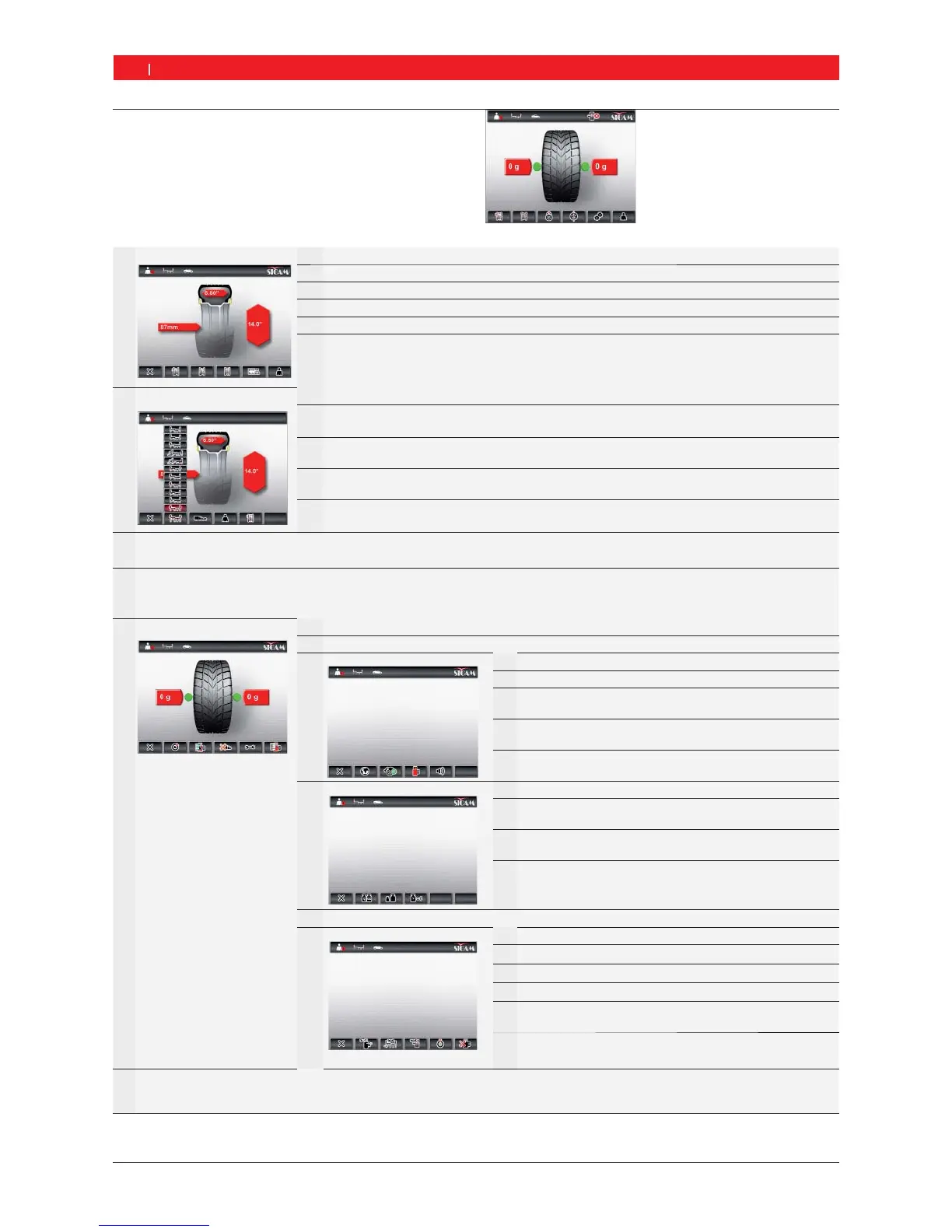
7.3 Overview of program structure
F1 Manual wheel data input F1
Return to main page.
F2
Input of rim distance from the SBM V655 (always in mm).
F3
Input of rim width (in inch / mm).
F4
Input of rim diameter (in inch / mm).
F5
Change of unit for rim width and rim diameter (in inch / mm).
F6
Selection of operator; the last settings selected (vehicle, personal settings, technical
settings and other settings) are stored for the active operator and can be called up again.
F2 Program selection
F1
Return to main page.
F2
Selection of balancing program; 11 passenger car programs, 5 motorcycle programs;
the program selected is displayed in the status bar.
F3
Selection of type of vehicle (passenger car or motorcycle); the type of vehicle selected
is displayed in the status bar.
F4
Selection of operator; the last settings selected (vehicle, personal settings, technical
settings and other settings) are stored for the active operator and can be called up again.
F5
Manual wheel data input (call-up of "Manual wheel data input" menu).
F3
Selection of number of spokes
The weight can be distributed behind the spokes after measuring the unbalance.
F4
Unbalance minimization
Optimization of unbalance by turning the tyre on the rim in the case of problematic tyres or excessively high weights.
F5 Service menu
F1
Return to main page.
F2
Calibration menu, guarded by password (refer to Section 11.4).
F3
Personal settings
F1
Return to "Service menu".
F2
Language selection.
F3
Activation/deactivation of automatic start
(start of measurement by closing wheel guard).
F4
Activation/deactivation of screen saver
(not with all versions).
F5
Activation/deactivation of acoustic confirmation signal.
F4
Technical settings
F1
Return to "Service menu".
F2
Selection of weight display
grams (g) or ounces (oz).
F3
Selection of weight resolution
1 g / 0.05 oz or 5 g / 0.25 oz
F4
Residual value suppression:
Entry of weight value below which the
value "0" is to be displayed.
F5
Self-diagnosis, customer service information (refer to Section 11.5).
F6 Other settings
F1
Return to "Service menu".
F2
Activation/deactivation of vernier caliper and gauge arm.
F3
Selection of position storage by time or pedal.
F4
Activation/deactivation of position locking.
F5
Positioning of adhesive weight (electronic vernier caliper,
manual vernier caliper (3, 6 or 12 o'clock).
F6
Configuration of SBM V655 by or following consultation
with customer service.
F6
Selection of operator
Selection of operator; the last settings selected (vehicle, personal settings, technical settings and other settings)
are stored for the active operator and can be called up again.
Main page


 To Next Page
 Loading...